Screenshot API

POST a URL, get back a PNG. We load the page in a real Chrome browser, run its JavaScript, wait for what you tell us to wait for, and return a hosted image within seconds. No browser to install, no headless Chrome to babysit.

50 free renders, no credit card.
Full-page, single-element and mobile captures on one endpoint.
Same key also renders raw HTML, named templates and PDFs.
No code yet? The free website screenshot tool runs the same renderer in your browser.
screenshot.sh bash
curl -X POST https://app.html2img.com/api/screenshot \
  -H "X-API-Key: $HTML2IMG_API_KEY" \
  -H "Content-Type: application/json" \
  -d '{
    "url": "https://en.wikipedia.org/wiki/Screenshot",
    "width": 1200,
    "height": 750
  }'

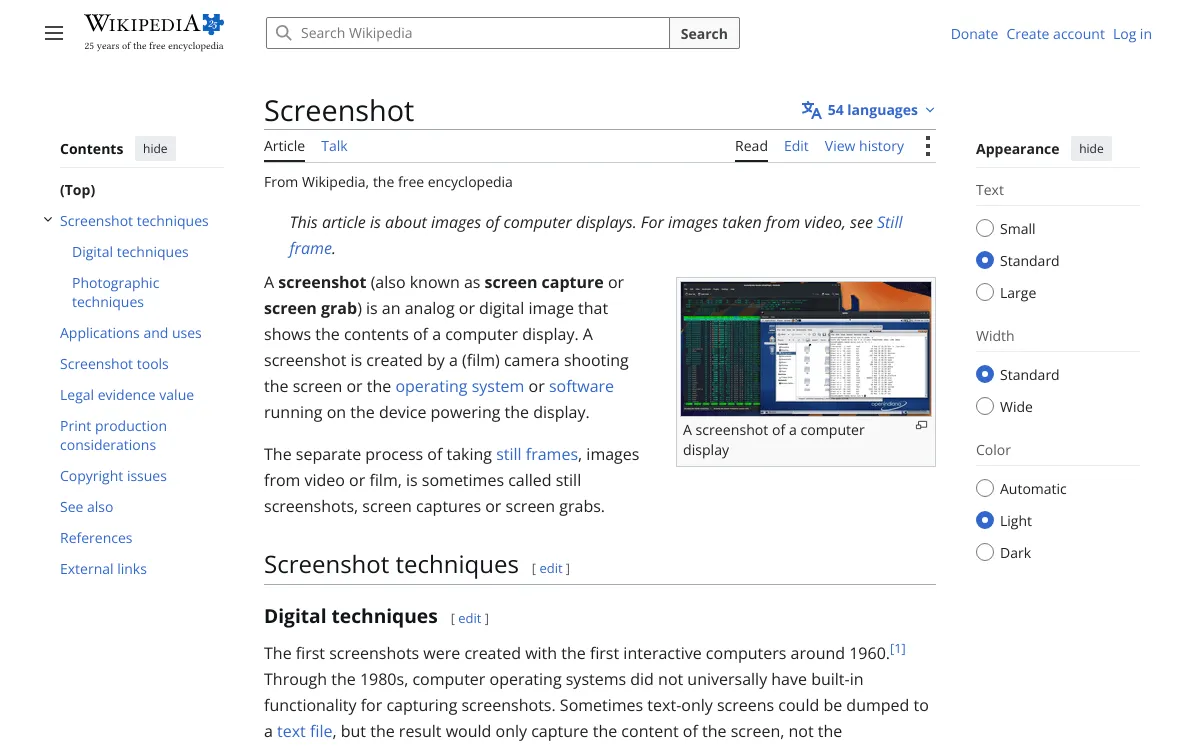
That request returns this image

Not a mock-up. The capture below is what the cURL command above produced, and the JSON is the response that carried it. Every screenshot on this page was rendered the same way, by the API, from the payload printed beside it.

response.json json
{
  "success": true,
  "id": "f90c7615-bbeb-47aa-bb69-ab643c90e36e",
  "expires_at": null,
  "credits_remaining": 996,
  "url": "https://i.html2img.com/image-1786882079164-441207.png"
}

The url is live the moment you receive it. Store it against your record, embed it in an <img> tag, or download the bytes: downloads never cost a credit. On a paid plan the file is hosted permanently, and expires_at stays null.

Screenshot API output: the Wikipedia article on screenshots captured at 1200 by 750 pixels
1200 × 750 viewport capture of a public URL.

What the endpoint does

One endpoint, POST /api/screenshot, and a handful of parameters that cover the captures people actually need.

Real Chrome, not an approximation

Captures run in a current headless Chrome build. Flexbox, grid, container queries, custom properties, webfonts and SVG render exactly as they do on your machine, because it is the same engine.

Full-page or viewport

Take the visible viewport at a size you choose, or set fullpage and capture the entire scroll height in one image, however long the page runs.

Capture a single element

Pass a CSS selector and the response contains only that element, cropped to its own bounding box. Useful for pricing tables, charts and hero sections.

Any viewport, any density

Width and height between 1 and 5000 pixels, plus a device pixel ratio up to 4. One URL, captured at desktop, tablet and phone widths from three requests.

Waits for late content

JavaScript runs before capture. When content arrives later still, hold the shot with wait_for_selector until an element exists, or ms_delay for a fixed pause.

Hide what you do not want

Inject CSS before the capture to drop cookie banners, chat bubbles and sticky headers out of the frame, or to restyle the page for the shot.

PNG or vector PDF

Set format to pdf and the same capture comes back as an A4 document with selectable text and automatic pagination, for the same single credit.

Hosted on a global CDN

The response carries a url on i.html2img.com, served from an edge network. Store the URL, embed it, or download the bytes; downloads are free and unlimited.

Screenshot API code examples

Every snippet is a complete, runnable request that sends the same payload and ends by printing the URL of the finished PNG. Set HTML2IMG_API_KEY in your environment, paste, run.

Languages

curl -X POST https://app.html2img.com/api/screenshot \
  -H "X-API-Key: $HTML2IMG_API_KEY" \
  -H "Content-Type: application/json" \
  -d '{
    "url": "https://en.wikipedia.org/wiki/Screenshot",
    "width": 1200,
    "height": 750
  }'

Frameworks and SDKs

The JavaScript, PHP and Laravel clients are officially maintained and handle authentication, validation and typed errors for you. Everything else is a plain HTTP call, because the API needs nothing more than that.

// npm install @html2img/client
import { Html2img } from '@html2img/client';

const client = new Html2img(process.env.HTML2IMG_API_KEY);

const response = await client.screenshot({
  url: 'https://en.wikipedia.org/wiki/Screenshot',
  width: 1200,
  height: 750,
});

console.log(response.url);

Working in a language that is not listed? Any HTTP client will do: POST JSON to https://app.html2img.com/api/screenshot with an X-API-Key header. The language guides cover more stacks, and the MCP server exposes the same capture to AI agents as a single tool call.

Worked examples

Each payload below produced the image next to it. Copy the JSON into the request body from any snippet above and you will get the same capture back.

Full-page capture

Set fullpage and the image covers the whole scroll height instead of the viewport, so height stops mattering. This one came back 1200 × 7,034 pixels; scroll the frame to see all of it. Long pages are the case for webhook_url, since they are the ones most likely to outrun the 30 second synchronous budget.

{
  "url": "https://html2img.com/pricing/",
  "width": 1200,
  "fullpage": true
}
Full-page screenshot of the HTML to Image pricing page, captured in a single 7034 pixel tall PNG
One request, one 7,034px tall PNG. Scroll the frame.

Capture one element

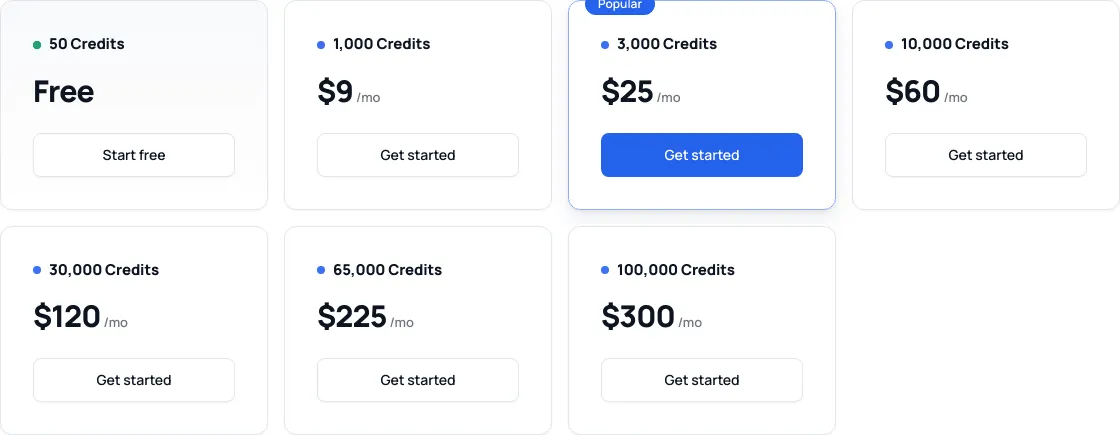
Give the API a CSS selector and everything outside that element is discarded. The image is cropped to the element's own bounding box, which is why the capture below is 1120 × 435 rather than the 1400px viewport it was rendered in. Ideal for pulling a pricing table, a chart or a hero block out of a page you do not want to crop by hand.

{
  "url": "https://html2img.com/pricing/",
  "selector": ".wk-ladder",
  "width": 1400
}
Element-only screenshot: the HTML to Image pricing ladder captured with a CSS selector
Cropped to .wk-ladder, 1120 × 435.

One URL at three viewports

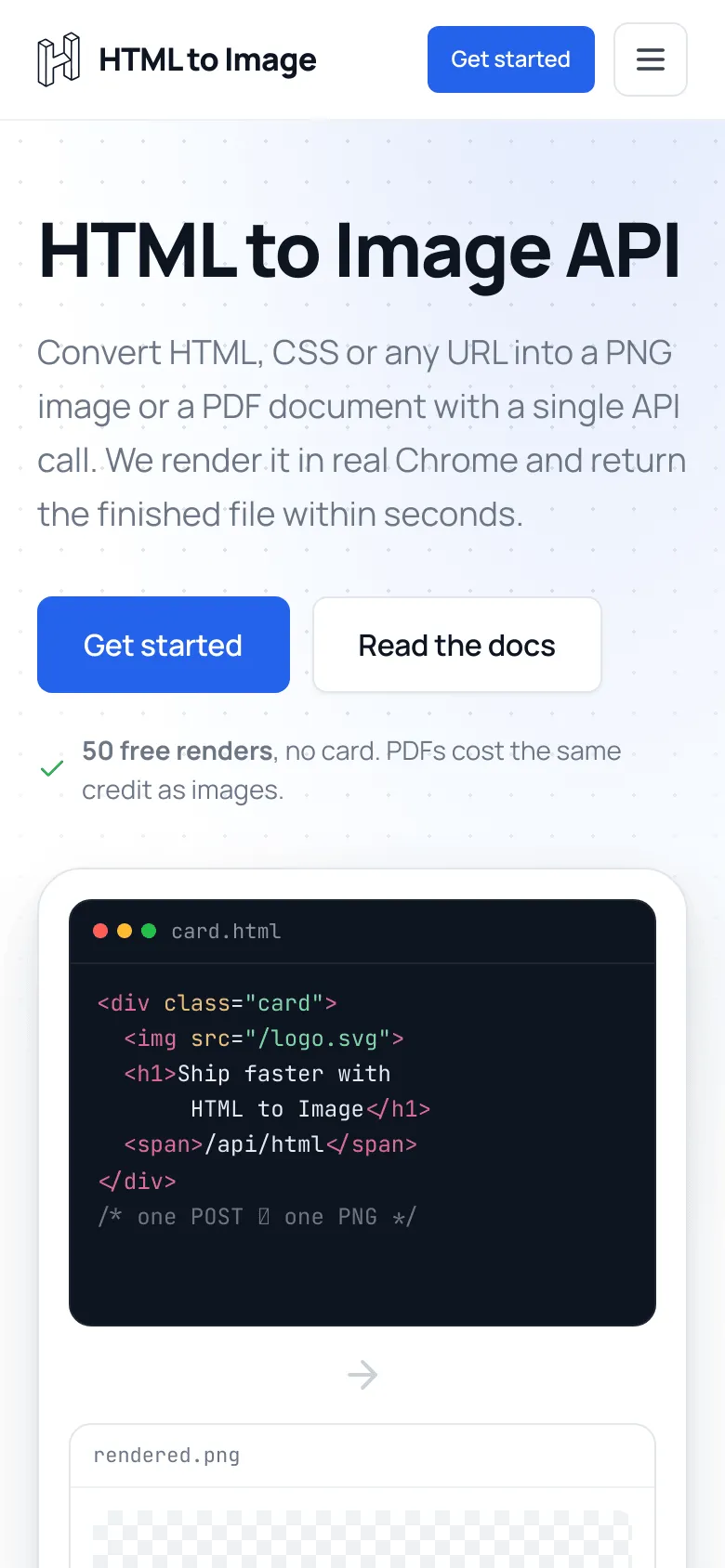
Width and height set the viewport before the page loads, so responsive layouts respond. Add dpi for retina density: the phone capture below was taken at dpi: 2, so a 390 × 844 viewport returns a 780 × 1688 image. Three requests, three credits, no device lab.

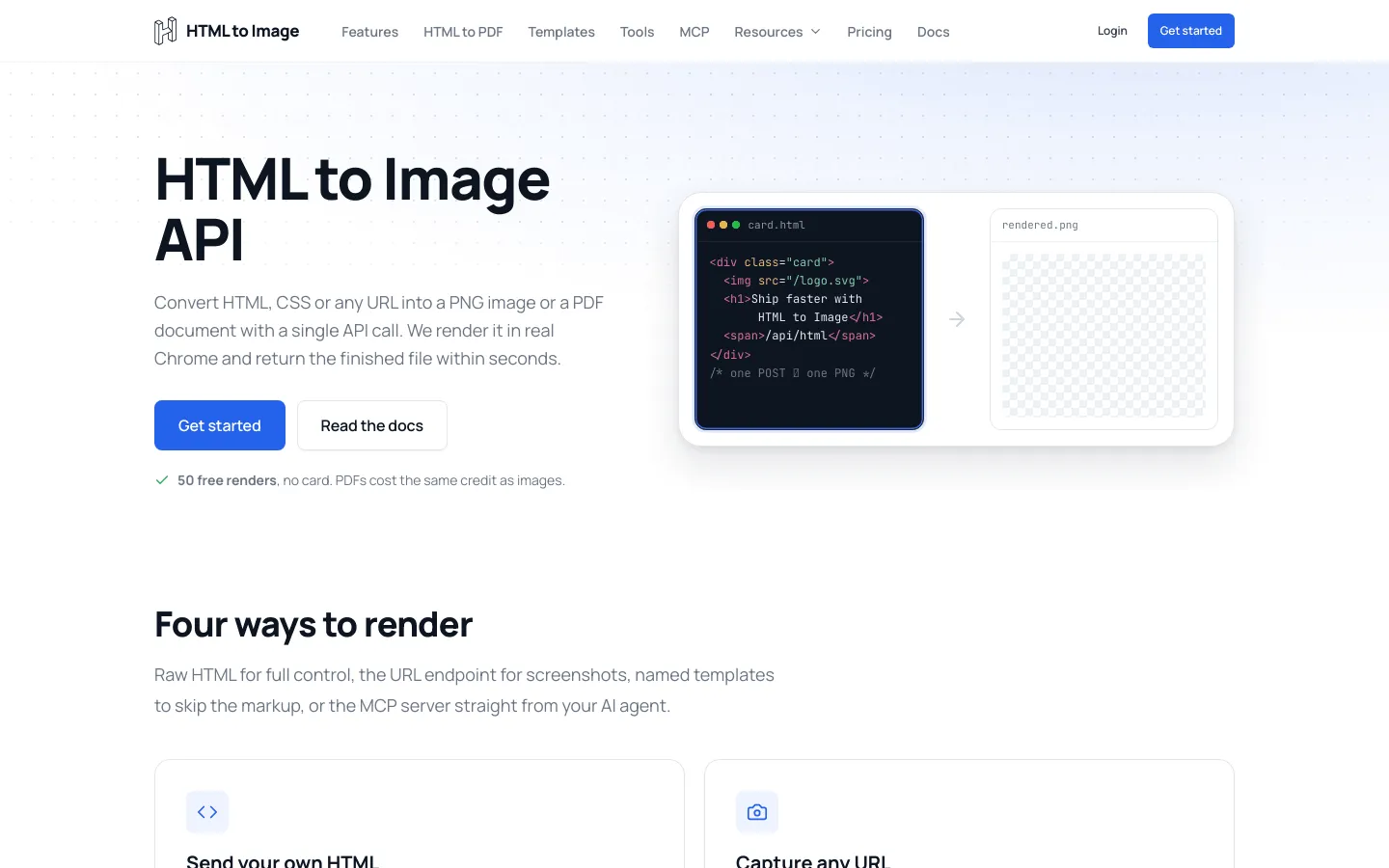
Desktop screenshot of html2img.com captured at a 1440 by 900 viewport
Desktop: width: 1440, height: 900
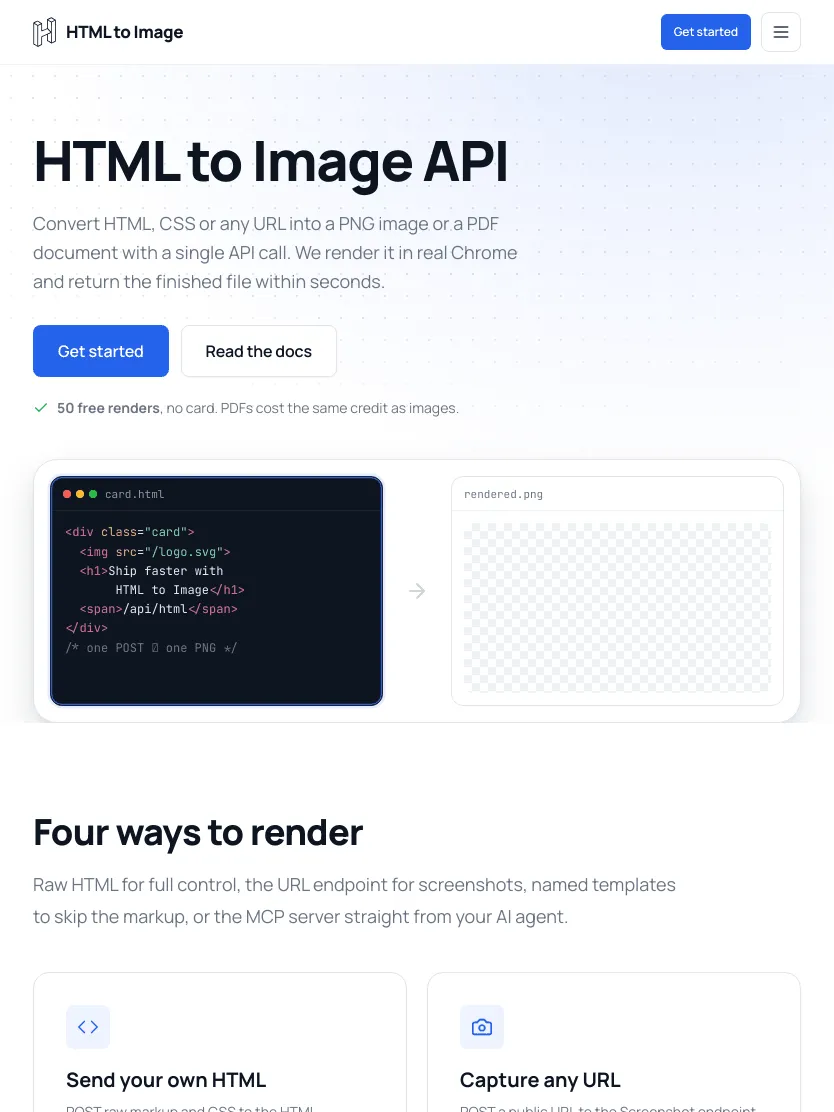
Tablet screenshot of html2img.com captured at an 834 by 1112 viewport
Tablet: width: 834, height: 1112
Mobile screenshot of html2img.com captured at a 390 by 844 viewport at device pixel ratio 2
Phone: width: 390, height: 844, dpi: 2
{
  "url": "https://html2img.com/",
  "width": 390,
  "height": 844,
  "dpi": 2
}

Clean the page up before the shutter falls

Real pages arrive wrapped in cookie banners, chat bubbles and sticky headers, none of which belong in your screenshot. Pass a css string and those rules are injected into the page before the capture, so you can hide whatever spoils the frame or restyle what stays. It is the difference between a thumbnail you can ship and one with a consent dialog across the middle of it.

{
  "url": "https://example.com/pricing",
  "width": 1440,
  "height": 900,
  "css": "#onetrust-banner-sdk, .cookie-notice, .intercom-frame { display: none !important; }"
}

The css parameter docs collect ready-made selectors for the common consent platforms (OneTrust, CookieBot, Osano, Quantcast, Cookie Law Info) along with the usual chat widgets and newsletter modals, so most pages are one paste away from clean.

Wait for content that arrives late

JavaScript runs before the capture, but a chart that fetches its data after paint can still be missing when the shutter falls. wait_for_selector holds the capture until an element exists in the DOM; ms_delay adds a fixed pause on top, which is what you need for animations and third-party embeds. If the selector never turns up, you get a selector_timeout error rather than a blank frame.

wait-for-content.sh bash
curl -X POST https://app.html2img.com/api/screenshot \
  -H "X-API-Key: $HTML2IMG_API_KEY" \
  -H "Content-Type: application/json" \
  -d '{
    "url": "https://your-app.com/reports/42",
    "wait_for_selector": "#chart-rendered",
    "ms_delay": 500,
    "width": 1440,
    "height": 900
  }'

Slow pages, delivered asynchronously

Pages you do not control load at their own pace. Pass a webhook_url and the request returns straight away with status: "processing", then we POST the finished file to your endpoint. Match it to the original request through log_id, which is the id from your first response.

async-screenshot.sh bash
curl -X POST https://app.html2img.com/api/screenshot \
  -H "X-API-Key: $HTML2IMG_API_KEY" \
  -H "Content-Type: application/json" \
  -d '{
    "url": "https://example.com/very-long-report",
    "fullpage": true,
    "webhook_url": "https://your-app.com/hooks/screenshot-ready"
  }'
your-webhook-receives.json json
{
  "status": "success",
  "message": "Screenshot generated successfully",
  "url": "https://i.html2img.com/image-1786092598870-921691.png",
  "filename": "image-1786092598870-921691.png",
  "format": "png",
  "dpi": 1,
  "log_id": "8a9dda43-5f42-4b93-8ff4-cd69ed32d402"
}

Check status rather than assuming success: a failed render posts {"status": "error", "error": "...", "log_id": "..."} to the same endpoint.

Capture a whole site in one script

There is no batch endpoint, and you do not need one: the requests are independent, so fire them concurrently. This is the shape of a nightly job that re-captures every route in your sitemap for a visual diff.

capture-routes.js javascript
import { Html2img } from '@html2img/client';

const client = new Html2img(process.env.HTML2IMG_API_KEY);

const routes = ['/', '/pricing/', '/docs/', '/features/'];

// Four captures at once. Each consumes one credit.
const shots = await Promise.all(
  routes.map((route) =>
    client.screenshot({
      url: `https://html2img.com${route}`,
      width: 1440,
      height: 900,
    }),
  ),
);

for (const [i, shot] of shots.entries()) {
  console.log(routes[i], '->', shot.url);
}

Return a PDF instead of a PNG

The same endpoint returns a vector A4 document when you set format to pdf: real selectable text, embedded fonts, automatic pagination, and the same single credit. Sizing parameters do not apply in PDF mode. The URL to PDF API page covers that workflow in full.

{
  "url": "https://example.com/terms",
  "format": "pdf"
}

Every parameter

The complete surface of POST /api/screenshot. Each name links to its reference page, with the edge cases and the mistakes people make.

ParameterTypeDefaultWhat it does
url string required The public page to capture. Must include the protocol.
width integer 1440 Viewport width in pixels, 1 to 5000.
height integer 900 Viewport height in pixels, 1 to 5000. Ignored when fullpage is true.
fullpage boolean false Capture the entire scroll height rather than the viewport. Forces dpi to 1.
selector string null Capture only the element matching this CSS selector, cropped to its bounding box.
css string null CSS injected into the page before capture, to hide elements or override styles.
dpi integer 1 Device pixel ratio, 1 to 4. Use 2 for retina output; higher values cost render time.
wait_for_selector string null Hold the capture until this selector exists in the DOM. Does not reach inside iframes.
ms_delay integer null Fixed pause before capture, 1 to 5000 milliseconds. For animations and embeds.
webhook_url string null Return immediately and POST the finished file to this endpoint instead of holding the request open.
format string png png for an image, pdf for an A4 document with selectable text.

Authentication is a single X-API-Key header on every request, described in the authentication guide. GET /api/me verifies a key and reports your balance without spending a credit.

When a capture fails

Rendering someone else's page is the part of your pipeline most likely to break, so failures come back as machine-readable codes rather than a generic 500.

422.json json
{
  "error": "Render failed",
  "code": "url_not_found",
  "message": "That web address could not be found. Please check the URL for typos and make sure the site exists.",
  "id": "8a9dda43-5f42-4b93-8ff4-cd69ed32d402"
}
url_not_foundThe domain would not resolve, usually a typo or a dead site.
url_unreachableIt resolved, but the page would not load: SSL failure, reset connection, redirect loop.
connection_refusedThe site refused us, often because it blocks automated traffic.
page_load_timeoutThe page took too long. Retry with a webhook_url.
selector_timeoutwait_for_selector never appeared within the limit.
selector_not_foundThe selector element is not on the page.
screenshot_too_largeThe capture exceeds our size limits. Reduce width, height or DPI.

The message field is written to be safe to show your own users. Full error reference, including the authentication and credit responses, is in the getting started guide.

What people build with it

Link previews and OG images

Turn any URL your users paste into a preview thumbnail. Capture at 1200 x 630 and the result drops straight into an og:image tag.

Visual regression checks

Screenshot the same routes on every deploy and diff the PNGs. No browser binary in CI, no Chrome version drift between machines.

Archiving and compliance

Keep dated evidence of what a page said. Capture as a PNG, or switch format to pdf for a searchable record with a real text layer.

Directory and gallery thumbnails

Show a picture of each listing instead of a favicon. Render once, cache the CDN URL against the record, and serve it forever.

Dashboards in email and Slack

Email clients will not run your charting library. A PNG of the dashboard will render anywhere, including in the notification your on-call engineer reads on a phone.

Documentation and changelogs

Regenerate every screenshot in your docs from a script when the UI changes, instead of asking someone to retake them by hand.

Compared to running your own headless browser

Taking a screenshot with Puppeteer or Playwright is about fifteen lines of code. Keeping it running in production is the expensive part: a 300 MB browser binary in every deploy image, a font package so text does not render as boxes, memory limits tuned so a long page does not take the container with it, orphaned Chrome processes to reap, and a security patch cadence you did not sign up for. On serverless the constraints get sharper still.

Browser-side libraries such as html2canvas avoid the server entirely, but they reimplement rendering in JavaScript rather than using a browser, so complex CSS, webfonts and cross-origin images come out wrong in ways that are hard to debug.

This endpoint is an HTTP request to a Chrome that someone else patches. If you later need raw HTML rendering, a named template or a PDF, they are the same API key and the same credit pool, which is the main thing that separates us from the capture-only services: ScreenshotOne, Urlbox, ApiFlash, Microlink, Restpack and Rendex all have their own comparison page, and each says where they are the better pick.

The scope, stated plainly

Captures are of public pages. The renderer arrives as a fresh, unauthenticated browser, so logins, paywalls and session cookies are out of reach, and there is no cookie, header or proxy configuration today.

Output is PNG, or PDF via format. There is no JPEG or WebP, no image quality dial, and no built-in cropping beyond selector.

There is no scheduling, no change-detection and no built-in diffing. Those live in your job runner; we render the pixels when you ask.

If you need geolocated capture, ad blocking, authenticated sessions or a hundred capture options, a capture-specialist service will serve you better. If you want reliable Chrome-faithful screenshots on the same API that renders your HTML, templates and PDFs, this is built for exactly that.

One credit per capture

A screenshot costs the same single credit as an HTML render, a template render or a PDF, from one monthly pool. 50 free to start, then $9 a month for 1,000. Downloads of a file that already exists are free and unlimited. See pricing.

Screenshot API FAQs

What is a screenshot API?

A screenshot API is an HTTP endpoint that loads a web page in a browser on someone else's infrastructure and returns an image of it. You POST a URL and get back a PNG, instead of installing Chrome, Puppeteer and a font stack on every machine that needs a picture of a page. See the getting started guide for the full request and response shape.

How do I take a screenshot of a website with an API?

Send a POST request to https://app.html2img.com/api/screenshot with your key in the X-API-Key header and a JSON body containing the url. The response carries a url pointing at the finished PNG on our CDN. The examples above show that request in ten languages and seven frameworks; the cURL one runs in a terminal with nothing installed.

Can it capture full-page screenshots?

Yes. Set fullpage to true and the capture covers the entire scroll height rather than the viewport, however long the page runs. The example on this page is 7,034 pixels tall. Full-page captures render at a device pixel ratio of 1; if you need retina output, set explicit width and height instead.

Can I screenshot just one element on the page?

Yes. Pass a CSS selector and the image contains only that element, cropped to its own bounding box, with the rest of the page discarded. If the selector never matches, the render returns a selector_not_found error rather than a misleading picture of the whole page.

Does it work on JavaScript-heavy pages and single-page apps?

Yes. The page loads in real Chrome and its JavaScript executes before anything is captured, so client-rendered content appears as it would in a browser. For content that streams in later, hold the capture with wait_for_selector or ms_delay.

Can I remove cookie banners and chat widgets from the screenshot?

Yes. Pass a css string and it is injected into the page before the capture, so display: none !important on the banner's selector takes it out of the frame. The css parameter docs list working selectors for OneTrust, CookieBot, Osano, Quantcast and Cookie Law Info, plus common chat widgets and newsletter modals. The same parameter overrides colours, fonts and layout if you want the shot to look different from the live page.

Can it capture pages behind a login?

No. The renderer visits the URL as a fresh, unauthenticated browser, so anything behind a login, a paywall or a session cookie is out of reach, and there is no cookie or header injection today. If the page is yours, generate the markup server-side and send it to the HTML endpoint instead, which never needs a public address.

What image formats can I get back?

PNG, or a vector PDF by setting format to pdf. There is no JPEG or WebP output today, so if your pipeline needs those, convert the returned PNG on your side or pick a service that offers them natively.

How long does a capture take, and what happens to slow pages?

Most captures return in a few seconds. Synchronous requests have a 30 second budget, which a slow third-party page or a very long full-page capture can exceed. Pass a webhook_url and the API responds immediately, then POSTs the finished file to your endpoint when the render completes.

Is there a free screenshot API?

Yes, 50 free renders with no credit card. Free-tier renders are hosted for 7 days; upgrading to any paid plan makes every render you have already made permanent. Paid plans start at $9 a month for 1,000 credits. See pricing for the full ladder.

How does this compare to running Puppeteer myself?

Puppeteer gives you the same Chrome and total control, in exchange for hosting it: a browser binary in your deploy image, memory tuning, zombie processes, font packages and security patches on your schedule. This endpoint is one HTTP call with none of that. Our honest side-by-side notes on Puppeteer and Playwright say where each one wins.

How does it compare to other screenshot APIs?

The closest comparisons are ScreenshotOne, Urlbox, ApiFlash and Microlink. They generally offer deeper capture-specific controls; we pair URL capture with raw-HTML rendering, named templates and PDF output on one key and one credit pool. Each comparison page states the trade honestly.

Does one screenshot cost more than one image render?

No. Every render costs exactly one credit, whether it is a URL screenshot, a raw HTML render, a named template or a PDF. Downloading a file that already exists is free and unlimited.

Capture your first URL

50 free renders. No credit card, no browser to install.