The Open Graph Meta Tag Generator turns a handful of fields into the full block of og: and twitter: tags a page needs, with a live preview of the resulting share card and character counts on the fields that get truncated. It writes the tags people forget as well as the obvious ones: og:image:width and og:image:height so the very first share lays out correctly, og:image:alt so screen readers describe the card, og:type, og:site_name and og:locale, and the matching twitter: set with the card type already correct.
The tags themselves are not complicated, which is exactly why they get written from memory and get subtly wrong. og:image with a relative URL. twitter:card left at summary so a wide image renders as a small square. A description written at search-result length and truncated in every feed. This generator produces a block that is complete and internally consistent, and once it is deployed the Open Graph Checker will tell you whether the live page actually serves what you pasted.
How it works
Fill in the page details
Title, description, image URL and canonical URL are the four that matter most. Character counters on the title and description show when you have crossed the length each platform truncates at.
Set the type and card
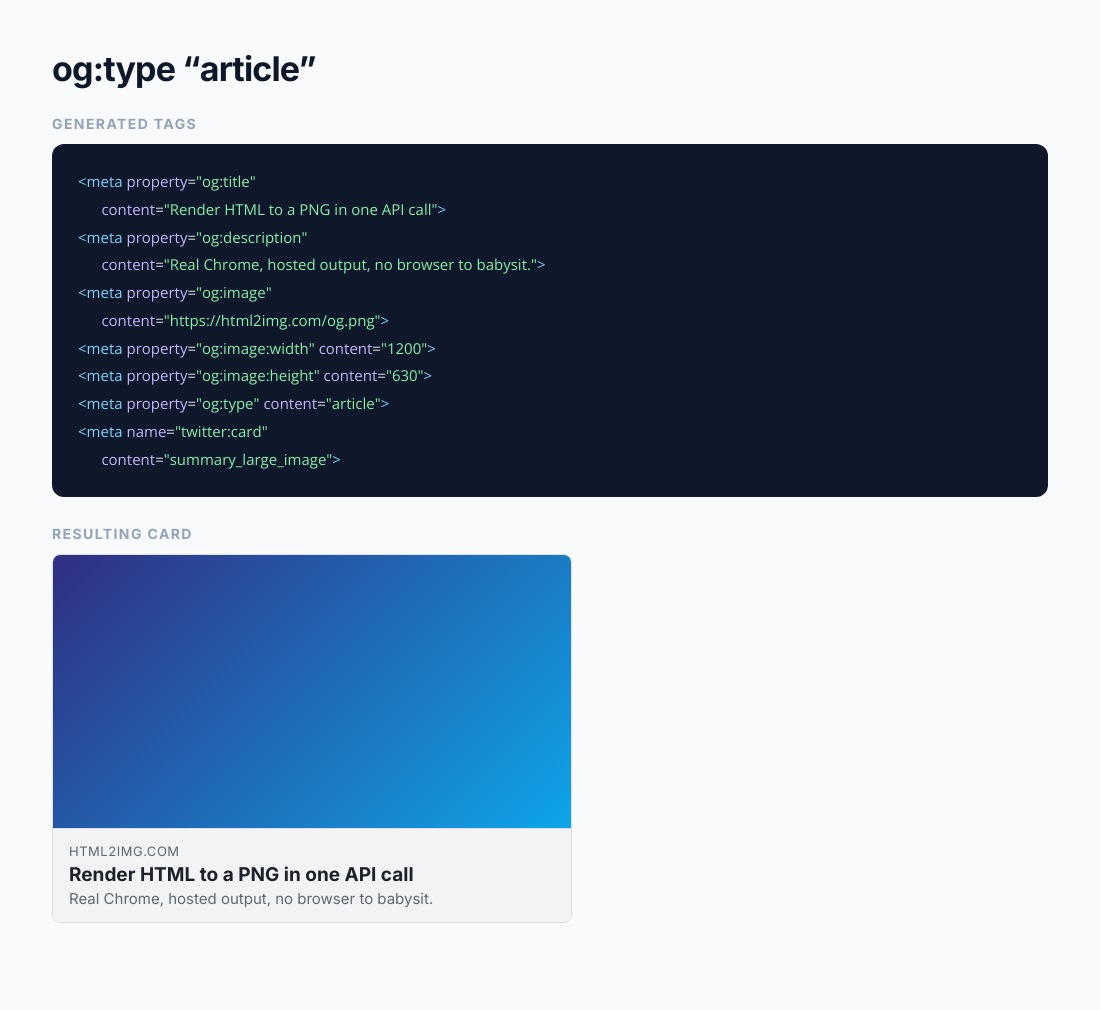
Choose og:type, usually website for a landing page and article for a post, and the Twitter card type. summary_large_image is the wide card and is almost always what you want when you have a 1200 by 630 image.
Watch the preview
The share card updates as you type, so you can see where a title starts getting cut before you ship it rather than after.
Copy the block into your head
Copy the generated tags and paste them inside the head element of your page. Then run the live URL through the Open Graph Checker to confirm the deployed page serves them.
When to use it
A new landing page
Marketing pages ship without share tags more often than anyone would like, and the omission only becomes visible once the link is already circulating. Generating the block takes a minute at build time.
Static sites and hand-written HTML
Without a CMS plugin filling the head for you, the tags are yours to write. A generator gives you a correct block to paste rather than a half-remembered one.
A template for your CMS
Generate the block once with placeholder values, then swap in your template variables. It is a fast way to get the complete tag set into a layout file without missing the optional ones.
Fixing what a checker flagged
When the Open Graph Checker reports missing tags, this builds the replacement block with the correct values in place instead of leaving you to hand-write the fix.
Learning what each tag does
Seeing the preview change as you edit a field is a much faster way to understand which tag controls what than reading the specification.
Use it from your code
The Open Graph Meta Tag Generator runs on the HTML to Image API, and so can you. Every snippet below is a
complete request: swap YOUR_API_KEY for a key from your dashboard and it runs
as-is. The response carries a url for the finished file.
This tool reads and writes tags rather than rendering images. When it flags a missing or undersized og:image, this call generates a compliant 1200x630 one to point the tag at.
curl -X POST https://app.html2img.com/api/v1/templates/open-graph-image \
  -H "X-API-Key: YOUR_API_KEY" \
  -H "Content-Type: application/json" \
-d '{"title":"How to ship faster","subtitle":"A guide for engineering teams","author_name":"html2img.com","background_color":"#0F172A","accent_color":"#3B82F6"}'<?php
$payload = [
'title' => 'How to ship faster',
'subtitle' => 'A guide for engineering teams',
'author_name' => 'html2img.com',
'background_color' => '#0F172A',
'accent_color' => '#3B82F6',
];
$ch = curl_init('https://app.html2img.com/api/v1/templates/open-graph-image');
curl_setopt_array($ch, [
CURLOPT_POST => true,
CURLOPT_RETURNTRANSFER => true,
CURLOPT_HTTPHEADER => [
'X-API-Key: YOUR_API_KEY',
'Content-Type: application/json',
],
CURLOPT_POSTFIELDS => json_encode($payload),
]);
$response = json_decode(curl_exec($ch), true);
curl_close($ch);
echo $response['url'];const response = await fetch('https://app.html2img.com/api/v1/templates/open-graph-image', {
method: 'POST',
headers: {
'X-API-Key': 'YOUR_API_KEY',
'Content-Type': 'application/json',
},
body: JSON.stringify({
"title": "How to ship faster",
"subtitle": "A guide for engineering teams",
"author_name": "html2img.com",
"background_color": "#0F172A",
"accent_color": "#3B82F6"
}),
});
const { url } = await response.json();
console.log(url);import requests
response = requests.post(
'https://app.html2img.com/api/v1/templates/open-graph-image',
headers={'X-API-Key': 'YOUR_API_KEY'},
json={
'title': 'How to ship faster',
'subtitle': 'A guide for engineering teams',
'author_name': 'html2img.com',
'background_color': '#0F172A',
'accent_color': '#3B82F6',
},
)
print(response.json()['url'])using System;
using System.Collections.Generic;
using System.Net.Http;
using System.Net.Http.Json;
var client = new HttpClient();
client.DefaultRequestHeaders.Add("X-API-Key", "YOUR_API_KEY");
var payload = new
{
title = "How to ship faster",
subtitle = "A guide for engineering teams",
author_name = "html2img.com",
background_color = "#0F172A",
accent_color = "#3B82F6",
};
var response = await client.PostAsJsonAsync("https://app.html2img.com/api/v1/templates/open-graph-image", payload);
var result = await response.Content.ReadFromJsonAsync<Dictionary<string, string>>();
Console.WriteLine(result["url"]);require 'net/http'
require 'json'
uri = URI('https://app.html2img.com/api/v1/templates/open-graph-image')
request = Net::HTTP::Post.new(uri)
request['X-API-Key'] = 'YOUR_API_KEY'
request['Content-Type'] = 'application/json'
request.body = {
title: "How to ship faster",
subtitle: "A guide for engineering teams",
author_name: "html2img.com",
background_color: "#0F172A",
accent_color: "#3B82F6",
}.to_json
response = Net::HTTP.start(uri.hostname, uri.port, use_ssl: true) do |http|
http.request(request)
end
puts JSON.parse(response.body)['url']Tips
Use absolute URLs for og:image and og:url
The specification requires absolute URLs including the scheme and host, and several crawlers will not resolve a relative path. This is the single most common reason a card renders without its image.
Write the description for a feed, not for search
A meta description is written to win a click from a results page and runs to about 155 characters. An og:description is read while scrolling. Shorter and more direct works better, and most platforms cut it well before 200 characters anyway.
Always declare the image dimensions
og:image:width and og:image:height let a crawler lay the card out before it has downloaded the file. Without them the first share of a URL frequently renders with no image at all, which is the share that matters most.
Set twitter:card even if the rest is Open Graph
X falls back to Open Graph tags for title, description and image, but not for the card type. Leave twitter:card out and you get the small summary card, which crops a wide image into a square thumbnail.
Put the tags in server-rendered HTML
Tags injected by JavaScript after page load are usually invisible to crawlers, which read the served markup and move on. The head has to contain them in the initial response.
Frequently asked questions
Which Open Graph tags are actually required?
The specification names og:title, og:type, og:image and og:url as the four basic properties. In practice og:description matters just as much, because a card with no description looks unfinished on every platform.
Do I need Twitter tags if I already have Open Graph?
X falls back to og: tags for the title, description and image, so the only one you genuinely need is twitter:card. Adding twitter:title and twitter:description lets you write different copy for X, which is useful but optional.
What is the difference between summary and summary_large_image?
summary renders a small square thumbnail beside the text. summary_large_image renders the wide card with the image across the full width. With a 1200 by 630 image you want summary_large_image; anything else wastes the artwork.
Where exactly do these tags go?
Inside the head element, anywhere within it. Order does not matter. What does matter is that they are in the HTML the server returns, not added later by a script.
Does og:url need to match the canonical link?
It should. og:url tells platforms which URL a share belongs to, and pointing it at the canonical version consolidates shares of tracking-parameter and AMP variants into one page rather than splitting them.
How do I check the tags once they are live?
Run the URL through the Open Graph Checker. It fetches the deployed page as a crawler and shows the card each platform builds, which catches the case where the tags in your editor never made it to production.
I do not have an image yet. What size should it be?
1200 by 630 pixels. The Open Graph Image Generator produces exactly that from a title, a subtitle and your brand colours, and the same call works from the API when you need one per page.
Related templates
Related guides
Open Graph Meta Tags: The Complete Set Every Page Needs (and a Generator That Writes Them)
Open Graph meta tags explained line by line: the complete 14-tag block, what each platform reads, the six mistakes that break previews, and a free generator that writes it.
Where each platform crops your OG image: a safe-zone guide for 1200×630
OG image safe zone: where X, LinkedIn, WhatsApp, Slack, Discord and iMessage crop or shrink a 1200×630 image, and the margins that keep the text intact.
Why your Open Graph image doesn't show up when you share a link
Your og:image not showing on LinkedIn, Slack or X? The eight reasons link previews break, how to tell which one is yours, and the fix for each.
More tools
Open Graph Image Generator
Build a 1200 by 630 share card from a page title, subtitle, and brand colours.
Pinterest Pin Generator
Build vertical 1000 by 1500 Pinterest pins from a title, an image, and a brand colour.
Quote Card Generator
Turn a quote and an attribution into a 1080 by 1080 PNG for Instagram and LinkedIn.