business template

Product Card API

Send product photo, price, and CTA copy as JSON, get back a 1200x800 marketplace-ready PNG.

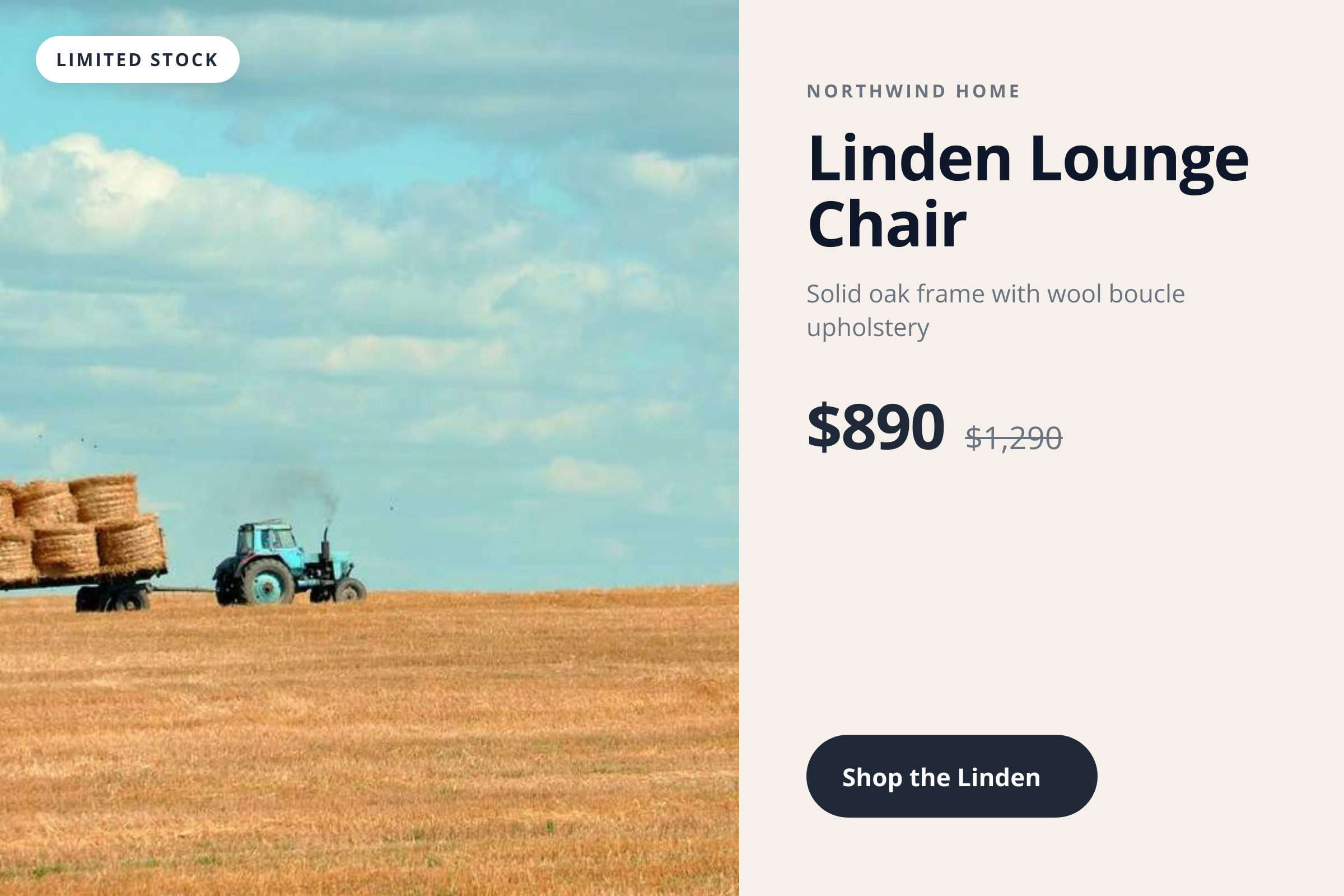
Product Card template preview, a business image generated by the HTML to Image API

E-commerce teams and affiliate networks use the Product Card API to keep marketplace, ad, and email artwork in sync with the underlying catalog. Whenever a price changes or a product enters a sale, the next render reflects the new state without a designer sitting between the database and the storefront. You post the photo URL, prices, brand details, and CTA copy as JSON, and the response holds a 1200x800 PNG ready to attach to an ad set or email blast.

API reference

View the Product Card API reference

Inputs, defaults, error responses and cURL, PHP, Node and Python code samples.

Read the docs →

Use cases

Shopify catalog ad creation at scale

Run a Shopify storefront with 600 active SKUs and you do not have time to design ad creative for each one. Loop through your products in Shopify's API, post each to the Product Card endpoint, and feed the resulting URLs into Meta Ads Manager. Every variant gets a card that matches its current price and stock state. Northwind Home automated 380 cards in two hours through this pipeline, replacing a freelancer rotation that took two weeks per refresh.

Paid social variants from one product feed

Marketing teams often A/B test five visual treatments per product to find the highest-CTR creative. Generate each variant by changing accent_color, background_color, or cta_label between requests, while holding the photo and price constant. The endpoint is fast enough to render an entire creative test in a single CI/CD run, so you can iterate weekly instead of quarterly.

Marketplace listing image refresh

Sellers on Amazon, Etsy, and eBay need to keep their main product image current with seasonal pricing and badges. Render the card with the latest sale_price and a "Limited stock" badge, upload via each marketplace's API, and the new image is live within their image-processing window. Riverside Bakery refreshes its 240 marketplace listings every Sunday night through this workflow.

Abandoned cart email artwork

When a shopper leaves items in their cart, the recovery email performs better with a real image of what they almost bought. Pull the cart contents, render one product card per item, and embed in the email body. The customer sees the actual products at the actual prices instead of a plain text reminder. Linden & Co reports a 22 percent recovery uplift versus the text-only template they sent before.

Affiliate partner share cards

Affiliate programs benefit when partners share branded card images instead of plain product links. Generate one card per product per partner, with the partner referral parameter baked into the cta_label or a separate query string in the destination URL. Partners post the cards directly to their channels and earn higher click-through than they would from a stock product photo.

Output specifications

Dimensions
1200x800
Color space
sRGB
Transparency
Supported
File size range
70 KB to 200 KB

Matches the spec at Product feed image guidelines (Shopify, Meta Commerce).

How it works

1

Send a JSON payload

POST to the template endpoint with the values you want rendered. Authenticate with your API key.

2

We render the image

The template is rendered server-side as a 1200x800 PNG.

3

You get back a URL

Cache it, embed it in your page, attach it to an email.

Quick example

A single cURL call to render a Product Card as a PNG:

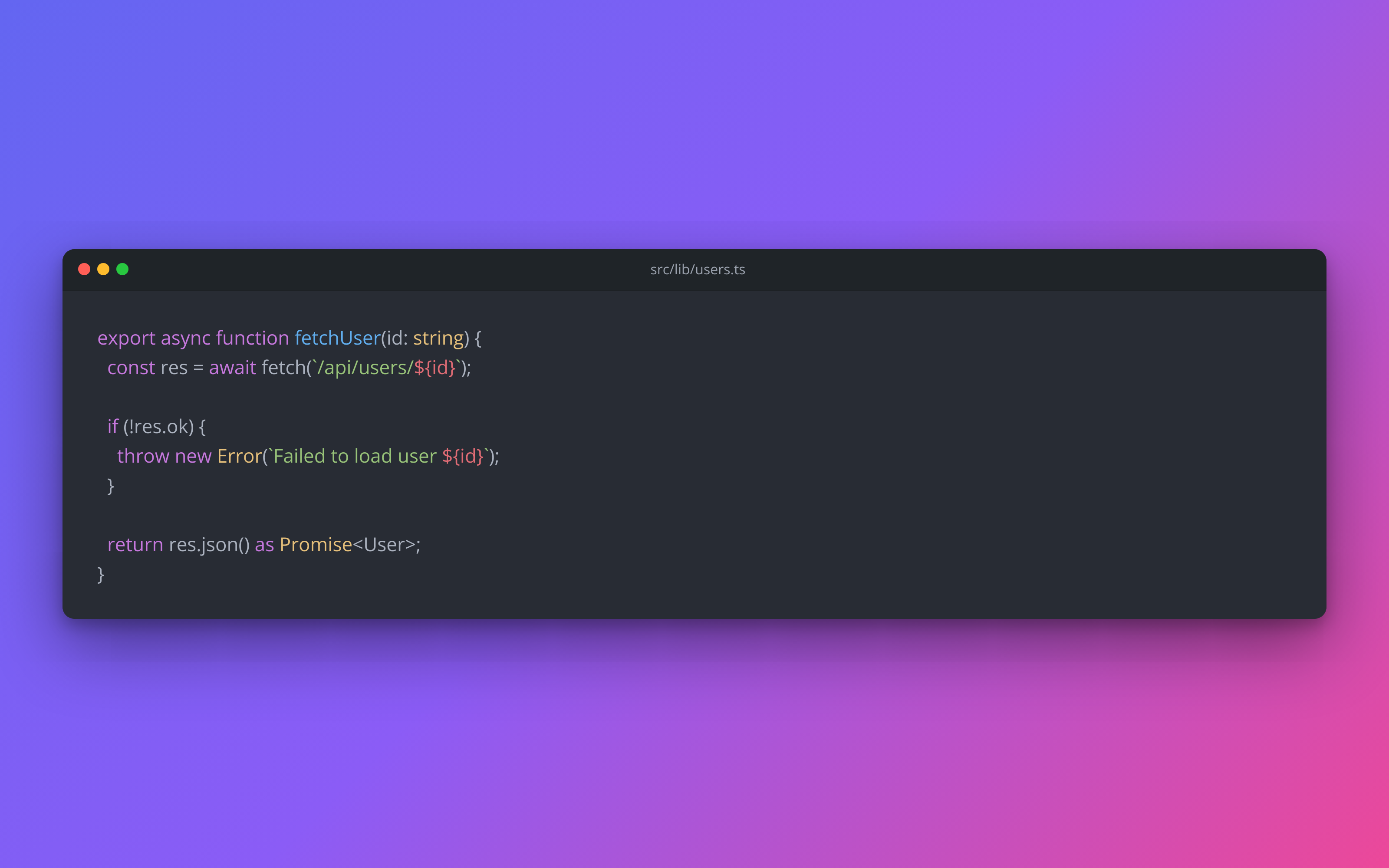
curl -X POST https://app.html2img.com/api/v1/templates/product-card \
  -H "X-API-Key: YOUR_API_KEY" \
  -H "Content-Type: application/json" \
  -d '{"product_name":"Linden Lounge Chair","product_subtitle":"Solid oak frame with wool boucle upholstery","price":"$1,290","sale_price":"$890","badge":"Limited stock","cta_label":"Shop the Linden \u2192","product_image_url":"https://picsum.photos/seed/product-card/720/720","brand_name":"Northwind Home","background_color":"#F5F1EA","accent_color":"#1F2937"}'

For the full PHP, Node and Python equivalents, plus every input the template accepts, see the Product Card API reference. Setting up your key is covered in the authentication guide.

Common pitfalls

Long product titles crop at marketplace ad limits

A 90-character product title fits the card layout but Meta Ads truncates it in feed view, leaving the buyer with half the message. Keep the title under 50 characters or shorten the marketplace-facing version while keeping the long form in your catalog.

Sale price shown without strikethrough on original

Some teams send only the sale_price field and the buyer cannot tell whether the price reflects a discount. Send both price (the original) and sale_price (the new), so the template strikes through the original and emphasizes the savings.

Currency symbol position differs across locales

A merchant ships to both UK and Germany sees "£" before the value and "€" after, depending on locale convention. Pre-format the price strings on your side using each customer's locale rather than treating the field as a number that the renderer would format.

Inputs at a glance

A quick summary of what the Product Card template accepts. The full reference, with example values and array shapes, is in the docs.

Name Type Required
product_name string Required
product_subtitle string Optional
price string Required
sale_price string Optional
badge string Optional
cta_label string Optional
product_image_url url Optional
brand_name string Optional
logo_url url Optional
background_color string Optional
accent_color string Optional

See the full inputs reference for descriptions, examples and validation rules.

Related templates

Other templates in the content and marketing category.

Browse by category

A starting point from each of the other two template categories.

See the full template gallery for every design grouped by category.

Related guides

FAQ

Try it free

25 renders a month on the free tier. See the pricing page for higher-volume plans.