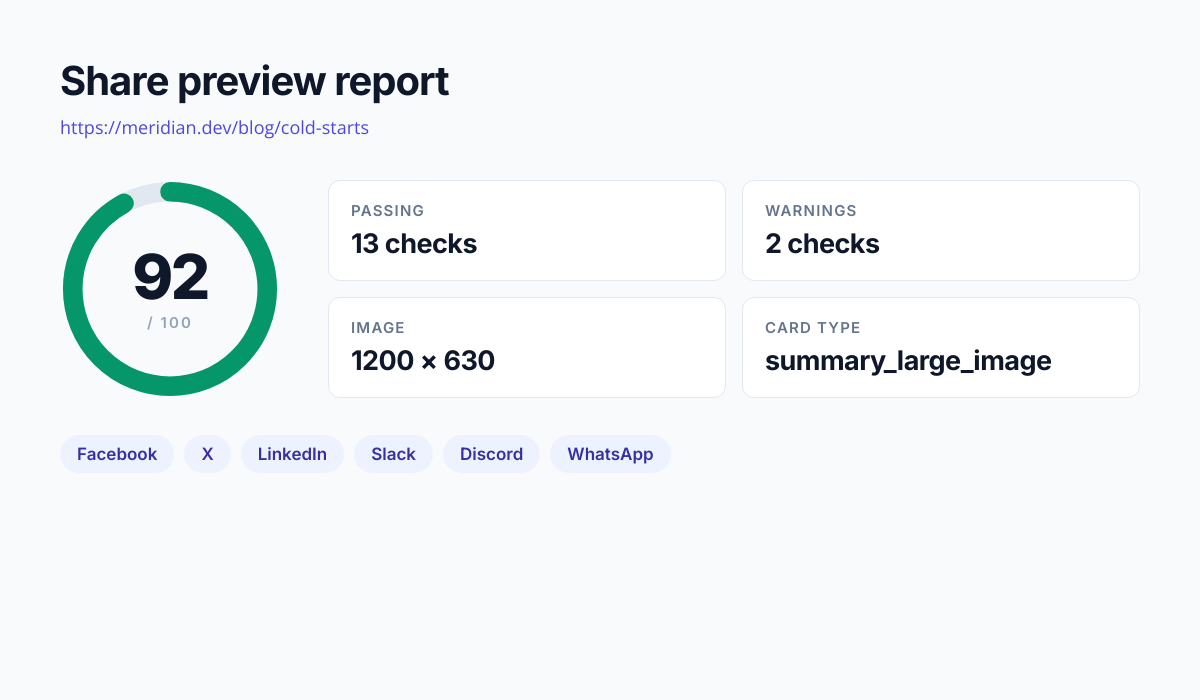
The Open Graph Checker fetches a page the way a social crawler does, reads every og: and twitter: tag it finds, and shows you the card each platform would build from them. Facebook, X, LinkedIn, Slack, Discord, and WhatsApp all crop, truncate, and fall back differently, so a page that looks fine in one can lose its image or half its title in another. Alongside the previews you get a validation report: what is missing, what is present but wrong, and what each problem costs you on which platform.
The reason this is worth a tool at all is that the official debuggers have quietly stopped being useful. Meta's Sharing Debugger requires a Facebook login. X removed the rendered preview from its Card Validator entirely, so it now tells you a card is valid without showing you the card. Neither covers Slack, Discord, or WhatsApp, where a large share of link traffic actually happens. This checker needs no account, renders all six, and fetches the page live rather than reading a cache, so a tag you deployed a minute ago shows up straight away.
How it works
Paste any public URL
Enter the address of the page you want to check. A page behind a login or an IP allowlist will not work, because the checker arrives as an anonymous crawler with no session, exactly as the real platforms do.
The page is fetched as a crawler
The request identifies as a social crawler and follows redirects, so sites that serve share metadata only to crawlers, or that bounce visitors through a consent interstitial, still return the tags a real share would read. Tags are taken from the final URL after redirects.
Tags are parsed and the image is measured
Every og:, twitter:, and standard SEO tag is extracted, relative image URLs are resolved to absolute ones, and the image itself is fetched far enough to read its real dimensions, file type, and size from the header rather than trusting what the tags claim.
Read the previews and the fix list
Six platform previews render from the values that platform actually uses, and the validation list explains each problem and what it costs. A corrected tag block sits at the bottom ready to paste into your head.
When to use it
Before a launch or a campaign
A launch post is shared hundreds of times in its first hour, and a broken card costs the click-through on every one of them. Checking the URL before it ships is thirty seconds against a link that renders as a bare grey rectangle all afternoon.
Diagnosing a card that looks wrong
When a link shows the wrong image or an outdated title, the cause is usually a relative og:image URL, a missing twitter:card, or a tag rendered client-side after the crawler has already left. The checker separates those cases instead of leaving you guessing.
Auditing a site after a migration
Framework migrations and CMS moves quietly drop head tags. Running your top twenty URLs through the checker after the cutover surfaces the pages that lost their metadata while the traffic is still recoverable.
Checking client sites without their logins
Agencies auditing a client site rarely have access to that client's Facebook account. This checker needs no login for any platform, so a share audit is something you can run on any URL you have been given.
Confirming a fix actually deployed
Meta caches scrapes aggressively, which makes "did my fix go live" genuinely hard to answer from the official debugger. This fetches the page fresh on every check, so what you see is what is on the server right now.
Use it from your code
The Open Graph Checker runs on the HTML to Image API, and so can you. Every snippet below is a
complete request: swap YOUR_API_KEY for a key from your dashboard and it runs
as-is. The response carries a url for the finished file.
This tool reads and writes tags rather than rendering images. When it flags a missing or undersized og:image, this call generates a compliant 1200x630 one to point the tag at.
curl -X POST https://app.html2img.com/api/v1/templates/open-graph-image \
  -H "X-API-Key: YOUR_API_KEY" \
  -H "Content-Type: application/json" \
-d '{"title":"How to ship faster","subtitle":"A guide for engineering teams","author_name":"html2img.com","background_color":"#0F172A","accent_color":"#3B82F6"}'<?php
$payload = [
'title' => 'How to ship faster',
'subtitle' => 'A guide for engineering teams',
'author_name' => 'html2img.com',
'background_color' => '#0F172A',
'accent_color' => '#3B82F6',
];
$ch = curl_init('https://app.html2img.com/api/v1/templates/open-graph-image');
curl_setopt_array($ch, [
CURLOPT_POST => true,
CURLOPT_RETURNTRANSFER => true,
CURLOPT_HTTPHEADER => [
'X-API-Key: YOUR_API_KEY',
'Content-Type: application/json',
],
CURLOPT_POSTFIELDS => json_encode($payload),
]);
$response = json_decode(curl_exec($ch), true);
curl_close($ch);
echo $response['url'];const response = await fetch('https://app.html2img.com/api/v1/templates/open-graph-image', {
method: 'POST',
headers: {
'X-API-Key': 'YOUR_API_KEY',
'Content-Type': 'application/json',
},
body: JSON.stringify({
"title": "How to ship faster",
"subtitle": "A guide for engineering teams",
"author_name": "html2img.com",
"background_color": "#0F172A",
"accent_color": "#3B82F6"
}),
});
const { url } = await response.json();
console.log(url);import requests
response = requests.post(
'https://app.html2img.com/api/v1/templates/open-graph-image',
headers={'X-API-Key': 'YOUR_API_KEY'},
json={
'title': 'How to ship faster',
'subtitle': 'A guide for engineering teams',
'author_name': 'html2img.com',
'background_color': '#0F172A',
'accent_color': '#3B82F6',
},
)
print(response.json()['url'])using System;
using System.Collections.Generic;
using System.Net.Http;
using System.Net.Http.Json;
var client = new HttpClient();
client.DefaultRequestHeaders.Add("X-API-Key", "YOUR_API_KEY");
var payload = new
{
title = "How to ship faster",
subtitle = "A guide for engineering teams",
author_name = "html2img.com",
background_color = "#0F172A",
accent_color = "#3B82F6",
};
var response = await client.PostAsJsonAsync("https://app.html2img.com/api/v1/templates/open-graph-image", payload);
var result = await response.Content.ReadFromJsonAsync<Dictionary<string, string>>();
Console.WriteLine(result["url"]);require 'net/http'
require 'json'
uri = URI('https://app.html2img.com/api/v1/templates/open-graph-image')
request = Net::HTTP::Post.new(uri)
request['X-API-Key'] = 'YOUR_API_KEY'
request['Content-Type'] = 'application/json'
request.body = {
title: "How to ship faster",
subtitle: "A guide for engineering teams",
author_name: "html2img.com",
background_color: "#0F172A",
accent_color: "#3B82F6",
}.to_json
response = Net::HTTP.start(uri.hostname, uri.port, use_ssl: true) do |http|
http.request(request)
end
puts JSON.parse(response.body)['url']Tips
Check the URL people will actually share
Tracking parameters, AMP variants, and trailing-slash differences can all resolve to pages with different tags. Check the canonical URL, then check the version your campaign will actually put in front of people.
Tags added by JavaScript usually do not count
Most social crawlers read the HTML as served and do not execute your JavaScript. If the checker reports tags missing that you can see in devtools, they are almost certainly being injected client-side and need to move into the server-rendered head.
Facebook caches your first scrape hard
Meta stores what it saw the first time a URL was shared and can hold it for days. After fixing tags, run the URL through Meta's own Sharing Debugger once and use Scrape Again to force a refresh; this checker always reads live, so the two disagreeing tells you the cache is stale rather than the fix being wrong.
Declare og:image:width and og:image:height
Without them, a platform seeing your URL for the first time has to download and measure the image before it can lay the card out, and it will often render the card image-less rather than wait. Declaring the dimensions makes the very first share look right.
Design for the 1.91:1 crop
Every platform here centre-crops toward roughly 1.91:1. Artwork at 1200 by 630 is already that ratio, but if you are reusing a square or portrait image, keep the logo and any text well inside the middle band or they will be cut off.
Frequently asked questions
Why not just use Facebook's Sharing Debugger?
It works well, but it requires a Facebook login and only reports on Facebook. This checker needs no account and covers Facebook, X, LinkedIn, Slack, Discord and WhatsApp in one pass, which matters because those platforms disagree about fallbacks and cropping.
Why does X's Card Validator no longer show a preview?
X removed the rendered preview from the Card Validator, so it now validates tags without showing you the resulting card. The X preview here is reconstructed from the same tags and card type X reads, so you can see the shape before you post.
Can it check a page behind a login?
No. The checker fetches anonymously with no cookies or session, which is exactly what the real crawlers do. A page behind authentication will return its logged-out state, and that is genuinely what would be shared.
Does it run the page's JavaScript?
No, and that is deliberate. Most social crawlers read the served HTML without executing scripts, so parsing the raw document reproduces what they see. Tags injected client-side will show as missing here because they are effectively missing to a crawler too.
How is the score calculated?
Each check is worth full marks when it passes, half when it raises a warning, and nothing when it fails, averaged across every check that applies to the page. Critical tags such as og:image fail outright when missing, while optional ones such as og:site_name only warn.
What image size should I use?
1200 by 630 pixels, which is 1.91:1, works everywhere. The practical minimum before Facebook and LinkedIn downgrade the card to a small thumbnail is 600 by 315, and the file must stay under 8MB.
Does checking a URL cost a credit?
No. The checker only reads and parses a page, so no render happens and no credit is spent. It is limited to 30 checks an hour per visitor purely to stop it being used as a general-purpose URL fetcher.
I have no og:image. What now?
Generate one. The Open Graph Image Generator builds a 1200 by 630 card from a title, subtitle and your brand colours, and the same call is available through the API so every new page gets its own card automatically.
Related templates
Related guides
Where each platform crops your OG image: a safe-zone guide for 1200×630
OG image safe zone: where X, LinkedIn, WhatsApp, Slack, Discord and iMessage crop or shrink a 1200×630 image, and the margins that keep the text intact.
Open Graph Meta Tags: The Complete Set Every Page Needs (and a Generator That Writes Them)
Open Graph meta tags explained line by line: the complete 14-tag block, what each platform reads, the six mistakes that break previews, and a free generator that writes it.
Why your Open Graph image doesn't show up when you share a link
Your og:image not showing on LinkedIn, Slack or X? The eight reasons link previews break, how to tell which one is yours, and the fix for each.
More tools
Markdown to Image Converter
Paste Markdown and get back a styled PNG, headings, tables, code blocks and all.
Open Graph Image Generator
Build a 1200 by 630 share card from a page title, subtitle, and brand colours.
Open Graph Meta Tag Generator
Fill in the fields and copy a complete, valid set of Open Graph and Twitter meta tags.