Why your Open Graph image doesn't show up when you share a link
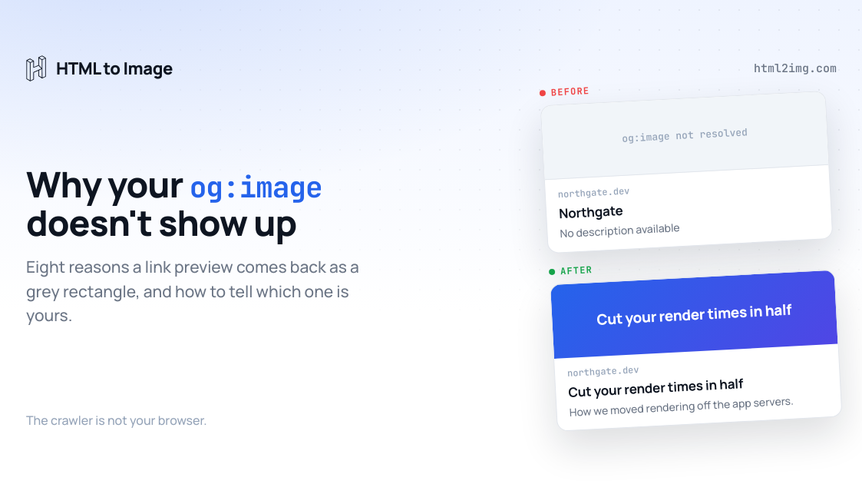
You ship a page, paste the link into Slack, and the preview comes back as a bare grey rectangle. Or the title renders and the image does not. Or LinkedIn shows artwork from three deploys ago. The tags are right there in devtools, and the card is still wrong.
The cause is nearly always the same misunderstanding. The thing reading your page is not a browser. A social crawler makes one anonymous request, parses the HTML that came back over the wire, fetches the image, and leaves. It has no session, no JavaScript engine, and no patience. Every failure below is that assumption breaking somewhere.
What actually happens when someone pastes your link
Four steps, and each one can fail independently:
The platform requests your URL with a crawler user agent, following redirects.
It parses the served HTML for
og:andtwitter:tags.It resolves
og:imageto an absolute URL and fetches it, often reading only enough of the file to get its dimensions.It builds a card using its own rules about which tag wins, how to crop, and how much of the title to keep.
Knowing which step broke is most of the work. Here are the eight things that break it, roughly in order of how often they are the answer.
1. The tags exist in devtools but not in the response
This is the most common one by a distance. If your framework sets the head client-side, a Vue app assigning meta tags on mount, a React app using a client-only helmet component, a CMS script patching the head after load, then the crawler never sees any of it. Devtools shows you the DOM after your JavaScript has finished with it. The crawler reads the document as served.
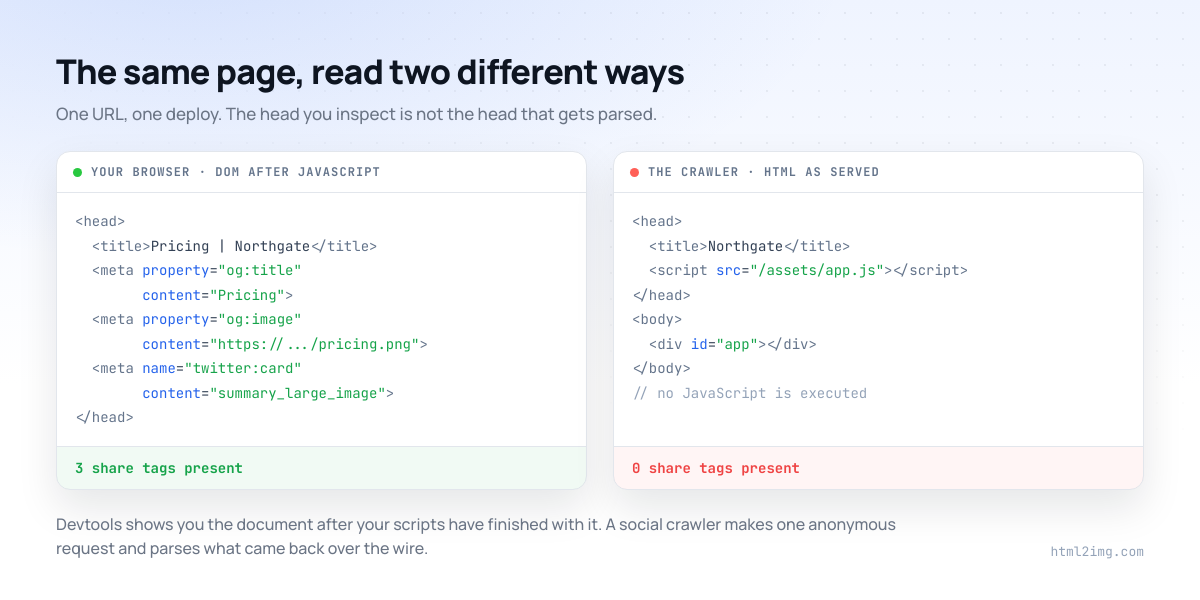
Confirming it takes one command:
curl -sL https://example.com/pricing | grep -i 'og:\|twitter:'Running this in production? Get an API key with 50 free credits, no card needed.
If that comes back empty, the tags need to move into server-rendered HTML. In Next.js that means the metadata export or generateMetadata in a server component rather than anything set in useEffect. In Nuxt it means useSeoMeta on a server-rendered route. In a static site generator it means the head partial at build time. In Laravel it means the Blade layout.
2. og:image is a relative path
<meta property="og:image" content="/images/og/pricing.png">That is valid HTML and useless to a crawler. The Open Graph protocol asks for an absolute URL including the scheme, and several platforms drop the image rather than guess at your host.
<meta property="og:image" content="https://example.com/images/og/pricing.png">The same applies to protocol-relative URLs starting //, and to anything still pointing at localhost or a staging domain because the base URL is read from an environment variable that was never set in production.
3. The image is not reachable by an anonymous bot
The image fetch is as anonymous as the page fetch. No cookies, no referer you can rely on, no session. Any of these will kill it:
Hotlink protection that requires a same-origin referer
Cloudflare Bot Fight Mode or a managed challenge on the asset path
A
robots.txtrule blocking the image directorySigned CDN URLs that have already expired
A private S3 bucket with an object that was never made public
Check it the same way the crawler would:
curl -sI https://example.com/images/og/pricing.png | head -n 3You want a 200 and an image content type. A 403 from plain curl is a 403 for Facebook too.
4. No og:image:width and og:image:height
When a platform sees your URL for the first time it has no idea how big the image is, so it has to download and measure it before it can lay the card out. Plenty of them will render the card without the image rather than wait, then get it right on the second or third share. By which point your launch post has already been seen by everyone who was going to see it.
Declaring the dimensions removes the round trip and makes the very first share correct:
<meta property="og:image" content="https://example.com/images/og/pricing.png">
<meta property="og:image:width" content="1200">
<meta property="og:image:height" content="630">
<meta property="og:image:type" content="image/png">
<meta property="og:image:alt" content="Pricing plans for Northgate">
5. The image is the wrong size, ratio or format
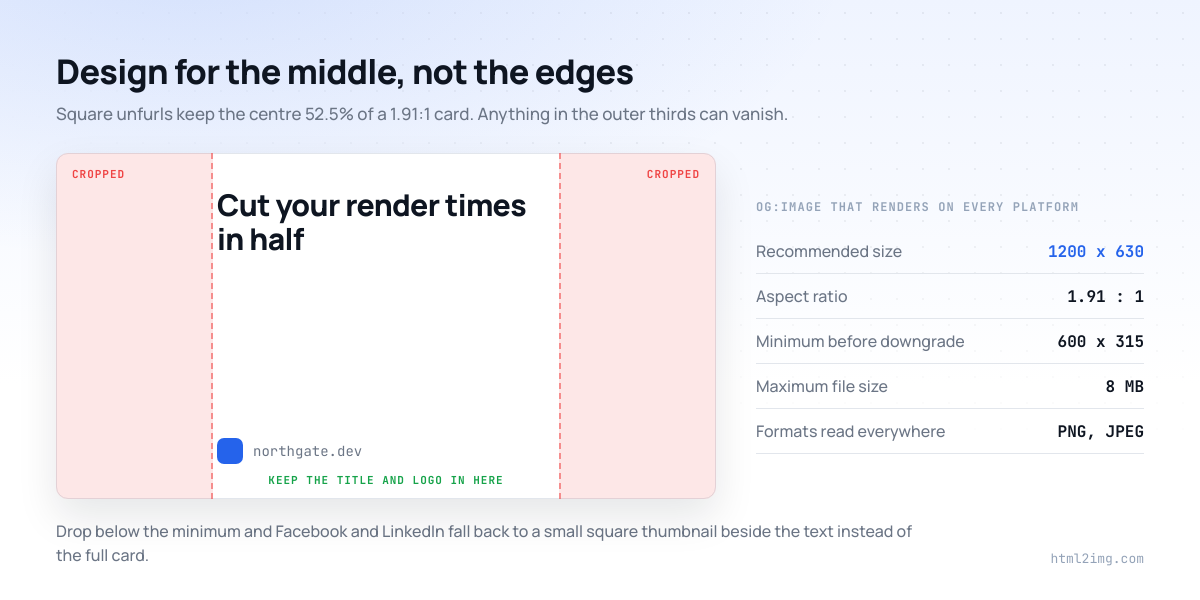
1200 by 630 is the size that renders cleanly everywhere. Below 600 by 315, Facebook and LinkedIn downgrade the card to a small square thumbnail beside the text, which is a much weaker unit even when it technically works. Over 8MB and the image is dropped. SVG is not read as an og:image anywhere that matters, and WebP support is uneven enough that PNG or JPEG is still the safe answer.
Then there is the crop. Every platform centre-crops toward roughly 1.91:1, and square unfurls keep only the middle band, so artwork that puts the logo or the headline near an edge loses it.
6. twitter:card is missing, so X shows the small one
X reads og: tags as a fallback for the title, description and image, which is why people assume they can skip the twitter: namespace entirely. The one tag you cannot skip is the card type. Without it, X renders summary, a small square thumbnail beside the text, rather than the full width image card.
<meta name="twitter:card" content="summary_large_image">Note the name attribute rather than property. Both work in practice for the twitter: namespace, but name is what the spec asks for.
7. The URL you tested is not the URL people share
Tags are read from the final URL after redirects, and the URL that ends up in the wild is rarely the clean one you tested. Campaign parameters, a trailing slash difference, a locale prefix, an AMP variant, or an http to https hop can all resolve to a document with different tags, or to a redirect chain where the tags live on the wrong hop.
Test the canonical URL, then test the exact string your campaign is about to put in front of people, including its query parameters.
8. Facebook is still showing a card you already fixed
Meta caches the first scrape of a URL hard and can hold it for days. Deploying a fix does not invalidate it. Run the URL through Meta's own Sharing Debugger once and use Scrape Again to force a refresh.
This one matters mainly because it makes the other seven harder to diagnose. If a live fetch shows correct tags and Facebook still shows the old card, the cache is stale rather than your fix being wrong, and you can stop editing tags.
Checking all of it in one pass
The official debuggers have quietly stopped being much help here. Meta's needs a Facebook login and only reports on Facebook. X removed the rendered preview from its Card Validator, so it now tells you a card is valid without showing you the card. Neither says anything about Slack, Discord or WhatsApp, where a large share of link traffic actually lands.
The Open Graph Checker runs the whole sequence in one request. It fetches the page as a crawler without executing JavaScript, follows redirects and reads the tags from the final URL, resolves relative image URLs, then fetches the image far enough to read its real dimensions, type and file size from the file itself rather than trusting what the tags claim. You get the card as Facebook, X, LinkedIn, Slack, Discord and WhatsApp would each build it, a scored list of what is missing or wrong, and a corrected tag block to paste into your head. No login, and it reads live rather than from a cache, so a tag you deployed a minute ago shows up straight away.
The four failures it identifies fastest are the ones that look identical from the outside: tags missing because they are client-side, an image URL that resolves but returns a 403, an image that is technically present but 400 pixels wide, and a page that redirects somewhere with different tags.
The tag block that renders everywhere
Once you know which step failed, this is the shape you are aiming for. Everything here is read by at least two of the six platforms:
<meta property="og:type" content="article">
<meta property="og:url" content="https://example.com/pricing">
<meta property="og:site_name" content="Northgate">
<meta property="og:title" content="Pricing that scales with your traffic">
<meta property="og:description" content="Per-render pricing with no seat fees, and a free tier that covers a small site.">
<meta property="og:image" content="https://example.com/images/og/pricing.png">
<meta property="og:image:width" content="1200">
<meta property="og:image:height" content="630">
<meta property="og:image:type" content="image/png">
<meta property="og:image:alt" content="Pricing plans for Northgate">

<meta name="twitter:card" content="summary_large_image">
<meta name="twitter:title" content="Pricing that scales with your traffic">
<meta name="twitter:description" content="Per-render pricing with no seat fees, and a free tier that covers a small site.">
<meta name="twitter:image" content="https://example.com/images/og/pricing.png">
Keep titles under about 60 characters and descriptions under about 155, or they truncate in most placements. If you would rather fill in a form than write that by hand, the Open Graph Meta Tag Generator builds the same block with live previews and character counters as you type.
When the answer is that you have no image at all
Plenty of sites fail the check for the simplest reason available: nothing has ever been generated to point og:image at. Making one card by hand is easy, and making one per page is the thing nobody keeps up with, which is why so many sites end up pointing every page at the same logo.
The Open Graph Image Generator builds a correctly sized card from a title, a subtitle and your brand colours. The same call is available through the API, so new pages can get their own card at publish time:
curl -X POST https://app.html2img.com/api/v1/templates/open-graph-image \
  -H "X-API-Key: YOUR_API_KEY" \
  -H "Content-Type: application/json" \
  -d '{
    "title": "Pricing that scales with your traffic",
    "subtitle": "No seat fees, no minimum commitment",
    "author_name": "northgate.dev",
    "background_color": "#0F172A",
    "accent_color": "#3B82F6"
  }'
The response carries a url you store against the page and print into the tag. For a card that matches your own design rather than a template, send your own HTML instead and keep the Open Graph image template as the starting point. There are framework walkthroughs for Laravel, Astro, Hugo and Eleventy, Next.js and WordPress.
Keeping it fixed after the deploy
Share metadata rots quietly. It breaks during framework migrations, CMS moves and route refactors, and nothing in your test suite notices because the page still returns a 200.
A crude assertion over your important URLs catches most of it:
for url in \
  https://example.com/ \
  https://example.com/pricing \
  https://example.com/docs
do
  html=$(curl -sL "$url")
  echo "$html" | grep -q 'property="og:image"' \
    && echo "ok   $url" \
    || echo "FAIL $url"
done
Run it in CI after deploy, and run your top twenty URLs through the checker after any migration, while the traffic that would have hit those broken cards is still recoverable.
Need Open Graph cards, certificates or invoices rendered from HTML without running a browser yourself? Browse the templates gallery or read the docs to get started.

Written by
Mike Griffiths
Mike has spent the last 20 years crafting software solutions for all kinds of amazing businesses. He specializes in building digital products and APIs that make a real difference. As an expert in Laravel and a voting member on the PHP language, Mike helps shape the future of web development.