How to Generate Dynamic Open Graph Images in Laravel
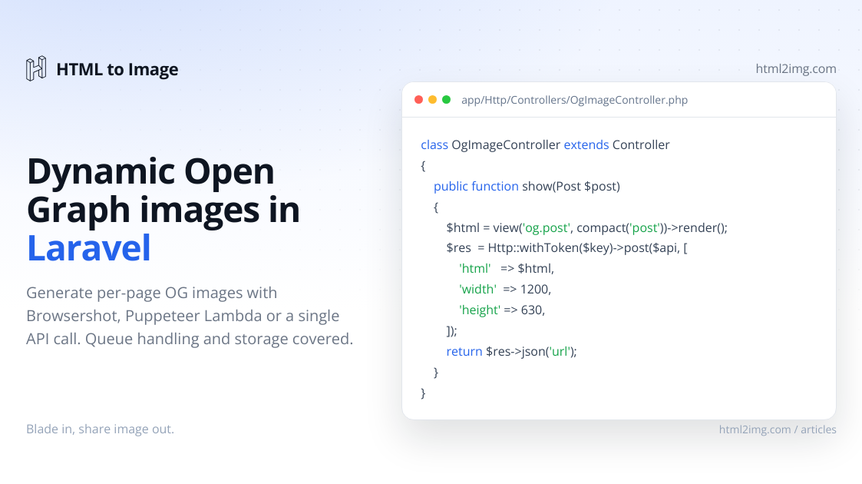
Every blog post (including this one) and every product page needs a unique social share image, and Laravel has no built-in way to render one. The three real options are Spatie Browsershot (headless Chrome you host), a Puppeteer Lambda you stand up yourself, or an HTTP API. This piece walks through all three with working code, then names the tradeoffs.
Here's what we're working towards.
The Open Graph protocol expects a specific shape of image, and the rendering itself is the easy part. The hard part is fitting it into a Laravel app's lifecycle without breaking response times or burning render budget on bots.
Output:   1200x630 PNG (the Open Graph protocol recommendation)
Trigger:  model-saved event, scheduled job, or on-demand from a request
Storage:  anywhere a Storage::disk() works (S3, local, Cloudflare R2)
Cache:    regenerate on content change, not on every request
Running this in production? Get an API key with 50 free credits, no card needed.
Generating the image on every request is wrong. Facebook caches the og:image URL aggressively, the upstream call adds 1 to 2 seconds to first paint for any social crawler, and you'll burn through your render budget on bots that hit the URL every minute. Generate once when the content saves, store the URL on the model, and serve it static.
The three approaches at a glance
Approach | Setup time | Cold render | Free tier | Maintenance |
|---|---|---|---|---|
Browsershot (Spatie) | 2 hours | 1 to 3 sec | n/a, you host | Chromium updates, server memory |
Self-hosted Puppeteer Lambda | 1 day | 3 to 5 sec cold | AWS free tier | Lambda layer, font bundling |
HTML to Image API | 5 minutes | 1 to 2 sec | 25 a month | None |
Approach 1: Browsershot
Spatie's Browsershot is the default Laravel answer to anything Chrome-shaped. It wraps Puppeteer, runs against a Chromium binary you install on the server, and returns a PNG. Tested here against spatie/browsershot 4.x and Laravel 11.
composer require spatie/browsershot
npm install puppeteer
The Blade template is plain HTML and CSS at 1200x630:
{{-- resources/views/og/post.blade.php --}}
<!DOCTYPE html>
<html>
<head>
    <style>
        body { margin: 0; font-family: 'Inter', sans-serif; }
        .card { width: 1200px; height: 630px; padding: 80px;
                background: linear-gradient(135deg, #0F766E, #134E4A);
                color: white; display: flex; flex-direction: column;
                justify-content: space-between; }
        h1 { font-size: 64px; line-height: 1.1; margin: 0; }
        .meta { font-size: 24px; opacity: 0.85; }
    </style>
</head>
<body>
    <div class="card">
        <h1>{{ $title }}</h1>
        <div class="meta">{{ $author }} . {{ $publishedAt->format('M Y') }}</div>
    </div>
</body>
</html>
The render goes in a queued job so you're never doing this inside a request:
<?php
// app/Jobs/GenerateOgImage.php
namespace App\Jobs;

use App\Models\Post;
use Illuminate\Bus\Queueable;
use Illuminate\Contracts\Queue\ShouldQueue;
use Illuminate\Foundation\Bus\Dispatchable;
use Illuminate\Queue\InteractsWithQueue;
use Illuminate\Queue\SerializesModels;
use Illuminate\Support\Facades\Storage;
use Spatie\Browsershot\Browsershot;

class GenerateOgImage implements ShouldQueue
{
    use Dispatchable, InteractsWithQueue, Queueable, SerializesModels;

    public function __construct(public Post $post) {}

    public function handle(): void
    {
        $html = view('og.post', [
            'title' => $this->post->title,
            'author' => $this->post->author->name,
            'publishedAt' => $this->post->published_at,
        ])->render();

        $png = Browsershot::html($html)
            ->windowSize(1200, 630)
            ->deviceScaleFactor(1)
            ->screenshot();

        $path = "og/posts/{$this->post->id}.png";
        Storage::disk('s3')->put($path, $png, 'public');

        $this->post->update([
            'og_image_url' => Storage::disk('s3')->url($path),
        ]);
    }
}
Dispatching it from the model keeps the trigger close to the data:
<?php
// app/Models/Post.php
protected static function booted(): void
{
    static::saved(function (Post $post) {
        if ($post->wasChanged(['title', 'published_at'])) {
            GenerateOgImage::dispatch($post);
        }
    });
}
The honest costs. Browsershot needs Chromium installed on every server that runs the queue worker. On Forge that's a custom provisioning script; on Vapor it's a custom build step and a Lambda layer. Memory spikes hard during render: a single Chromium instance sits at 200 to 400 MB resident, so a t3.small queue worker can OOM under burst from a content backfill. Font availability is your problem too. If your design uses Inter or Poppins, you either install the font system-wide on the worker box or pull it from a remote stylesheet inside the Blade template and accept the extra second of render time.
For a publication doing tens of renders a day with infrastructure already provisioned, this is the right answer.
Approach 2: Self-hosted Puppeteer Lambda
If you've already got a Puppeteer Lambda running for screenshots or PDF generation, adding OG image rendering is one more handler. If you don't, this is more work than it's worth for OG images alone.
The Lambda side of this is its own project: a Node.js function with @sparticuz/chromium, a deployment pipeline, and the font and memory tuning that comes with it. We've covered the full setup in the Puppeteer Lambda guide. The Laravel-side calling code is the same shape as Browsershot, just routed through HTTP:
<?php
// app/Jobs/GenerateOgImageViaLambda.php
public function handle(): void
{
    $html = view('og.post', [
        'title' => $this->post->title,
        'author' => $this->post->author->name,
        'publishedAt' => $this->post->published_at,
    ])->render();

    $response = Http::timeout(15)->post(
        config('services.og_lambda.url'),
        ['html' => $html, 'width' => 1200, 'height' => 630]
    );

    if ($response->failed()) {
        $this->fail($response->toException());
        return;
    }

    $path = "og/posts/{$this->post->id}.png";
    Storage::disk('s3')->put($path, $response->body(), 'public');

    $this->post->update([
        'og_image_url' => Storage::disk('s3')->url($path),
    ]);
}
The honest costs. Cold starts are 3 to 5 seconds for the first invocation after Lambda goes idle, which is fine for a queued job but feels long during testing. The Lambda layer with a working Chromium build is 50 MB minimum, so deploys slow down. Memory tuning is fiddly: too little and Puppeteer crashes mid-render; too much and you pay for unused capacity at every invocation. The classic gotcha is fonts. Lambda's /tmp is wiped between cold starts, so you either bundle fonts into the layer (paying for that 50 MB on every deploy) or load them from a CDN with cache headers Puppeteer respects. Get this wrong and you'll find your OG images rendering in the system fallback font on cold invocations only, which is a fun bug to track down.
This path makes sense when the Lambda already exists. Standing one up purely to render OG images is overshooting the problem.
Approach 3: HTML to Image API
This is the path with the lowest setup cost. You skip the rendering infrastructure entirely, at the cost of a network call and a vendor dependency. Sign up at app.html2img.com/register, copy the API key, drop it into .env. No package install, just the framework's Http:: client.
HTML_TO_IMAGE_KEY=your-key-hereTwo variants, depending on whether you want to keep your Blade template or skip it.
Variant A: send your existing Blade template. Same view file as the Browsershot example, just routed through the API:
<?php

// app/Jobs/GenerateOgImageViaHtmlToImage.php
public function handle(): void
{
    $html = view('og.post', [
        'title' => $this->post->title,
        'author' => $this->post->author->name,
        'publishedAt' => $this->post->published_at,
    ])->render();

    $response = Http::withHeaders([
            'X-API-Key' => config('services.html_to_image.key'),
        ])
        ->timeout(15)
        ->post('https://app.html2img.com/api/html', [
            'html' => $html,
            'width' => 1200,
            'height' => 630,
        ]);

    if ($response->failed()) {
        $this->fail($response->toException());
        return;
    }

    $imageUrl = $response->json('url');

    $this->post->update(['og_image_url' => $imageUrl]);
}
Variant B: skip the markup, use the open-graph-image template.** No Blade file, no CSS to maintain:
<?php

public function handle(): void
{
    $response = Http::withHeaders([
            'X-API-Key' => config('services.html_to_image.key'),
        ])
        ->post('https://app.html2img.com/api/v1/templates/open-graph-image', [
            'title' => $this->post->title,
            'subtitle' => $this->post->author->name,
            'accent_color' => '#0F766E',
        ]);

    $this->post->update(['og_image_url' => $response->json('url')]);
}
The full set of template parameters and the Laravel integration patterns are in the Laravel guide.
Webhook variant for backfills. The synchronous endpoint times out after 30 seconds. For a one-off batch run, regenerating OG images across an existing 5,000-post archive at Northwind Studio's blog, don't sit your queue worker on a synchronous call. Use webhook delivery so the request returns immediately and the rendered image POSTs back when ready:
->post('https://app.html2img.com/api/v1/templates/open-graph-image', [
    'title' => $this->post->title,
    'webhook_url' => route('og.webhook', ['post' => $this->post->id]),
]);
The honest costs. 1 credit per render. At the $9 entry tier that's 1,000 OG images a month. A blog publishing daily uses around 30. A SaaS regenerating share images on every product update could chew through that. Run the maths against your publish volume before assuming the cheapest tier covers you.
Wiring up the meta tags
The OG image only works if the HTML emits the right meta tags. Easy to forget, equally easy to fix:
{{-- layouts/app.blade.php --}}
@if(isset($post) && $post->og_image_url)
    <meta property="og:image" content="{{ $post->og_image_url }}">
    <meta property="og:image:width" content="1200">
    <meta property="og:image:height" content="630">
    <meta name="twitter:card" content="summary_large_image">
    <meta name="twitter:image" content="{{ $post->og_image_url }}">
@endif
When you regenerate a post's image, append a version query string (?v={timestamp}) to the URL so Facebook and Twitter re-fetch instead of serving the cached copy.
Cache invalidation reality
Facebook's Sharing Debugger and Twitter's Card Validator both cache aggressively, and there's no clean programmatic answer. After regenerating an image you can either wait 24 to 48 hours for the cache to expire or hit the Sharing Debugger's "Scrape Again" button manually. Facebook's Graph API exposes a scrape endpoint you can call from a job, which is worth wiring up if you regenerate often. Twitter deprecated their public validator but still re-crawls on a quiet schedule. The user-facing answer is: regenerate, append a version query string, paste the URL into the Sharing Debugger to force a re-scrape.
Choosing between the three
Stay with Browsershot if you already run a Forge or self-hosted setup with capacity to spare, your render volume sits below 5,000 a month, and you want zero vendor dependencies. Accept the Chromium maintenance overhead and the occasional memory tuning. It's a fine library used by thousands of Laravel projects, and the only honest reason to move off it is if your infrastructure isn't a good fit for hosting Chrome.
Pick the API approach if your queue worker is on Vapor or any serverless setup where bundling Chromium is painful, you'd rather ship today than spend a day on Lambda layers, or you have other image generation needs (invoices, social cards, code screenshots) that you'd rather solve once with one vendor. The template library covers the cases most blogs actually have, and the Laravel integration guide covers the queue retry, service config and storage patterns for production use.
FAQ
Do I need a queue for OG image generation? Yes. Generate inside a queued job, never inside a controller. Even the fastest render adds 1 to 2 seconds to the response, and Facebook crawls the URL within seconds of a share, so the order matters: save the post, return the response, render the image, update the post with the URL.
Should I store the image on S3 or use the API's CDN URL? Either works. Storing on your own S3 bucket means the URL is yours forever and never changes if you switch providers. Using i.html2img.com directly is one less step and the CDN is already in front of it. For long-term content like evergreen blog posts, self-host. For ephemeral content like event pages or time-bound campaigns, the API URL is fine.
What about emoji in the title? Real Chrome renders emoji correctly. Browsershot, the Lambda approach, and the HTML to Image API all use Chrome under the hood, so emoji work in all three. Satori-based tools like @vercel/og are where emoji break, because Satori doesn't support colour fonts. That's a different article.
How do I test OG images locally? Build the Blade template at a normal route (e.g. /og-debug/{post}) so you can iterate on the design in the browser, then point your generator at the same view once it looks right. Don't try to debug headless Chrome output until the design itself is finalised; you'll be chasing two problems at once.
Closing
OG images are a solved problem in Laravel three different ways, and the right pick depends mainly on what infrastructure you already maintain. There's no wrong answer here, just an honest match between render volume, hosting setup, and how much Chromium you want in your life.
If skipping the rendering infrastructure entirely sounds right, the open-graph-image template covers the common case in 10 lines of Laravel. The free tier covers 25 renders a month, enough to test it on a few posts before committing to anything.

Written by
Mike Griffiths
Mike has spent the last 20 years crafting software solutions for all kinds of amazing businesses. He specializes in building digital products and APIs that make a real difference. As an expert in Laravel and a voting member on the PHP language, Mike helps shape the future of web development.