Dynamic OG Images in Astro, Hugo and Eleventy
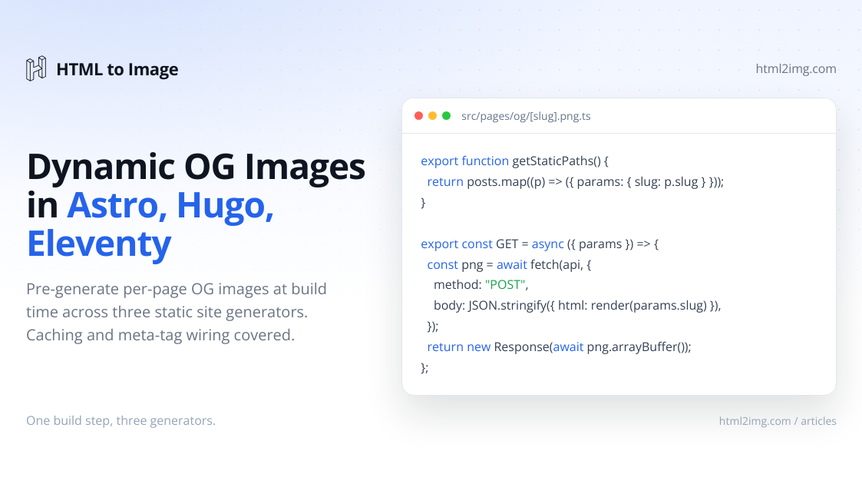
Static site generators give you fast hosting, no database and no server runtime. They also leave you with one awkward problem: how do you generate a per-page Open Graph image when there's no server to render it on demand?
The Next.js answer is @vercel/og. The Laravel answer is Browsershot or a queued job. Static sites don't have either of those luxuries. Whatever you ship has to be generated at build time, written to disk, and referenced as a plain file path in your meta tags.
This guide covers three working setups for the most popular static site generators: Astro, Hugo and Eleventy. Each one uses the same html2img Open Graph template endpoint as a renderer, with framework-native code for enumerating posts, caching the result, and writing the PNG into your build output. The wiring is different in each, but the shape is the same: enumerate every post, POST title and description to the API, save the returned PNG into your build output, reference it from the page's meta tags.
Why static blogs make this harder than Next.js or Laravel
In a server-backed framework, generating an OG image is a request-time concern. Someone shares a URL, a crawler fetches the meta tags, the meta tag points at /og/some-slug.png, and the server renders that PNG when the crawler asks for it. Caching is something you bolt on for performance, not correctness.
Static blogs have no request handler to invoke. The output of astro build, hugo or eleventy is a directory of files. Whatever ends up in that directory is what crawlers will see. So every OG image has to exist as a real PNG on disk by the end of the build.
That changes the problem in three ways:
You need to enumerate every page that should have an OG image, ahead of time.
You need to write each generated PNG to the build output directory at a predictable path.
You want caching, because regenerating every image on every build wastes time and credits.
The good news is that all three frameworks have first-class extension points for exactly this kind of work. Astro has dynamic endpoints with getStaticPaths. Hugo has resources.GetRemote. Eleventy has async shortcodes and the data cascade. Each works differently, but each gets you to the same place.
Astro
Astro's .png.ts endpoint files are the canonical place for per-page image generation. Pair them with getStaticPaths and a content collection, and Astro will generate one PNG per post during astro build.
The pattern most tutorials show uses Satori through @vercel/og. Satori is fast and runs in any JavaScript runtime, but it's a subset renderer. No flex gap, no color emoji without a custom font bundle, no CSS that Tailwind users take for granted. That's the @vercel/og emoji problem and it shows up the moment your post titles contain anything Satori doesn't recognise.
The html2img approach uses a real headless browser to render the image, so the layout you get back is the layout you'd see in Chrome. Here's the full endpoint:
// src/pages/og/[...slug].png.ts
import type { APIRoute } from 'astro';
import { getCollection } from 'astro:content';

export async function getStaticPaths() {
  const posts = await getCollection('blog');
  return posts.map((post) => ({
    params: { slug: post.slug },
    props: { post },
  }));
}

export const GET: APIRoute = async ({ props }) => {
  const { post } = props;

  const apiResponse = await fetch(
    'https://app.html2img.com/api/v1/templates/open-graph-image',
    {
      method: 'POST',
      headers: {
        'X-API-Key': import.meta.env.HTML2IMG_API_KEY,
        'Content-Type': 'application/json',
      },
      body: JSON.stringify({
        title: post.data.title,
        subtitle: post.data.description,
        author_name: 'yourblog.com',
        background_color: '#0F172A',
        accent_color: '#84CC16',
      }),
    }
  );

  const { url } = await apiResponse.json();
  const image = await fetch(url);
  const buffer = await image.arrayBuffer();

  return new Response(buffer, {
    headers: { 'Content-Type': 'image/png' },
  });
};
Running this in production? Get an API key with 50 free credits, no card needed.
Two things to know about this code.
The getStaticPaths block tells Astro every URL this endpoint should produce. During build, Astro calls the GET handler once per slug, writes the response body to dist/og/<slug>.png, and you end up with one PNG per post sitting next to your HTML.
The endpoint makes two requests: one POST to the template endpoint to render the image, then a GET on the returned CDN URL to fetch the PNG bytes. The template endpoint returns JSON containing the image URL on i.html2img.com, not the image itself. See the Open Graph Image template docs for the full input and response schema.
To reference the generated image from your post layout:
---
// src/layouts/BlogPost.astro
const { post } = Astro.props;
const ogImageUrl = new URL(`/og/${post.slug}.png`, Astro.site);
---
<meta property="og:image" content={ogImageUrl.href}>
<meta property="og:image:width" content="1200">
<meta property="og:image:height" content="630">
<meta property="twitter:card" content="summary_large_image">
<meta property="twitter:image" content={ogImageUrl.href}>
Set site in astro.config.mjs so Astro.site resolves to your production URL. Crawlers expect absolute URLs in og:image.
Caching across builds
Astro doesn't cache endpoint responses between builds. If you have 50 posts and rebuild often, you'll make 100 API requests per build. The fix is to write generated images to a stable location outside dist and skip the API call when the file already exists with a matching content hash:
import fs from 'node:fs/promises';
import path from 'node:path';
import crypto from 'node:crypto';

async function getOgImageBuffer(post): Promise<Buffer> {
  const hash = crypto
    .createHash('md5')
    .update(`${post.data.title}::${post.data.description}`)
    .digest('hex')
    .slice(0, 12);

  const cachePath = path.join('.og-cache', `${post.slug}-${hash}.png`);

  try {
    return await fs.readFile(cachePath);
  } catch {
    // Not cached, fall through to API call
  }

  const apiResponse = await fetch(
    'https://app.html2img.com/api/v1/templates/open-graph-image',
    {
      method: 'POST',
      headers: {
        'X-API-Key': import.meta.env.HTML2IMG_API_KEY,
        'Content-Type': 'application/json',
      },
      body: JSON.stringify({
        title: post.data.title,
        subtitle: post.data.description,
        author_name: 'yourblog.com',
      }),
    }
  );
  const { url } = await apiResponse.json();
  const buffer = Buffer.from(await (await fetch(url)).arrayBuffer());

  await fs.mkdir('.og-cache', { recursive: true });
  await fs.writeFile(cachePath, buffer);

  return buffer;
}
Add .og-cache/ to .gitignore. The hash invalidates the cache automatically when a post's title or description changes, so editing a typo in a headline regenerates that one image without touching the other 49.
Hugo
Hugo's resources.GetRemote fetches external URLs at build time and caches the results to disk. It supports POST with custom headers and a JSON body, which is everything we need to call the template endpoint from inside a partial template.
The flow is a two-step fetch. POST the post's title and description to the template endpoint, unmarshal the JSON response to get the CDN URL, then fetch that URL to get the actual PNG and store it as a Hugo resource. The resource then has a .Permalink you can drop straight into a meta tag:
{{/* layouts/partials/og-image.html */}}
{{ $apiUrl := "https://app.html2img.com/api/v1/templates/open-graph-image" }}
{{ $apiKey := os.Getenv "HTML2IMG_API_KEY" }}

{{ $payload := dict
  "title" .Title
  "subtitle" (.Description | default .Site.Params.description)
  "author_name" .Site.Title
  "background_color" "#0F172A"
  "accent_color" "#84CC16"
}}

{{ $opts := dict
  "method" "post"
  "headers" (dict
    "X-API-Key" $apiKey
    "Content-Type" "application/json"
  )
  "body" ($payload | jsonify)
}}

{{ with try (resources.GetRemote $apiUrl $opts) }}
  {{ with .Err }}
    {{ errorf "html2img API error: %s" . }}
  {{ else with .Value }}
    {{ $data := .Content | transform.Unmarshal }}
    {{ with try (resources.GetRemote $data.url) }}
      {{ with .Err }}
        {{ errorf "Failed to fetch rendered OG image: %s" . }}
      {{ else with .Value }}
        <meta property="og:image" content="{{ .Permalink }}">
        <meta property="og:image:width" content="1200">
        <meta property="og:image:height" content="630">
        <meta property="twitter:card" content="summary_large_image">
        <meta property="twitter:image" content="{{ .Permalink }}">
      {{ end }}
    {{ end }}
  {{ end }}
{{ end }}
Call the partial from your base layout:
{{/* layouts/_default/baseof.html */}}
<head>
  <title>{{ .Title }}</title>
  {{ partial "og-image.html" . }}
</head>
The two try blocks are Hugo's modern error-handling syntax, introduced in 0.141.0. If you're on older Hugo, replace try and .Value with the older with-.Err pattern; the Hugo docs cover both.
How Hugo caches this
Hugo derives the cache key for resources.GetRemote from the URL plus the options map, which includes the POST body. Different posts have different payloads, so each gets its own cache entry. When you rebuild and the title and description haven't changed, Hugo serves the response from the file cache and skips the network round-trip entirely.
If you want to force a refresh, pass a custom key in the options map that includes a version string you can bump:
{{ $opts := merge $opts (dict "key" (printf "%s-v2" .File.UniqueID)) }}For Hugo sites with hundreds of pages, you may also want to configure the HTTP cache in hugo.toml so it survives between CI runs. The Hugo HTTP cache config docs cover the polling and TTL options.
Eleventy
Eleventy doesn't have a built-in remote-fetch primitive, but its async shortcodes and the data cascade make this straightforward to do yourself. The cleanest setup is an async shortcode that generates the PNG, writes it to your passthrough copy folder, and returns the public path.
// eleventy.config.js
import fs from 'node:fs/promises';
import path from 'node:path';
import crypto from 'node:crypto';

const OG_OUTPUT_DIR = 'public/og';
const API_URL = 'https://app.html2img.com/api/v1/templates/open-graph-image';

async function generateOgImage({ title, description, slug }) {
  const hash = crypto
    .createHash('md5')
    .update(`${title}::${description}`)
    .digest('hex')
    .slice(0, 12);

  const filename = `${slug}-${hash}.png`;
  const outputPath = path.join(OG_OUTPUT_DIR, filename);

  try {
    await fs.access(outputPath);
    return `/og/${filename}`;
  } catch {
    // Not generated yet, fall through
  }

  const apiResponse = await fetch(API_URL, {
    method: 'POST',
    headers: {
      'X-API-Key': process.env.HTML2IMG_API_KEY,
      'Content-Type': 'application/json',
    },
    body: JSON.stringify({
      title,
      subtitle: description,
      author_name: 'yourblog.com',
      background_color: '#0F172A',
      accent_color: '#84CC16',
    }),
  });

  if (!apiResponse.ok) {
    throw new Error(`html2img API returned ${apiResponse.status}`);
  }

  const { url } = await apiResponse.json();
  const image = await fetch(url);
  const buffer = Buffer.from(await image.arrayBuffer());

  await fs.mkdir(OG_OUTPUT_DIR, { recursive: true });
  await fs.writeFile(outputPath, buffer);

  return `/og/${filename}`;
}

export default function (eleventyConfig) {
  eleventyConfig.addPassthroughCopy('public');

  eleventyConfig.addAsyncShortcode('ogImage', async function () {
    return generateOgImage({
      title: this.page.title || this.ctx.title,
      description: this.ctx.description || this.ctx.summary || '',
      slug: this.page.fileSlug,
    });
  });
}
Reference it from your post layout. The shortcode returns the path; prepend your site URL so crawlers get an absolute reference:
{# _includes/layouts/post.njk #}
<meta property="og:image" content="{{ site.url }}{% ogImage %}">
<meta property="og:image:width" content="1200">
<meta property="og:image:height" content="630">
<meta property="twitter:card" content="summary_large_image">
<meta property="twitter:image" content="{{ site.url }}{% ogImage %}">
The MD5 hash of title::description does the caching work. On the first build for a post, the shortcode hits the API, writes the PNG to public/og/<slug>-<hash>.png, and returns the path. On every subsequent build where the title and description haven't changed, the file already exists and the shortcode short-circuits to return the path without a network call.
When you edit a post's title, the hash changes, a new file gets written, and the old one stays around until you clean it up. A small cleanup script that prunes anything in public/og/ not referenced by a current post can run as a prebuild step, but for a normal-sized blog the few extra kilobytes aren't worth optimising.
A note on the data cascade
You could also build this as a global data file (_data/ogImages.js) that pre-generates all images at the start of the build and returns a { slug: path } map. That works, but it parallelises poorly across many posts and gives you less control over per-post overrides. The async shortcode runs lazily, fires only when actually invoked, and inherits the per-post context for free.
What about no-build approaches?
If you're allergic to build-time API calls, the alternative is to generate every OG image once, by hand or in a one-off script, and commit them to your repo. That works for a five-post blog. It stops working the moment you publish weekly, change the title of an old post, or want a consistent template across the whole site.
The other end of the spectrum is request-time generation. You can do this with Cloudflare Workers or Vercel functions sitting in front of your static site, intercepting requests for /og/<slug>.png and proxying to a render service. It's flexible, but you've now added a serverless function and a render service to a project that was supposed to be just static files. For most blogs, build-time generation hits the right balance: real PNGs in your output, no runtime dependencies, no server to keep alive.
One template, three frameworks
The endpoint used in all three examples is the same: POST https://app.html2img.com/api/v1/templates/open-graph-image. The template gallery page has live sample renders and the full input schema. The Open Graph Image template docs cover authentication, inputs and responses with copy-paste examples in cURL, PHP, Node and Python.
If you outgrow the template and want full control over the layout, with your own typography, background and brand marks, the raw HTML endpoint lets you POST any HTML and CSS you'd write for one of these frameworks and get back a PNG. The template endpoint is the shortcut; the HTML endpoint is the escape hatch.
Need OG images, invoice graphics, certificates or social cards generated from HTML? Browse the templates gallery or read the docs to get started.

Written by
Mike Griffiths
Mike has spent the last 20 years crafting software solutions for all kinds of amazing businesses. He specializes in building digital products and APIs that make a real difference. As an expert in Laravel and a voting member on the PHP language, Mike helps shape the future of web development.