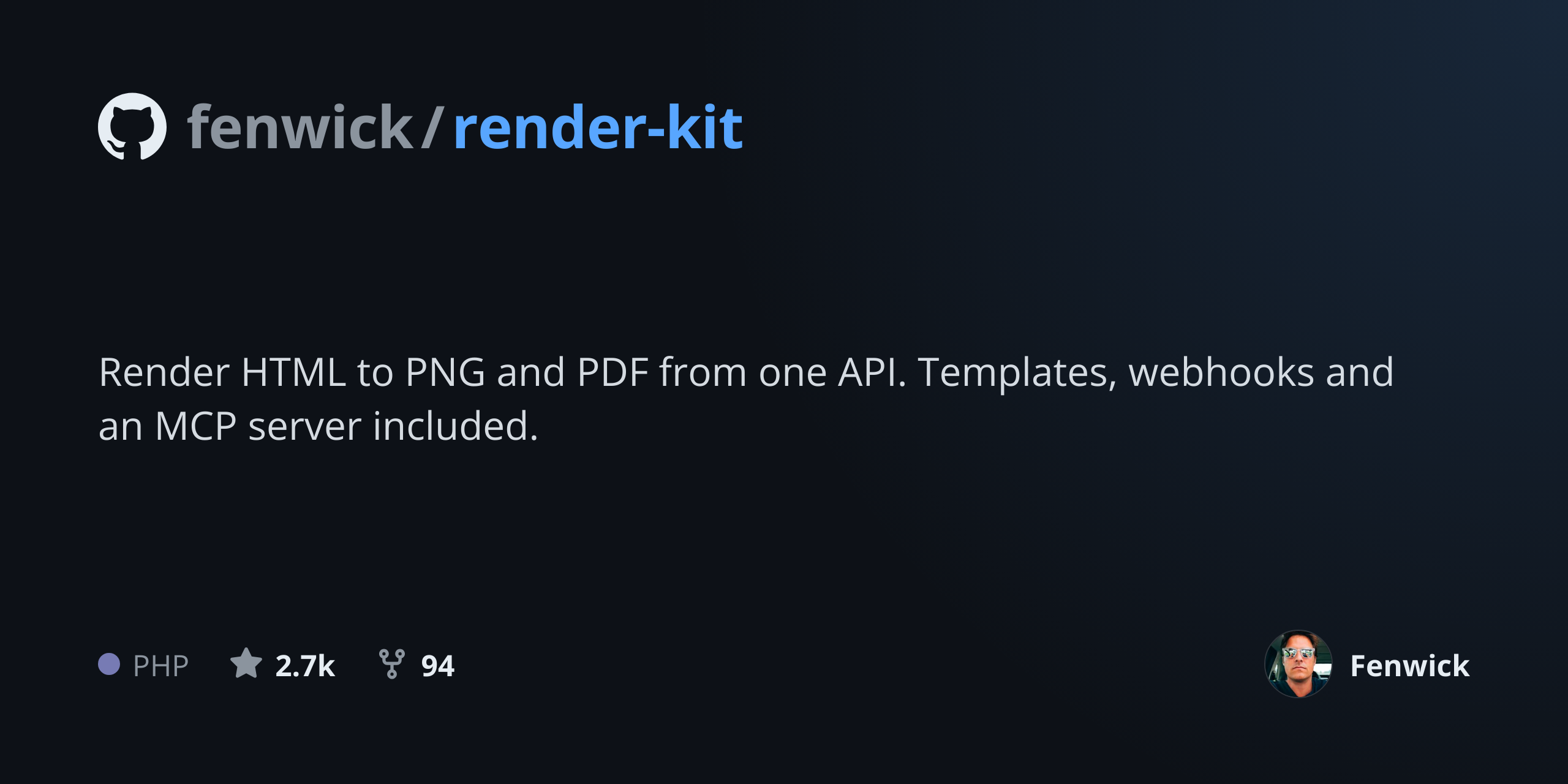
The GitHub Social Preview Generator builds the image GitHub shows when someone shares a repository link. Set the owner and repository name, a short description, the primary language, and the star and fork counts, and the card renders at 1280 by 640, which is the size GitHub recommends for the social preview field. Without one, a shared repo link renders as GitHub's generic fallback: your avatar on a grey background, indistinguishable from every other repository.
It is a small thing that shows up in a lot of places. Repository links get shared in Slack, posted to X and LinkedIn, embedded in dev.to articles, and linked from READMEs of other projects, and each of those surfaces reads the social preview. A card that states what the project does, in words, is the difference between a link people click and a link they scroll past. Upload it once under Settings, General, Social preview, and it applies everywhere that repo is shared.
How it works
Enter the repository details
Owner and repository name, plus the one-line description that explains what the project does. The description is the part that earns the click, so write it for someone who has never heard of the project.
Add language and stats
The primary language, star count and fork count render as a metadata row along the bottom, the same signals someone scanning a repository card looks for first.
Render at 1280 by 640
The card renders at GitHub's recommended size, a 2:1 ratio comfortably above the 640 by 320 minimum, so it stays sharp everywhere the preview is displayed.
Upload it to the repository
Download the PNG, then go to Settings, General, and Social preview on the repository and upload it there. GitHub applies it to every share of that repo from then on.
When to use it
Open source project launches
A launch post lives or dies on the link preview. A card that names the project and says what it does in one line converts far better than GitHub's grey avatar fallback, and it is a five minute job before the announcement goes out.
Company repositories
Repos under an organisation account all share the same avatar, so every shared link looks identical. A per-repo card makes each one legible in a Slack channel where several are being discussed.
Consistent cards across many repos
A team with thirty repositories wants thirty cards that look like a set. Generating them from a template with the same layout and brand colours gives that, where thirty hand-made images will not.
Keeping stats current
Star counts baked into an image go stale. Regenerating the card from the API on a schedule, reading the numbers from the GitHub API, keeps the preview honest without anyone remembering to do it.
Documentation and portfolio sites
The same card works as the og:image for a project's documentation site or its entry in a portfolio, so one render covers GitHub and the web.
Examples
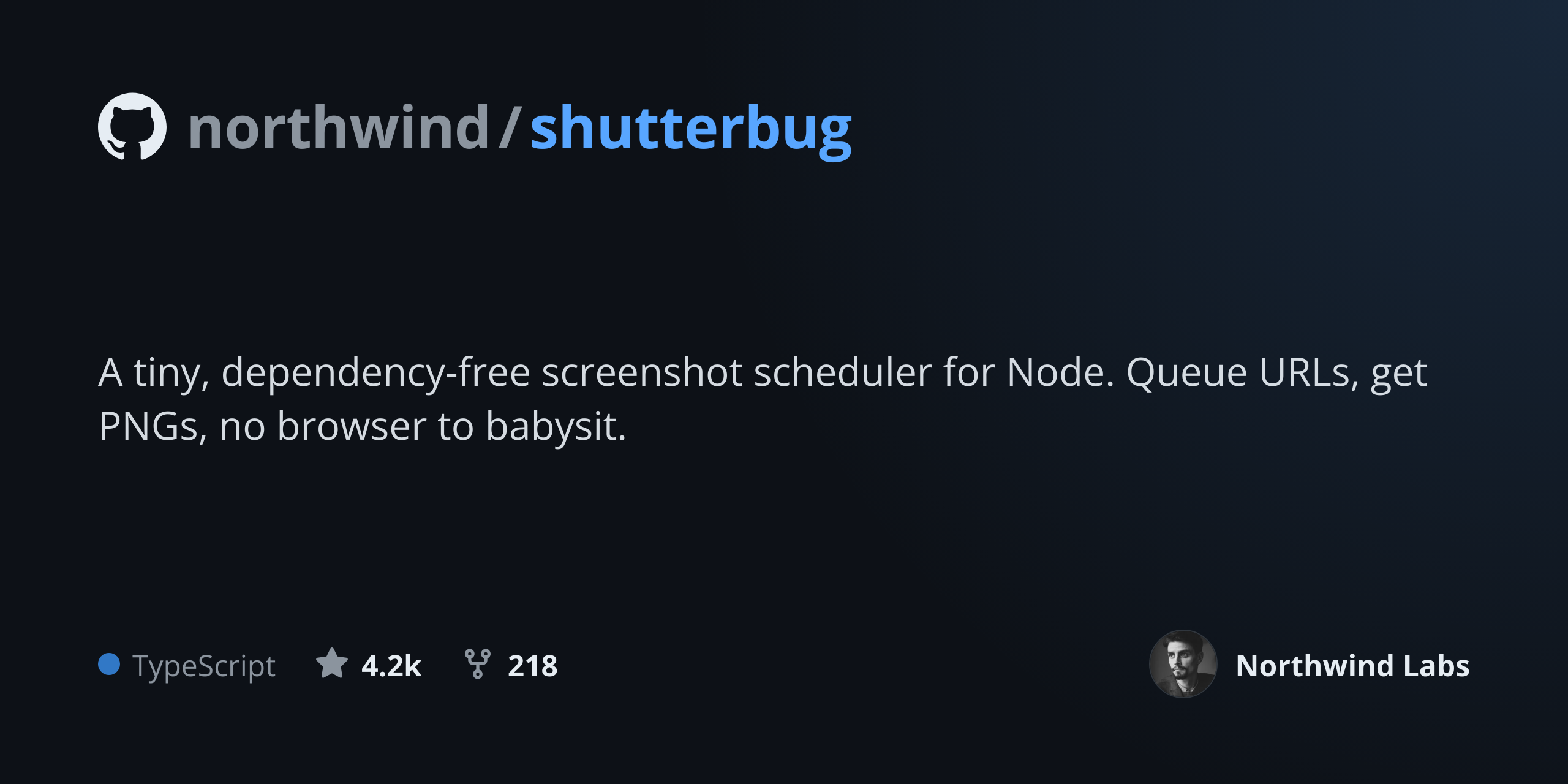
A library with a long description
A repository card with a two-line description, the language pill, and star and fork counts along the bottom. The most common shape.
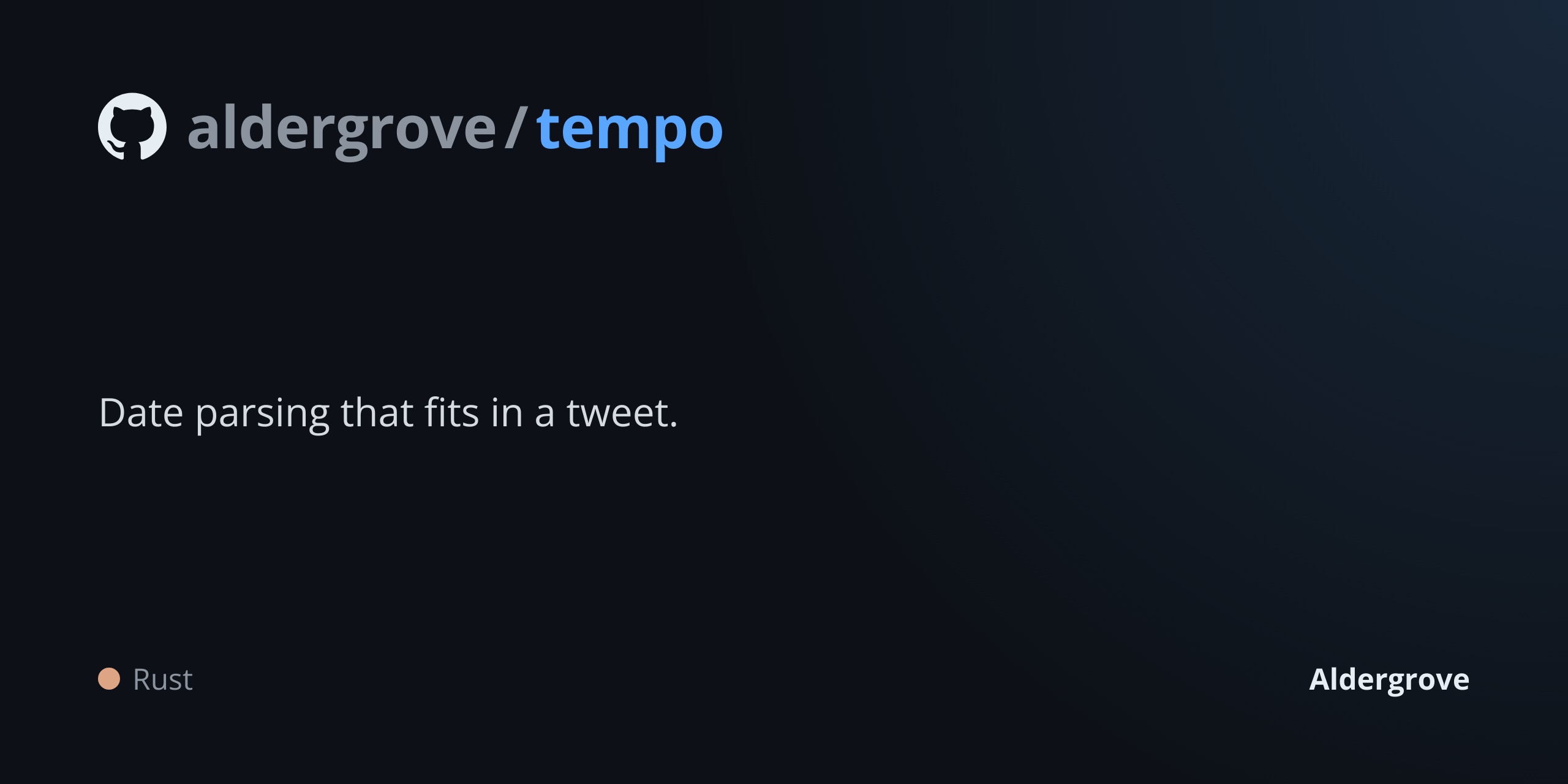
A minimal card
Owner, repository name and a single-line description with the stats left off, for a project where the numbers are not the selling point.
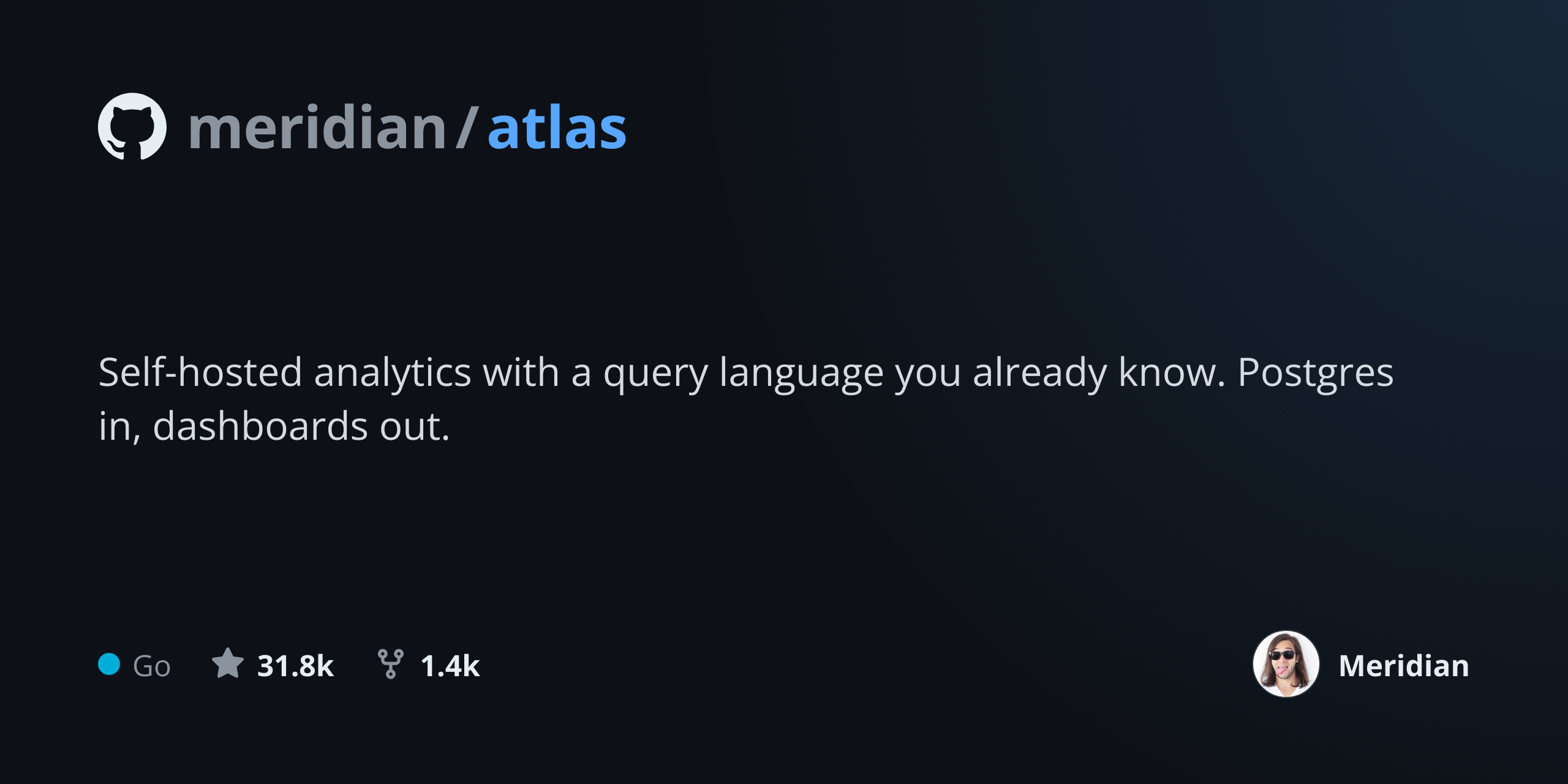
A popular project
The same layout with substantial star and fork counts, which are the first thing most people look at when deciding whether to click a repository link.
Use it from your code
The GitHub Social Preview Generator runs on the HTML to Image API, and so can you. Every snippet below is a
complete request: swap YOUR_API_KEY for a key from your dashboard and it runs
as-is. The response carries a url for the finished file.
curl -X POST https://app.html2img.com/api/v1/templates/github-social-preview \
  -H "X-API-Key: YOUR_API_KEY" \
  -H "Content-Type: application/json" \
-d '{"repo_name":"halberd/feather","description":"A 12kb React state management library that fits in your head.","language":"TypeScript","language_color":"#3178C6","stars":"12.4k","forks":"482","owner_name":"Halberd Software","owner_avatar_url":"https://i.pravatar.cc/160?img=8","background_color":"#0D1117","accent_color":"#58A6FF"}'<?php
$payload = [
'repo_name' => 'halberd/feather',
'description' => 'A 12kb React state management library that fits in your head.',
'language' => 'TypeScript',
'language_color' => '#3178C6',
'stars' => '12.4k',
'forks' => '482',
'owner_name' => 'Halberd Software',
'owner_avatar_url' => 'https://i.pravatar.cc/160?img=8',
'background_color' => '#0D1117',
'accent_color' => '#58A6FF',
];
$ch = curl_init('https://app.html2img.com/api/v1/templates/github-social-preview');
curl_setopt_array($ch, [
CURLOPT_POST => true,
CURLOPT_RETURNTRANSFER => true,
CURLOPT_HTTPHEADER => [
'X-API-Key: YOUR_API_KEY',
'Content-Type: application/json',
],
CURLOPT_POSTFIELDS => json_encode($payload),
]);
$response = json_decode(curl_exec($ch), true);
curl_close($ch);
echo $response['url'];const response = await fetch('https://app.html2img.com/api/v1/templates/github-social-preview', {
method: 'POST',
headers: {
'X-API-Key': 'YOUR_API_KEY',
'Content-Type': 'application/json',
},
body: JSON.stringify({
"repo_name": "halberd/feather",
"description": "A 12kb React state management library that fits in your head.",
"language": "TypeScript",
"language_color": "#3178C6",
"stars": "12.4k",
"forks": "482",
"owner_name": "Halberd Software",
"owner_avatar_url": "https://i.pravatar.cc/160?img=8",
"background_color": "#0D1117",
"accent_color": "#58A6FF"
}),
});
const { url } = await response.json();
console.log(url);import requests
response = requests.post(
'https://app.html2img.com/api/v1/templates/github-social-preview',
headers={'X-API-Key': 'YOUR_API_KEY'},
json={
'repo_name': 'halberd/feather',
'description': 'A 12kb React state management library that fits in your head.',
'language': 'TypeScript',
'language_color': '#3178C6',
'stars': '12.4k',
'forks': '482',
'owner_name': 'Halberd Software',
'owner_avatar_url': 'https://i.pravatar.cc/160?img=8',
'background_color': '#0D1117',
'accent_color': '#58A6FF',
},
)
print(response.json()['url'])using System;
using System.Collections.Generic;
using System.Net.Http;
using System.Net.Http.Json;
var client = new HttpClient();
client.DefaultRequestHeaders.Add("X-API-Key", "YOUR_API_KEY");
var payload = new
{
repo_name = "halberd/feather",
description = "A 12kb React state management library that fits in your head.",
language = "TypeScript",
language_color = "#3178C6",
stars = "12.4k",
forks = "482",
owner_name = "Halberd Software",
owner_avatar_url = "https://i.pravatar.cc/160?img=8",
background_color = "#0D1117",
accent_color = "#58A6FF",
};
var response = await client.PostAsJsonAsync("https://app.html2img.com/api/v1/templates/github-social-preview", payload);
var result = await response.Content.ReadFromJsonAsync<Dictionary<string, string>>();
Console.WriteLine(result["url"]);require 'net/http'
require 'json'
uri = URI('https://app.html2img.com/api/v1/templates/github-social-preview')
request = Net::HTTP::Post.new(uri)
request['X-API-Key'] = 'YOUR_API_KEY'
request['Content-Type'] = 'application/json'
request.body = {
repo_name: "halberd/feather",
description: "A 12kb React state management library that fits in your head.",
language: "TypeScript",
language_color: "#3178C6",
stars: "12.4k",
forks: "482",
owner_name: "Halberd Software",
owner_avatar_url: "https://i.pravatar.cc/160?img=8",
background_color: "#0D1117",
accent_color: "#58A6FF",
}.to_json
response = Net::HTTP.start(uri.hostname, uri.port, use_ssl: true) do |http|
http.request(request)
end
puts JSON.parse(response.body)['url']Tips
Use 1280 by 640, not something close to it
GitHub recommends 1280 by 640 and enforces a 640 by 320 minimum. Anything smaller gets upscaled and looks soft; anything at a different ratio gets cropped, usually through the middle of your text.
Write the description for a stranger
The preview is seen by people who have never heard of the project, usually while scrolling. "A tiny, dependency-free date parser" beats "The next generation of temporal tooling" every time.
Keep the important content away from the edges
Some surfaces crop the card slightly, and different clients crop differently. Keeping text and logos inside a comfortable margin means no platform cuts through the middle of a word.
Upload it in repository settings, not the README
An image in the README is not the social preview. The preview lives under Settings, General, Social preview, and it is the only image GitHub serves as the og:image for the repository.
Automate it if you maintain more than a handful
A short script that reads the repo list from the GitHub API and calls the template endpoint once per repo will produce and refresh an entire organisation's cards, which is far more sustainable than doing it by hand.
Frequently asked questions
What size should a GitHub social preview be?
1280 by 640 pixels, a 2:1 ratio, which is what GitHub recommends. The enforced minimum is 640 by 320, and files must be under 1MB. This generator outputs at the recommended size.
Where do I upload it?
On the repository, go to Settings, then General, and find the Social preview section. Upload the PNG there. It applies to every share of the repository link, including from other people.
What does GitHub show if I do not set one?
A generic fallback card with the owner's avatar, the repository name, and the description on a plain background. It is legible but interchangeable, which is exactly the problem when your link is competing for attention.
Does the preview update automatically when stars change?
No. The uploaded image is static, so any numbers rendered into it are a snapshot. If current stats matter, regenerate the card from the API on a schedule and re-upload it.
Can I use this for GitLab or Bitbucket?
The image itself is a plain PNG and works anywhere, though the recommended dimensions differ by platform. For an arbitrary size, the Open Graph Image Generator or a direct HTML render gives you full control.
Can I generate these in CI?
Yes, and it is a good use of the API. Call the template endpoint from a workflow whenever the description or the release changes, and commit or upload the result. The code examples on this page show the call in six languages.
How much does it cost?
Free on this page, three renders an hour per visitor. A free account includes 50 renders with API access, which covers a full organisation's worth of cards.
Related templates
Related guides
Generate Open Graph Images in GitHub Actions
Generate Open Graph images in GitHub Actions without installing a browser: build-time OG cards, PR preview screenshots and release images in one step.
Dynamic OG Images in Astro, Hugo and Eleventy
Pre-generate per-page Open Graph images at build time across three popular static site generators. Working code, caching, and meta-tag wiring covered for each.
How to create a code screenshot for social media
Code screenshots for social media, done properly: set the theme, background and line numbers with one API call, or automate the lot in your build.
More tools
Code Screenshot Generator
Turn syntax-highlighted code into a shareable PNG with a custom theme and window chrome.
HTML to Image Converter
Paste an HTML document and get back a PNG rendered in real Chrome.
HTML to PDF Converter
Paste an HTML document and get back an A4 PDF with selectable text and embedded fonts.