Generate Open Graph Images in GitHub Actions
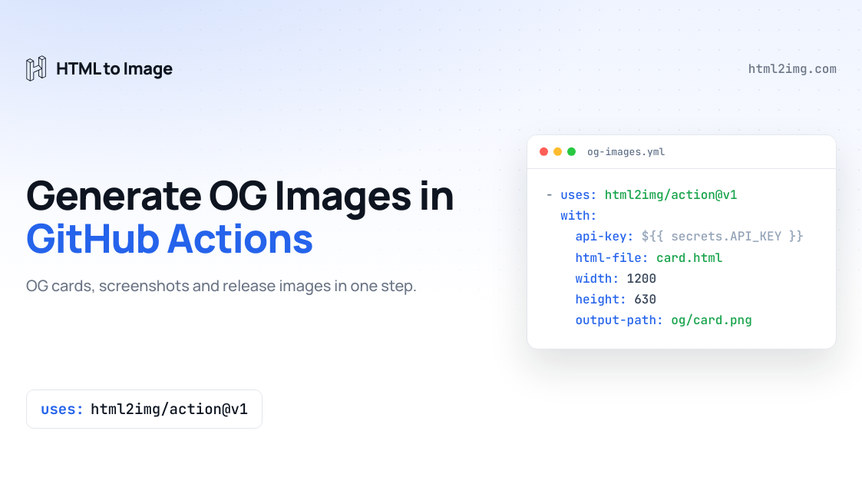
Every common route to generating images inside a GitHub workflow starts the same way: install a headless browser on the runner. Puppeteer wants Chrome plus a stack of shared libraries that apt fetches on every run. Playwright bundles its own browsers, which trades the dependency hunt for a large download and a cache step you now maintain. Either way you are running browser infrastructure to produce a PNG, your build gets slower to pay for it, and the first Chrome version bump breaks it on a Tuesday.
There is now a simpler route. html2img/action is the official GitHub Action for the HTML to Image API. It renders inline HTML, an HTML file from your workspace, a live URL or a named template, and the rendering happens on the API's side. The workflow step sends the source and downloads the result. Nothing is installed on the runner, and because it runs directly on the node20 runner with no container, it adds no image pull to your job.
The action is on the Marketplace as HTML to Image and the source is at github.com/html2img/action. A free account comes with 50 credits, needs no card, and one credit is one render.
This guide walks through the three workflows the action was built for: Open Graph images generated at build time and committed, pull request preview screenshots posted as comments, and a social card attached to every release. It also covers the two details that decide whether CI rendering costs you real money over a year: caching and DPI.
Why a browser in CI is the wrong tool
A GitHub-hosted runner is a fresh virtual machine every run. Anything Puppeteer needs, from Chrome itself to libnss3 and its friends, either gets reinstalled each time or cached with actions/cache, and both options add minutes and failure modes. The dependency problem is the same one that makes Puppeteer on Lambda such hard work: Chrome was never designed to be a build dependency, and CI environments punish you for treating it as one.
Moving the render to an API inverts the cost. The runner does an HTTP request and a file download, which takes a second or two regardless of what the page contains. Fonts, emoji and full CSS support are the renderer's problem rather than yours. The Puppeteer comparison covers the trade-off in general terms; in CI specifically, the case is stronger, because you pay the browser setup cost on every single run rather than once.
One step, four sources
The whole integration is a repository secret and a step. Create a key on your dashboard, store it as HTML2IMG_API_KEY, then:
- uses: html2img/action@v1
  with:
    api-key: ${{ secrets.HTML2IMG_API_KEY }}
    html: '<div style="font: 700 72px system-ui; padding: 80px">Hello</div>'
    width: 1200
    height: 630
    output-path: og/hello.png
Running this in production? Get an API key with 50 free credits, no card needed.
You set exactly one source per step: html for inline markup, html-file for a file in the workspace, url to screenshot a live page, or template plus a variables JSON object to render one of the named templates. Rendering options mirror the API: width, height, full-page, wait-for-selector, ms-delay, dpi, css, selector and format, which takes png or pdf.
Every step exposes three outputs. url is the hosted render, path is where the file landed if you set output-path, and skipped is true when the built-in cache decided nothing needed rendering. Those three outputs are the hooks the recipes below hang off.
Open Graph images for every post, generated at build time
Static sites have to solve OG images at build time, because there is no server to render one when a crawler asks. We covered the in-build approach for Astro, Hugo and Eleventy using framework endpoints and scripts. The workflow version below solves the same problem one level up, in CI, which suits teams who want image generation out of the build entirely: the site builds with plain files in place, and a separate workflow keeps those files topped up.
The shape is three jobs. The first lists posts that have no card yet, the second renders the missing cards in a matrix, the third commits the results.
name: OG images

on:
  push:
    branches: [main]
    paths: ['src/content/blog/**']

permissions:
  contents: write

jobs:
  find-posts:
    runs-on: ubuntu-latest
    outputs:
      slugs: ${{ steps.find.outputs.slugs }}
    steps:
      - uses: actions/checkout@v4

      - id: find
        name: List posts with no card yet
        run: |
          slugs=$(for file in src/content/blog/*.md; do
            slug=$(basename "$file" .md)
            if [ ! -f "public/og/$slug.png" ]; then printf '%s\n' "$slug"; fi
          done | jq -R . | jq -sc .)
          echo "slugs=$slugs" >> "$GITHUB_OUTPUT"

  render:
    needs: find-posts
    if: needs.find-posts.outputs.slugs != '[]'
    runs-on: ubuntu-latest
    strategy:
      fail-fast: false
      matrix:
        slug: ${{ fromJSON(needs.find-posts.outputs.slugs) }}
    steps:
      - uses: actions/checkout@v4

      - name: Build the card markup
        run: |
          title=$(sed -n 's/^title: *//p' "src/content/blog/${{ matrix.slug }}.md" | head -1 | tr -d '"')
          mkdir -p build
          cat > build/card.html <<HTML
          <!doctype html>
          <meta charset="utf-8">
          <div style="display:flex;align-items:center;width:1200px;height:630px;
                      box-sizing:border-box;padding:80px;background:#0f172a;
                      color:#fff;font:700 68px/1.15 system-ui,sans-serif">
            $title
          </div>
          HTML

      - uses: html2img/action@v1
        with:
          api-key: ${{ secrets.HTML2IMG_API_KEY }}
          html-file: build/card.html
          width: 1200
          height: 630
          output-path: public/og/${{ matrix.slug }}.png

      - uses: actions/upload-artifact@v4
        with:
          name: og-${{ matrix.slug }}
          path: public/og/

  commit:
    needs: render
    runs-on: ubuntu-latest
    steps:
      - uses: actions/checkout@v4

      - uses: actions/download-artifact@v4
        with:
          pattern: og-*
          merge-multiple: true
          path: public/og

      - name: Commit the cards
        run: |
          git config user.name 'github-actions[bot]'
          git config user.email '41898282+github-actions[bot]@users.noreply.github.com'
          git add public/og
          if git diff --cached --quiet; then
            echo 'No new cards.'
          else
            git commit -m 'Add Open Graph images'
            git push
          fi
The example reads Astro's content directory, but only the paths are Astro's. Point find-posts at content/posts and it is a Hugo workflow; point it at wherever Eleventy or Jekyll keeps posts and it is theirs.
Committing the PNGs is a deliberate choice, not a shortcut. On the free plan a hosted render is kept for 7 days, and paid plans keep renders indefinitely (see pricing). An OG image referenced from a meta tag needs to outlive both windows on your own terms, so a build artefact belongs in your repository or your deploy output rather than hotlinked from anyone's CDN, ours included. The card markup itself is minimal here to keep the workflow readable; in a real project you would give it a proper design, or skip the HTML entirely and use the Open Graph template.
Screenshot the pull request preview
The second workflow makes changes visible during review. Most hosts already deploy a preview per pull request. Screenshotting that preview and posting it as a comment means everyone looking at the PR sees the change without clicking through, and the comment updates itself on every push.
name: Preview screenshot
on:
pull_request:
permissions:
contents: read
pull-requests: write
jobs:
screenshot:
if: github.event.pull_request.head.repo.full_name == github.repository
runs-on: ubuntu-latest
steps:
- name: Wait for the preview to answer
id: preview
run: |
url="https://deploy-preview-${{ github.event.pull_request.number }}--example.netlify.app"
for _ in $(seq 1 30); do
if curl -fsS -o /dev/null "$url"; then
echo "url=$url" >> "$GITHUB_OUTPUT"
exit 0
fi
sleep 10
done
echo "The preview at $url did not answer within five minutes." >&2
exit 1
- uses: html2img/action@v1
id: shot
with:
api-key: ${{ secrets.HTML2IMG_API_KEY }}
url: ${{ steps.preview.outputs.url }}
width: 1280
height: 800
wait-for-selector: 'main'
css: '.cookie-banner, .chat-widget { display: none !important }'
- uses: peter-evans/create-or-update-comment@v4
with:
issue-number: ${{ github.event.pull_request.number }}
body: |
Preview of ${{ github.event.pull_request.head.sha }}:
Two of those inputs do the real work. A preview URL answering a request is not the same as the page being ready to photograph, so wait-for-selector holds the capture until your content actually exists in the DOM, and it returns the moment it does, where a fixed ms-delay always waits the full duration. The css input injects styles on top of the page's own, which is the tidiest way to hide a cookie banner or chat widget before the shot; the page's styles usually win on specificity, so !important earns its keep here.
No output-path is set, so nothing is written to the workspace and the comment embeds the hosted render directly. The 7-day retention on the free plan works in your favour for once, since few pull requests outlive it, and the image has done its job by merge anyway.
One honest limitation: GitHub does not expose secrets to workflows triggered by pull requests from forks, which is the right security call and also why the job guards on head.repo.full_name == github.repository. This recipe is for same-repository branches. And if you want one component rather than the viewport, set selector to a CSS selector matching exactly one element; cropping a screenshot to a single element covers how that behaves.
A social card on every release
The third workflow fires when you publish a release and attaches a share card to it. This one uses a named template rather than HTML, so there is no markup to maintain at all. If you only want a single card for the repository itself rather than one per release, the free GitHub Social Preview Generator produces the 1280x640 image GitHub expects from a form, with no workflow to wire up.
name: Release card

on:
  release:
    types: [published]

permissions:
  contents: write

jobs:
  card:
    runs-on: ubuntu-latest
    steps:
      - name: Build the template variables
        id: vars
        env:
          TITLE: ${{ github.event.release.name || github.event.release.tag_name }}
          SUBTITLE: ${{ github.repository }} ${{ github.event.release.tag_name }}
        run: |
          json=$(jq -nc --arg title "$TITLE" --arg subtitle "$SUBTITLE" \
            '{title: $title, subtitle: $subtitle,
              background_color: "#0f172a", accent_color: "#3b82f6"}')
          echo "json=$json" >> "$GITHUB_OUTPUT"

      - uses: html2img/action@v1
        id: card
        with:
          api-key: ${{ secrets.HTML2IMG_API_KEY }}
          template: open-graph-image
          variables: ${{ steps.vars.outputs.json }}
          output-path: release-card.png

      - name: Attach the card to the release
        env:
          GH_TOKEN: ${{ github.token }}
        run: gh release upload '${{ github.event.release.tag_name }}' release-card.png --repo '${{ github.repository }}'
The variables JSON is built with jq rather than interpolated straight into the string, so a release name containing a quote cannot break the payload. A small thing, until the release called Fix "undefined" in the header ships and the job goes red.
Templates render at their own size from their own inputs, which is why width and height are absent. The templates gallery lists what each one accepts, and the GitHub social preview template is a natural sibling to this workflow if you want repository cards as well as release cards.
The caching model, and how credits are spent
CI is where accidental spend happens, because workflows re-run identical work constantly. The action's answer is skip-unchanged, which is on by default whenever output-path is set.
Before calling the API, the action hashes the resolved inputs: the markup or URL, the template and its variables, and every render option that will actually be sent. It writes that digest next to the output file as <output-path>.html2img-hash. On later runs, if the file and a matching digest are both present, the API is never called, the skipped output is true, and the url output is read back from the sidecar. Commit both files, as the OG workflow above does, and the cache survives across runs and across machines.
Two details make the behaviour predictable. The API key is not part of the digest, so rotating a key invalidates nothing. And the action never retries, so a failed render cannot quietly spend a credit twice.
The DPI default is different for HTML and URLs
One default is worth knowing before your first render surprises you. For a url screenshot the dpi parameter defaults to 1, but for HTML sources it defaults to 2. Ask for a 1200 by 630 card from HTML and the file that comes back is 2400 by 1260, which is exactly what you want for a card that will be viewed on retina displays, and not what you want if a downstream check asserts the file's pixel dimensions. Set dpi: 1 when the file must be exactly the size you asked for.
The action also refuses to send parameter combinations the API documents as ignored, and warns instead. A template render ignores everything except format. PDF output is A4 portrait, so it ignores width, height, full-page, dpi and selector, and gains scale-to-fit, which shrinks a wide layout to the page instead of cropping it. full-page captures ignore height. Dropping these before the request also keeps the cache honest, since an input that cannot change the output should not force a re-render. Speaking of PDF: format: pdf from the same step turns any of these workflows into a document pipeline, and HTML to PDF plus the guide to controlling page breaks cover that side properly.
When you do not need the action
If your static site already generates OG images inside the build, the way the Astro, Hugo and Eleventy guide does, the action is not adding capability, it is adding packaging: the download, the masking, the error messages and the hash cache, without any code in your repository. That packaging is the point for most teams, but a working build script is not something to rip out for the sake of a shinier YAML block.
Where the action earns its place outright is everywhere a build script cannot reach: screenshotting deployed previews, reacting to release events, and any repository where you would rather review a five-line workflow step than maintain a render script.
Rendering happens in your workflow now, not in a browser you babysit. Browse the templates gallery to see what you can generate, or read the docs for the full parameter reference.

Written by
Mike Griffiths
Mike has spent the last 20 years crafting software solutions for all kinds of amazing businesses. He specializes in building digital products and APIs that make a real difference. As an expert in Laravel and a voting member on the PHP language, Mike helps shape the future of web development.