business template

Receipt Image API

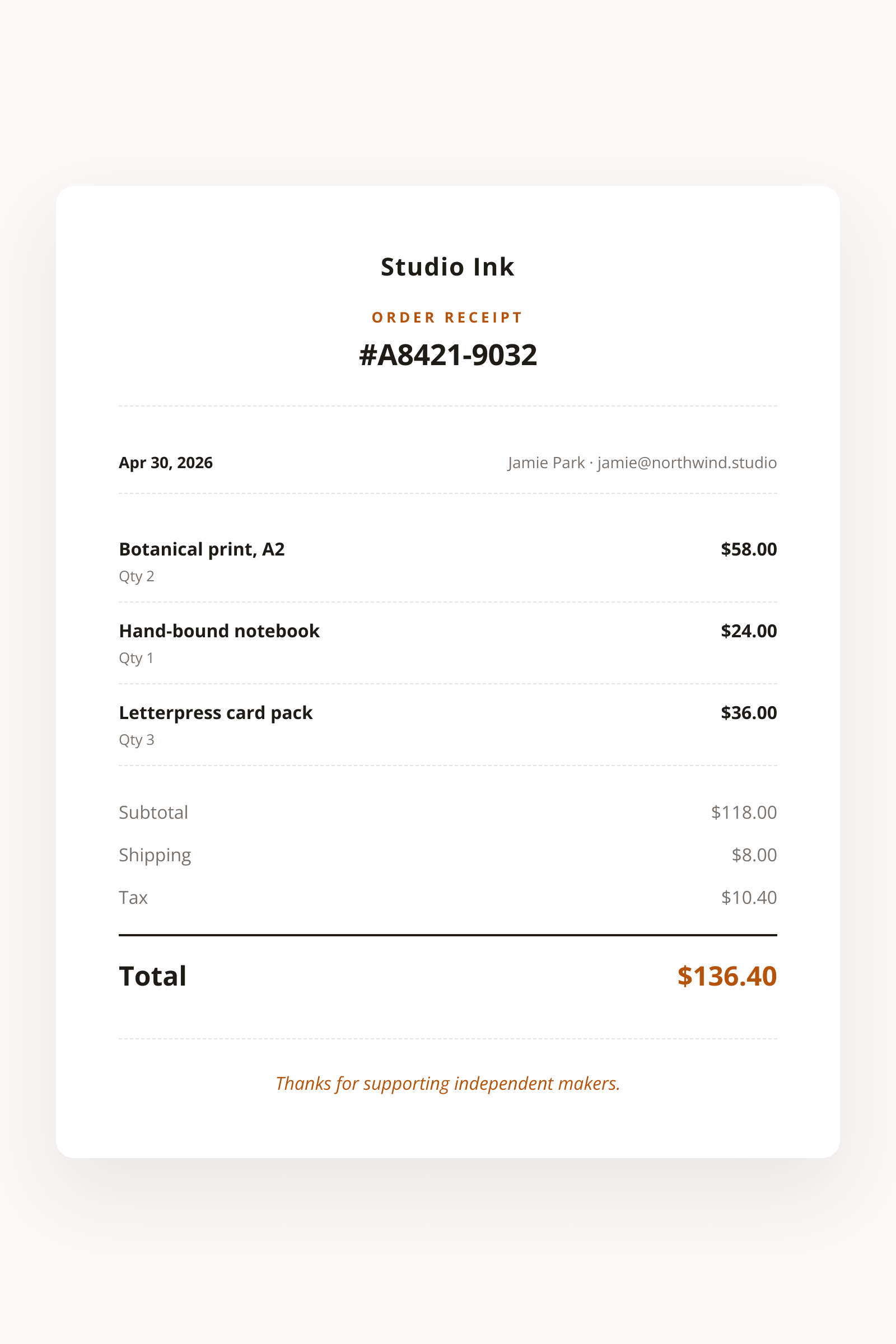
Send order rows and totals as JSON, get back an 800x1200 PNG receipt for the confirmation email.

800x1200Dimensions
sRGBColor space
Not supportedTransparency
30 KB to 80 KBFile size range

Direct-to-consumer brands and order-management platforms use the Receipt Image API to confirm purchases with a single inline image rather than a downloaded PDF. The vertical 80mm proportions match the thermal receipts customers already recognize, so the artwork feels native in confirmation emails and order-history thumbnails. You post the order rows, totals, and a footer message, and the response holds an 800x1200 PNG hosted on i.html2img.com. For buyers who file expenses, the same payload with format: "pdf" returns the receipt as an A4 document with searchable totals.

bash
curl -X POST https://app.html2img.com/api/v1/templates/receipt-image \
  -H "X-API-Key: YOUR_API_KEY" \
  -H "Content-Type: application/json" \
  -d '{"business_name":"Studio Ink","order_number":"#A8421-9032","order_date":"Apr 30, 2026","customer_name":"Jamie Park","customer_email":"[email protected]","items":[{"name":"Botanical print, A2","qty":"2","amount":"$58.00"},{"name":"Hand-bound notebook","qty":"1","amount":"$24.00"},{"name":"Letterpress card pack","qty":"3","amount":"$36.00"}],"subtotal":"$118.00","shipping":"$8.00","tax_amount":"$10.40","total":"$136.40","thank_you_message":"Thanks for supporting independent makers.","accent_color":"#B45309"}'

A single cURL call to render a Receipt Image as a PNG. Add "format": "pdf" to the payload to get a PDF instead. For the full PHP, Node and Python equivalents, plus every input the template accepts, see the Receipt Image API reference. Setting up your key is covered in the authentication guide.

API reference

View the Receipt Image API reference: inputs, defaults, error responses and cURL, PHP, Node and Python code samples. Read the docs.

Receipt Image template preview, a business image generated by the HTML to Image API
Receipt Image 800x1200

Use cases

Order confirmation email body for Northwind Studio

Drop the rendered URL into the receipt email so customers see the totals before scrolling. Most ESPs render remote images on first open, so the buyer reads the receipt without expanding an attachment. The vertical layout reads well in the narrow email body width that mobile clients use, and the file size lands under 80 KB so even slow connections render fast. Cart abandonment recovery sees a measurable lift when the email includes the styled receipt rather than a plain HTML table.

In-app order history thumbnails

The order history tab of a customer dashboard benefits from one image per order rather than a full HTML table per row. Render each order to a PNG when it ships, store the URL on the order record, and let the dashboard display the cached image. Page loads stay fast because the browser caches one asset per order, and the receipts maintain visual continuity with the email artwork. Riverside Bakery uses this for its 11,000-strong customer base and reports a 30 percent drop in support tickets asking "what was on this order?".

Refund confirmation artwork

When you process a refund, send a fresh receipt that mirrors the original, with negative line amounts and a "REFUNDED" stamp via accent_color. The customer gets visual closure that matches their mental model of the original purchase. Wren Analytics uses this pattern across its retail clients, and refund-related support volume drops because the customer can see exactly which items were credited.

Gift order forwarding

Gift purchases benefit from a second receipt that the recipient can open without seeing the price. Render two PNGs: one with prices for the buyer, one without for the recipient, by toggling the price-visibility flag in your code. The recipient receives a clean confirmation of what arrived without any awkward sticker-shock moments. Halberd Software ships this pattern in its e-commerce connector for shops that need gift-friendly receipts.

Marketplace transaction record

Two-sided marketplaces need a transaction record that reads as authoritative for both buyer and seller. Render one canonical receipt per transaction, store the URL on both ledger rows, and link from each side's dashboard. Both parties see identical artwork, which reduces dispute volume because there is one source of truth instead of two HTML tables that may have diverged through later edits.

Output specifications

Dimensions
800x1200
Color space
sRGB
Transparency
Not supported
File size range
30 KB to 80 KB

Matches the spec at 80mm thermal-style proportional layout adapted for screen.

These specifications describe the default PNG output. The template can also return a PDF document with selectable text through the HTML to PDF API: set format to pdf in the request. See the format parameter docs for how PDF output behaves.

How it works

1

Send a JSON payload

POST to the template endpoint with the values you want rendered. Authenticate with your API key.

2

We render the image

The template is rendered server-side as a 800x1200 PNG, or as a PDF document if you set format to pdf.

3

You get back a URL

Cache it, embed it in your page, attach it to an email.

Common pitfalls

Vertical layout overflows with too many items

Orders with more than 18 line items push the totals block off the bottom of the canvas. Truncate to the first 15 items with a "+N more" line, or render the long orders to a 600x1500 variant by overriding height in the request.

Monetary alignment drifts with mixed digit counts

A receipt that mixes "$8.00" and "$1,290.00" in the same column ends up visually staggered when amounts are different lengths. Right-align the amount column and pad the smaller values, which the template handles automatically when amounts are passed as strings.

Tax line omitted when subtotal already includes tax

EU shops that quote tax-inclusive prices accidentally double-count VAT by sending both subtotal and tax_amount. Decide once whether your subtotal is gross or net, and only send tax_amount in the net case so the receipt math reconciles.

Inputs at a glance

A quick summary of what the Receipt Image template accepts. The full reference, with example values and array shapes, is in the docs.

Name Type Required
business_name string Required
logo_url url Optional
order_number string Required
order_date string Optional
customer_name string Optional
customer_email string Optional
items array Required
subtotal string Optional
shipping string Optional
tax_amount string Optional
total string Required
thank_you_message string Optional
accent_color string Optional

See the full inputs reference for descriptions, examples and validation rules.

Related templates

Other templates in the business and commerce category.

Browse by category

A starting point from each of the other two template categories.

See the full template gallery for every design grouped by category.

Related guides

FAQ

Is this a thermal-printable receipt?

The 800x1200 layout matches 80mm thermal proportions and prints cleanly on inkjet too. For true thermal print, set the printer to fit-to-width and supply a high-contrast accent_color. For a desk-printer copy, request format: "pdf" instead and the receipt arrives centred on an A4 page with selectable text.

Can I add a tip line?

Yes, pass tip_amount with a pre-formatted string like "$3.50". Omit the field for non-hospitality orders and the row will not render. The total should already include the tip if you want it reflected, since the template treats every monetary string as display-only.

What goes in the footer?

Pass footer_text with your business address, a return policy summary, or a simple thank-you note up to 200 characters. The template wraps text automatically and centers it under the totals block. Most stores use this slot for a return-window reminder or a short loyalty-program nudge.

How is currency formatted?

You pre-format every amount on your side as a string. The renderer prints "$1,290.00", "€1.290,00", or any other localized format exactly as written. This keeps the rendering layer free of locale logic and avoids drift between your checkout and the displayed receipt.

Can I add a barcode?

Not in this template. If you need a scannable code on the receipt for in-store returns, switch to the event-ticket template which has a dedicated QR slot. Most e-commerce flows do not need a code on the receipt itself.

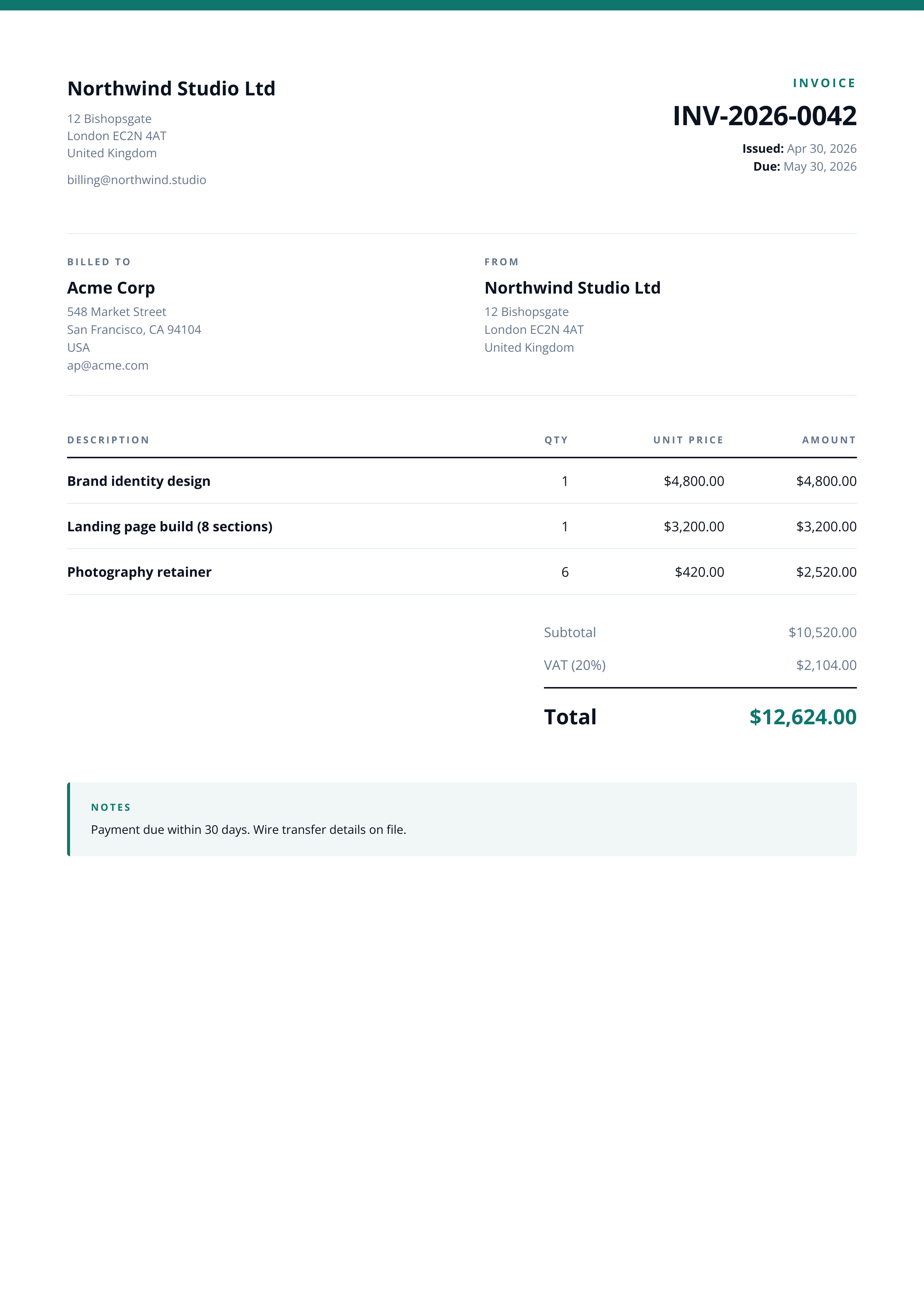
How does this differ from invoice-image?

Receipts confirm a completed transaction in compact 80mm form, while invoices request payment and live on A4. Use receipt-image for thank-you emails and order history, and invoice-image when the document needs party-to-party details, payment terms, and a multi-line tax breakdown.

Try it free

50 free renders on the free tier, no card. See the pricing page for higher-volume plans.