The Certificate Generator turns a recipient name, a course or programme title, a completion date, and an issuing signature into a finished certificate ready to download or email. The default output is a 1500 by 1050 PNG sized for screen display and email embedding, and the same render is available as an A4 landscape PDF for the cases where the recipient wants to print. The certificate uses a classic centred layout with a border, an emblem, and signature lines, and the styling adapts to a chosen palette and logo without needing template duplication.
The category is dominated by either expensive learning management systems that bundle certificates with course delivery, or one-off design tools that work fine for a handful of recipients but break down at scale. This generator runs server-side and accepts the recipient details as JSON, so a course platform with thousands of learners can issue a unique certificate per completion event without any manual design step. The output URL is hosted on the CDN and can be sent in an email, linked from a learner dashboard, or stored alongside the completion record for future verification.
How it works
Set the recipient and course details
Drop the recipient name, the course or programme title, and the completion date into the form. The renderer sizes the recipient name to fill the central line and handles long course titles by wrapping them across two lines if needed.
Add the issuing organisation and signatory
Set the organisation name, the signatory name and role, and upload or paste the URL of the signature image. The signature appears above the signatory line at the bottom of the certificate, sized to match the layout proportions.
Choose the border and palette
Pick from the built-in border styles (classic guilloché, modern minimal line, double-rule, or art-deco) and pick a palette (formal navy, academic burgundy, modern teal, or a custom brand combination). The presets cover the styles most education and training providers use, and you can override the colours for one-off cases.
Download as PNG or PDF
Download the PNG for email embedding and screen display, or download the PDF for the cases where the recipient wants to print. Both versions render from the same source data, so issuing both at once is a single API call rather than two separate renders.
When to use it
Online course completion at scale
Course platforms that issue certificates to every learner who finishes a programme benefit from generating each certificate at the completion event. Wire the generator into the completion webhook, store the URL on the enrolment record, and email the certificate as part of the completion message. Every learner gets a unique certificate without anyone designing one by hand.
Corporate training and compliance programmes
Internal training teams that issue completion certificates for compliance modules benefit from a generator that ties into the LMS completion events. Each completion renders a certificate with the employee name, the module name, and the completion date, which then lands in the HR system as the auditable record of training delivery.
Conference and event attendance
Conference organisers that issue attendance certificates to delegates benefit from a per-delegate render rather than a generic batch certificate. Render after the event from the registration list, email each certificate, and the delegate receives a personal record of attendance rather than a duplicate copy of everyone else's.
Professional development and CPD
Professional bodies that issue CPD certificates for continuing development activities benefit from a generator that ties activity records to certificate output. Members complete an activity, the system renders a certificate with the activity name and the CPD hours, and the certificate sits in the member's permanent record for audit.
Workshop and bootcamp completion
Independent educators running workshops and bootcamps benefit from a generator that produces a certificate per participant at the end of the programme. The same template handles different cohort sizes from five participants to five hundred, and the rendering cost is identical whether the cohort is small or large.
Examples
Classic centred layout
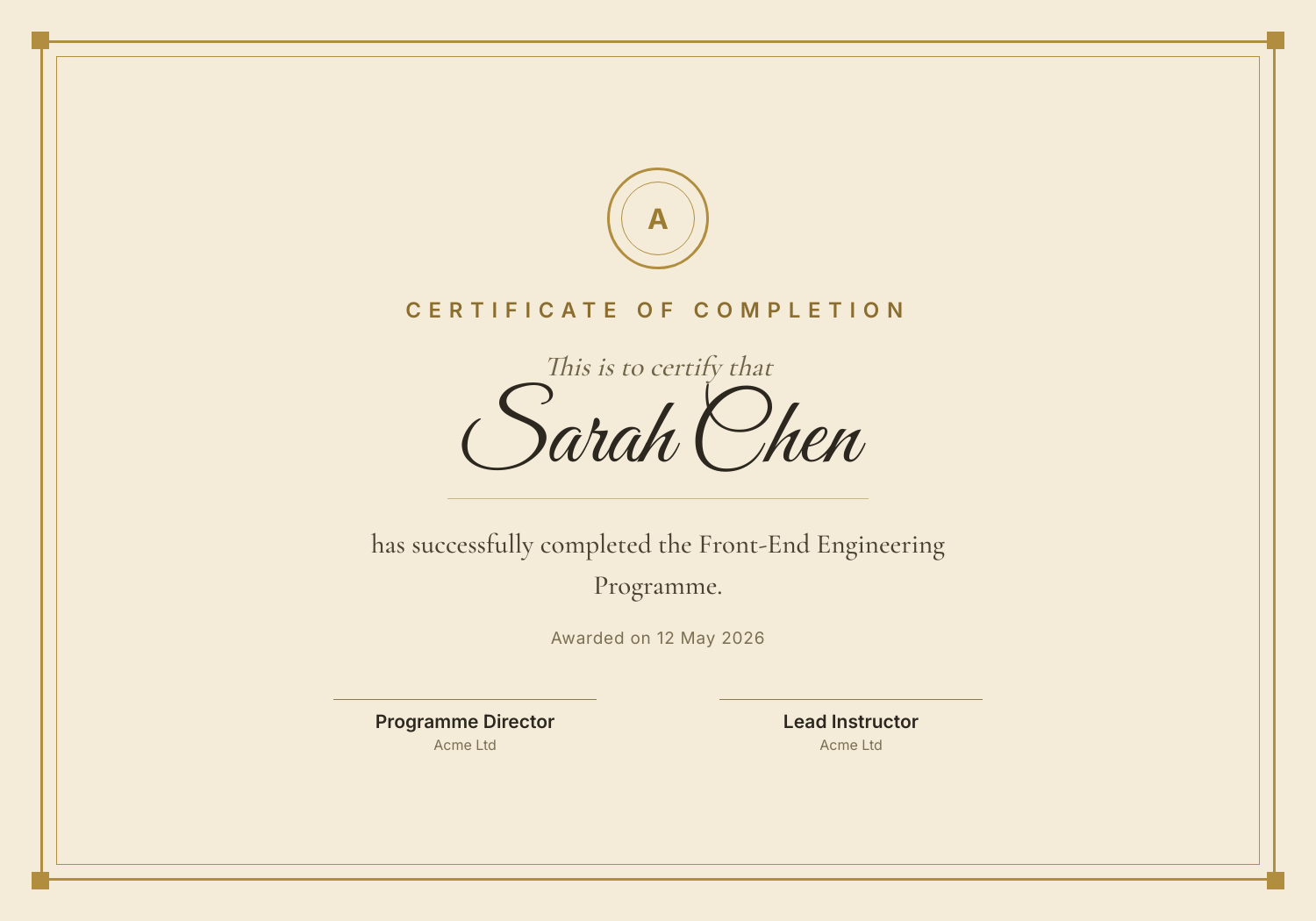
Cream background with a guilloché border, large script name centred, organisation seal at the top, and signatory line at the bottom. The default for academic and formal programmes.
Modern minimal layout
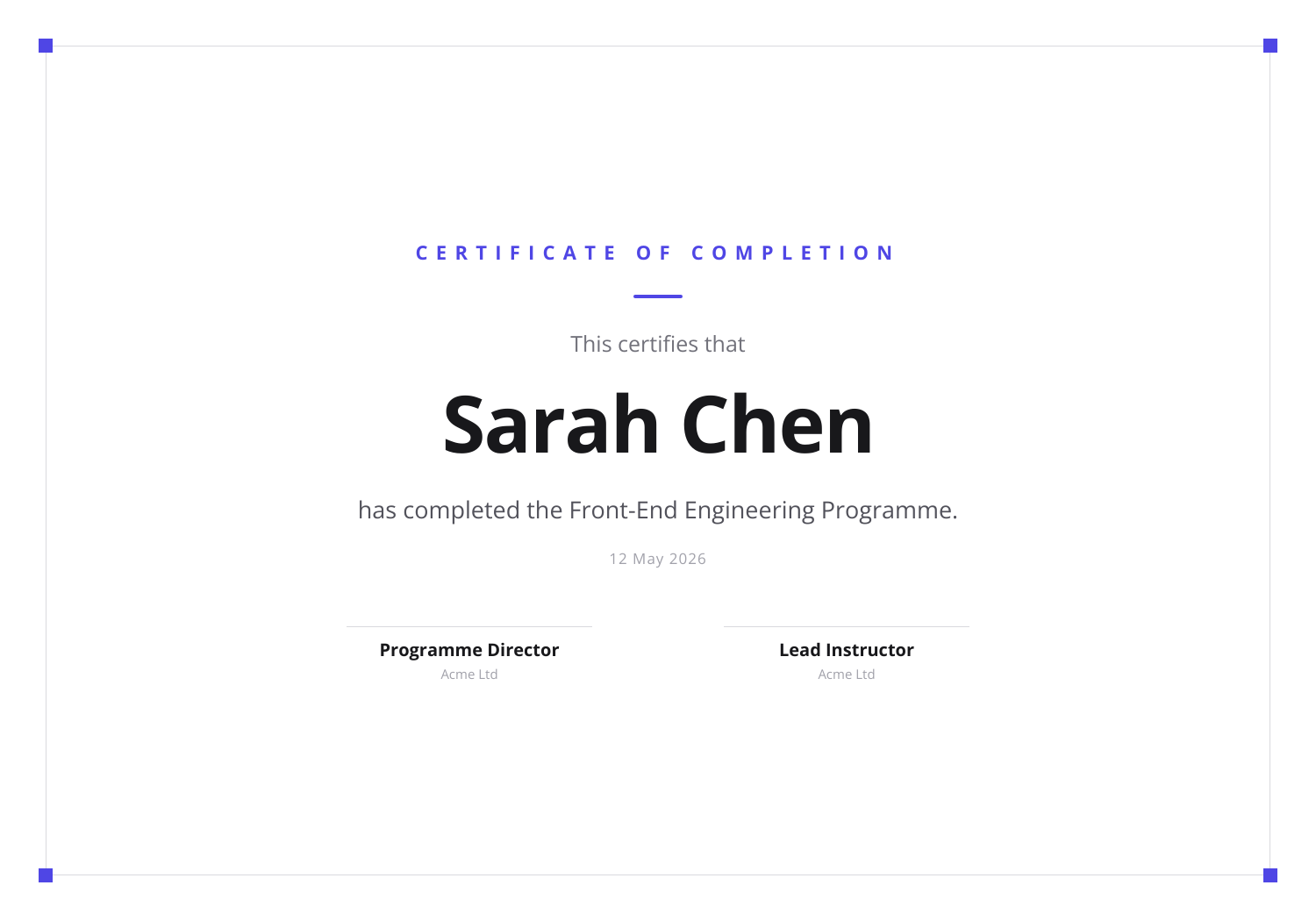
White background with a fine geometric border, sans-serif type, and a single accent line in the brand colour. Suits bootcamps, online courses, and technology training providers.
Corporate compliance layout
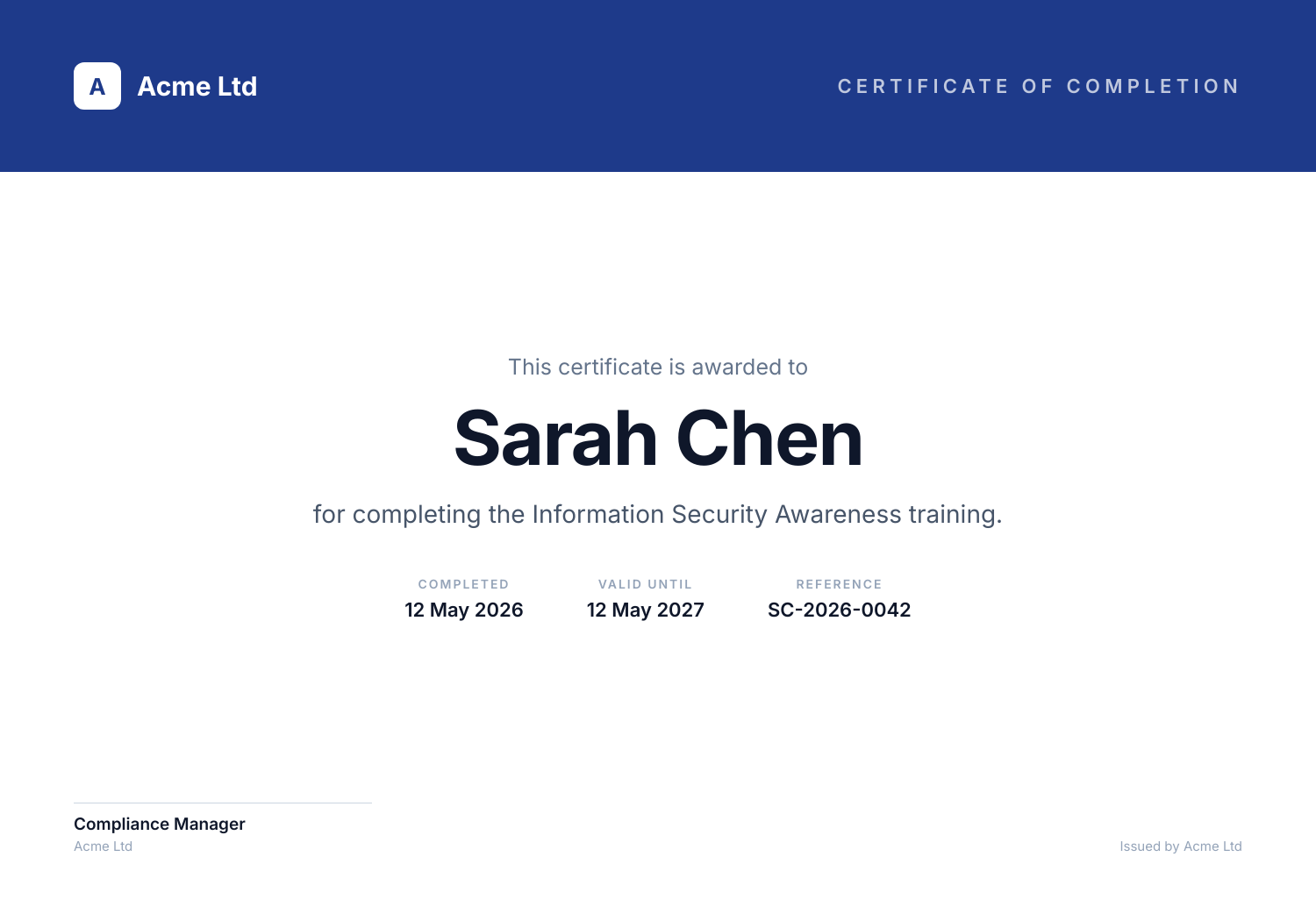
Brand-coloured header band with the company logo, white body with the recipient details, and a signatory block at the bottom. Built for internal training and compliance use.
Use it from your code
The Certificate Generator runs on the HTML to Image API, and so can you. Every snippet below is a
complete request: swap YOUR_API_KEY for a key from your dashboard and it runs
as-is. The response carries a url for the finished file.
curl -X POST https://app.html2img.com/api/v1/templates/certificate-of-completion \
  -H "X-API-Key: YOUR_API_KEY" \
  -H "Content-Type: application/json" \
-d '{"recipient_name":"Margaret Lin","course_name":"Foundations of Production Engineering","completion_date":"April 30, 2026","issuer_name":"Halberd Software Academy","issuer_title":"Director of Education","issuer_signature_url":"https://i.html2img.com/static/sample-signature.png","certificate_id":"HSA-2026-009421","accent_color":"#1F2937"}'<?php
$payload = [
'recipient_name' => 'Margaret Lin',
'course_name' => 'Foundations of Production Engineering',
'completion_date' => 'April 30, 2026',
'issuer_name' => 'Halberd Software Academy',
'issuer_title' => 'Director of Education',
'issuer_signature_url' => 'https://i.html2img.com/static/sample-signature.png',
'certificate_id' => 'HSA-2026-009421',
'accent_color' => '#1F2937',
];
$ch = curl_init('https://app.html2img.com/api/v1/templates/certificate-of-completion');
curl_setopt_array($ch, [
CURLOPT_POST => true,
CURLOPT_RETURNTRANSFER => true,
CURLOPT_HTTPHEADER => [
'X-API-Key: YOUR_API_KEY',
'Content-Type: application/json',
],
CURLOPT_POSTFIELDS => json_encode($payload),
]);
$response = json_decode(curl_exec($ch), true);
curl_close($ch);
echo $response['url'];const response = await fetch('https://app.html2img.com/api/v1/templates/certificate-of-completion', {
method: 'POST',
headers: {
'X-API-Key': 'YOUR_API_KEY',
'Content-Type': 'application/json',
},
body: JSON.stringify({
"recipient_name": "Margaret Lin",
"course_name": "Foundations of Production Engineering",
"completion_date": "April 30, 2026",
"issuer_name": "Halberd Software Academy",
"issuer_title": "Director of Education",
"issuer_signature_url": "https://i.html2img.com/static/sample-signature.png",
"certificate_id": "HSA-2026-009421",
"accent_color": "#1F2937"
}),
});
const { url } = await response.json();
console.log(url);import requests
response = requests.post(
'https://app.html2img.com/api/v1/templates/certificate-of-completion',
headers={'X-API-Key': 'YOUR_API_KEY'},
json={
'recipient_name': 'Margaret Lin',
'course_name': 'Foundations of Production Engineering',
'completion_date': 'April 30, 2026',
'issuer_name': 'Halberd Software Academy',
'issuer_title': 'Director of Education',
'issuer_signature_url': 'https://i.html2img.com/static/sample-signature.png',
'certificate_id': 'HSA-2026-009421',
'accent_color': '#1F2937',
},
)
print(response.json()['url'])using System;
using System.Collections.Generic;
using System.Net.Http;
using System.Net.Http.Json;
var client = new HttpClient();
client.DefaultRequestHeaders.Add("X-API-Key", "YOUR_API_KEY");
var payload = new
{
recipient_name = "Margaret Lin",
course_name = "Foundations of Production Engineering",
completion_date = "April 30, 2026",
issuer_name = "Halberd Software Academy",
issuer_title = "Director of Education",
issuer_signature_url = "https://i.html2img.com/static/sample-signature.png",
certificate_id = "HSA-2026-009421",
accent_color = "#1F2937",
};
var response = await client.PostAsJsonAsync("https://app.html2img.com/api/v1/templates/certificate-of-completion", payload);
var result = await response.Content.ReadFromJsonAsync<Dictionary<string, string>>();
Console.WriteLine(result["url"]);require 'net/http'
require 'json'
uri = URI('https://app.html2img.com/api/v1/templates/certificate-of-completion')
request = Net::HTTP::Post.new(uri)
request['X-API-Key'] = 'YOUR_API_KEY'
request['Content-Type'] = 'application/json'
request.body = {
recipient_name: "Margaret Lin",
course_name: "Foundations of Production Engineering",
completion_date: "April 30, 2026",
issuer_name: "Halberd Software Academy",
issuer_title: "Director of Education",
issuer_signature_url: "https://i.html2img.com/static/sample-signature.png",
certificate_id: "HSA-2026-009421",
accent_color: "#1F2937",
}.to_json
response = Net::HTTP.start(uri.hostname, uri.port, use_ssl: true) do |http|
http.request(request)
end
puts JSON.parse(response.body)['url']Tips
Issue both PNG and PDF in the same call
Recipients use the PNG for email embedding, LinkedIn posts, and quick previews, and the PDF for printing and submission to professional bodies. Rendering both at issue time is the same cost as one, and storing both URLs on the completion record removes the question of which one to send when the recipient asks for the certificate later.
Set the recipient name exactly as the person uses it
Hyphens, accents, and middle names matter on certificates that get submitted as evidence of completion. Pull the name from the source of truth (the enrolment record, the HR system, the registration form) rather than retyping it, and check the rendered output before the email goes out for the small number of names where the rendering surprises you.
Include a verification URL or code
Certificates that include a unique verification URL or code (printed in small type at the bottom or as a QR code in a corner) let recipients and third parties confirm the certificate is genuine. The URL points to a public page on the issuing site that shows the original completion record without exposing any other learner data.
Use a real signature image rather than typed type
A scanned or drawn signature image reads as more formal than a font that looks like a signature. Scan the signatory's signature once at high resolution, store it as a transparent PNG, and use the same image across every certificate. The result feels personal even when the issuing process is fully automated.
Date the certificate with the completion date, not the issue date
Recipients use the certificate date as evidence of when they completed the programme, which matters for compliance windows and CPD recording. Pull the date from the completion event in the source system rather than using the date the certificate was rendered, even when the two are usually the same.
Frequently asked questions
What format should the certificate be in?
PNG for email embedding and screen display (recipients see it inline in the email body and on the learner dashboard), and PDF for printing and submission to professional bodies. Most platforms issue both at the same time and let the recipient choose which one they need.
Can I include a QR code for verification?
Yes, pass a verification URL in the JSON payload and the renderer adds a QR code to a corner of the certificate that points to that URL. The QR code links to a public verification page where the certificate authenticity can be confirmed without exposing any other learner data.
How do I issue certificates at scale?
The same generator is available through the API. A typical setup wires the API call into the course completion webhook, renders both a PNG and a PDF from the recipient data, stores both URLs on the enrolment record, and emails the certificate as part of the completion notification. Thousands of certificates per day is well within the standard rate limit.
Can recipients customise their own certificate?
Not directly through the renderer. The issuing organisation controls the template, the palette, and the data fields, which keeps the certificate authoritative rather than self-served. Recipients who want a customised display of their achievement typically post a screenshot to LinkedIn rather than asking for a re-render.
What size are certificates rendered at?
The default PNG renders at 1500 by 1050 pixels (landscape, 10:7 ratio), which prints well on A4 landscape and US Letter landscape at 150 DPI. The PDF version renders at A4 landscape (297 by 210 mm) with all type and elements set in print-safe units. Both render from the same source layout.
Can I use my own template?
The HTML to Image API lets you supply arbitrary HTML and CSS as the source, so a fully custom certificate template is one POST request. The Certificate Generator on this page uses a curated set of presets to keep the form simple, but the underlying renderer accepts any HTML.
How long are certificate URLs valid?
The hosted CDN URL stays valid for as long as the certificate file exists on the CDN, which in practice means indefinitely. Most issuing organisations also store the certificate URL on the recipient's permanent record, so even if the CDN file is rotated, the issuing system can re-render on demand from the original source data.
Related templates
More tools
YouTube Thumbnail Generator
Build a 1280 by 720 YouTube thumbnail from a title, a face, and a brand colour.
Code Screenshot Generator
Turn syntax-highlighted code into a shareable PNG with a custom theme and window chrome.
GitHub Social Preview Generator
Build a 1280 by 640 repository preview image for the GitHub social preview field.