The Real Cost of Generating PDFs Yourself
Every application grows a PDF requirement eventually. Invoices, receipts, statements, reports: the moment money or records move through your product, someone needs a document. And the first solution is always one command away. composer require dompdf/dompdf, pip install weasyprint, apt install wkhtmltopdf. The demo invoice renders first time, which is exactly the problem: the demo is a fraction of the system you end up owning, and a PDF is not a social card. A blank Open Graph image is embarrassing. A wrong invoice is a finance incident with a customer on the other end.
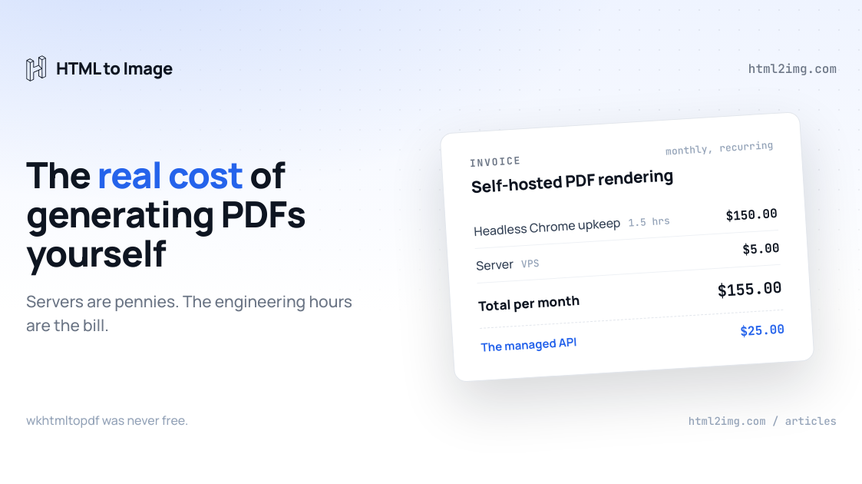
"We'll generate them ourselves, the library is free" is a decision most teams make without writing a single number down. I have done this arithmetic for OG images before; PDFs are the harsher version. So let's write the numbers down.
The ladder every team climbs
Self-hosted PDF generation has a well-worn migration path, and most teams walk the whole thing.
It starts with a pure-language library, because it installs in one line and needs no binary. dompdf in PHP, and its cousins elsewhere, implement their own rendering engine, which means a subset of CSS 2.1 and almost nothing after it. The first flexbox layout, the first CSS grid invoice, the first @font-face edge case, and you are hand-building table layouts like it is 2009. The gaps are catalogued in the dompdf piece, but the short version is that your designer's template and dompdf's engine do not live in the same decade.
The next rung is wkhtmltopdf, because it uses a real browser engine. It does: a WebKit build frozen years ago, in a project that is dead and unpatched. Development has ended, known security issues will not be fixed, and modern CSS still does not work. Python teams reach for WeasyPrint instead, which takes print CSS seriously but runs no JavaScript and drags Pango and Cairo system dependencies into every Docker image.
The top rung is headless Chrome through Puppeteer or Playwright, which finally renders your actual template correctly. It is also the moment you stop maintaining a library and start operating a browser fleet. Every rung of this ladder re-tests every template you have, and most teams pay for all three rungs before the first one is written off.
What you're actually building
A PDF pipeline that survives production is a small rendering service with your finance function as its customer. Around the render call sits:
A template layer that survives real data: the 400-line statement, the customer name in Arabic, the negative balance, the invoice with one line item and the one with ninety
Headless Chrome running somewhere, with memory sized for your longest document rather than your average one
A font stack with every currency symbol and script your customers appear in, because a missing glyph in a legal document is not a cosmetic bug
Print CSS as a discipline someone on the team holds: page breaks, margins, running headers and footers, page numbers, and Chrome's own quirks where header templates take only inline styles
A queue and a concurrency cap, because each Chrome page wants hundreds of megabytes and month-end wants three hundred invoices at nine o'clock
Storage and delivery, retries and timeouts, and monitoring that can tell a correct document from one that split a table row across a page boundary
None of this is exotic. All of it is work, and none of it is your product.
The infrastructure maths, honestly
Here is where build-vs-buy articles usually lose credibility: they claim the servers will cost you hundreds a month. They will not, and it is worth being straight about that.
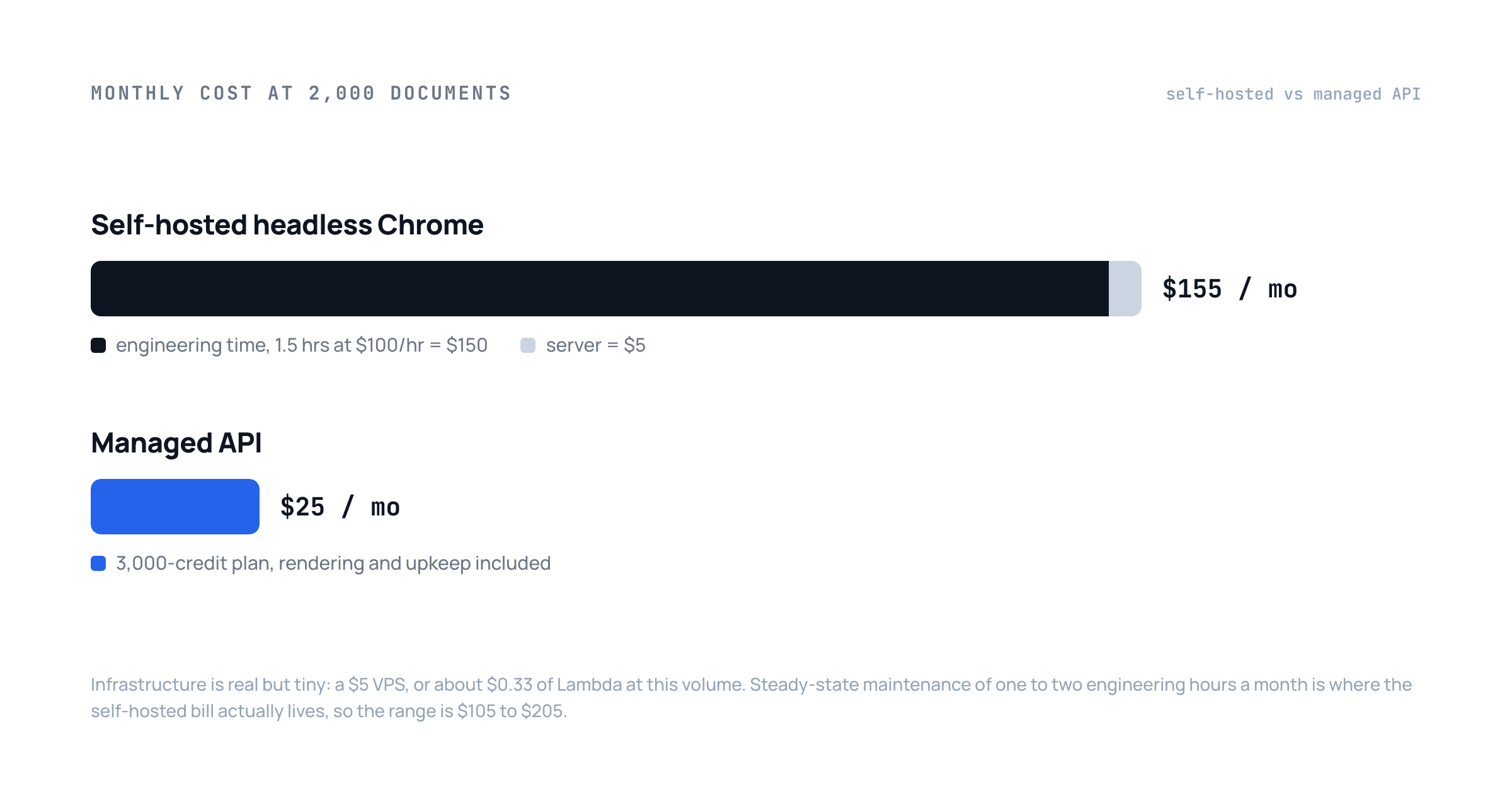
Take a realistic SaaS. Two thousand documents a month, invoices on billing events and statements on demand. On Lambda at 2GB with a five-second average render, that is 20,000 GB-seconds, which at $0.0000167 per GB-second comes to about 33 cents a month. A small VPS keeping a warm Chrome instead is $5. Storage and delivery at this volume are pennies.
So the DIY case looks won, and if infrastructure were the whole bill it would be. The money goes somewhere else.
Where the money actually goes
The build is longer than you budgeted
Getting from the working demo to the list above is a week to a fortnight of real engineering, and print CSS is most of why. Pagination behaves differently from screen layout, headers and footers have their own template scope in Chrome, and every template needs testing against real data lengths rather than the three-line sample. At a contractor rate of $500 to $700 a day, the pipeline costs $2,500 to $7,000 before the first invoice reaches a customer. On a salaried team the invoice is invisible, but the fortnight is gone, and it went on plumbing rather than product.
Chrome does not stand still
Chrome ships a new major version roughly every four weeks, and a rendering stack pinned to a Chromium build ages accordingly. On Lambda that means the @sparticuz/chromium and puppeteer-core version matrix, the 250MB layer limit and the periodic weekend where fonts silently vanish. The PDF-specific ways this breaks are written up in why HTML to PDF with Puppeteer keeps breaking on serverless; the short version is that the stack does not stay working on its own. It stays working because someone maintains it.
Page two fails politely
This is the failure mode that stings, and it is nastier than the image version. The render returns 200, the file opens, and page two has cut a table row in half, or the totals sit alone on an orphaned final page, or a customer's name renders as glyph boxes. Nothing crashed, so nothing alerted. JSON APIs fail loudly; documents fail politely, and they fail in front of the customer, because the first person to open a broken invoice is usually the one being billed. The CSS to control breaks exists, and it is not complicated, but it only works in an engine that honours it, and it only stays working if someone re-checks output when templates and Chrome versions change.
Month-end is a load test
Document generation is bursty in a way social images are not. Billing runs, statement periods and report deadlines arrive as spikes, and each concurrent Chrome page holds real memory, so the pipeline that handled Tuesday's forty invoices meets the first of the month and starts OOM-killing. The fixes are standard, a queue, a concurrency cap, retries with backoff, and each one is another component on the list, built and maintained for a load pattern that shows up twelve times a year.
The maintenance line item
Steady state, a self-hosted rendering path costs one to two engineering hours a month averaged over a year: a Chrome bump here, a pagination regression there, an OOM investigation when one statement spikes memory. At $100 an hour that is $100 to $200 a month to keep a service alive whose entire infrastructure bill is 33 cents. For comparison, 2,000 renders a month lands on the $25 plan of a managed API, 1,000 fits in the $9 one, and a PDF costs the same single credit as a PNG. The maintenance hours alone cost several times the thing they are maintaining an alternative to.
When building it yourself is the right call
Sometimes the DIY column genuinely wins, and it is worth naming when:
Volume is enormous and steady. At hundreds of thousands of documents a month, per-render pricing dominates and owning the fleet pays for its keep
You need output an HTTP API cannot express: PDF/A archival compliance, embedded digital signatures, or fine-grained control of the document internals
You already run browser infrastructure for testing or scraping, with an owner whose job it is, so document rendering rides on maintenance you are paying for anyway
Compliance rules keep customer financial data inside your own network, which for invoicing is a legitimate constraint rather than an excuse
If none of those are you, you are not choosing between free and paid. You are choosing between two paid options where one of them also pages you at month-end.
What the bought version looks like
For everyone else, the ladder collapses into one HTTP call with one extra field. The same request that renders a PNG renders a vector A4 PDF with selectable text when format is pdf:
curl -X POST https://app.html2img.com/api/html \
  -H 'X-API-Key: your-key-here' \
  -H 'Content-Type: application/json' \
  -d '{
    "html": "<h1>Invoice #1042</h1><table>...</table>",
    "css": "@media print { tr { break-inside: avoid; } }",
    "format": "pdf"
  }'
Running this in production? Get an API key with 50 free credits, no card needed.
The response is a CDN URL. The page-break CSS you would write for Chrome works unchanged, because it is the same engine, kept current by someone whose product it is. Fonts, memory headroom, the version matrix and the month-end spike are somebody else's uptime target, URL to PDF rides on the same key for capturing live pages, and if you are arriving from dompdf or WeasyPrint the worked migrations are in the Laravel guide and the Python one.
The maths, then. Self-hosting a PDF pipeline at typical SaaS volume: pennies of infrastructure, a four-figure build, three libraries adopted and abandoned on the way, and a monthly maintenance cost that exceeds the entire price of not doing any of it. The servers were never the expensive part. Your time was.
Rendering invoices, statements or reports from HTML without operating a browser fleet? Browse the templates gallery or read the docs to get started.

Written by
Mike Griffiths
Mike has spent the last 20 years crafting software solutions for all kinds of amazing businesses. He specializes in building digital products and APIs that make a real difference. As an expert in Laravel and a voting member on the PHP language, Mike helps shape the future of web development.