wkhtmltopdf and wkhtmltoimage are dead, use this instead
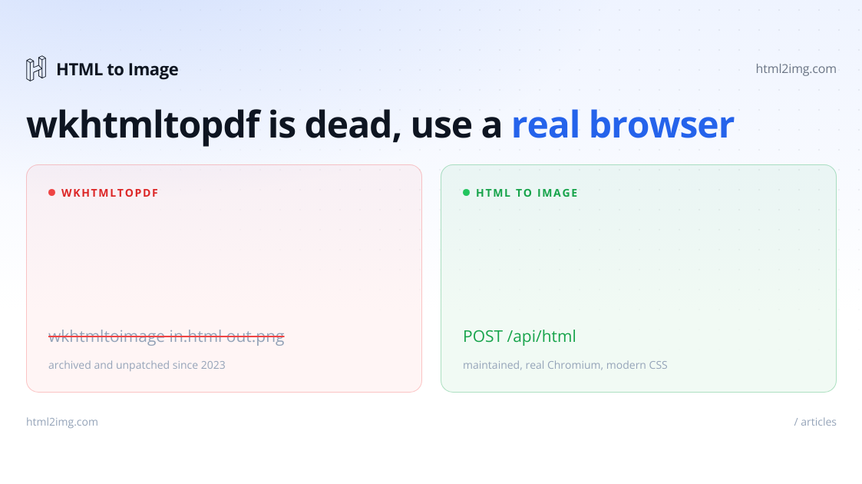
If you generate images or PDFs from HTML with wkhtmltopdf or wkhtmltoimage, you are depending on software that has been archived and abandoned. The main repository was made read-only at the start of 2023. In July 2024 the entire project was archived, marked as no longer maintained, with its download pages relabelled "do not use". There will be no more releases, no bug fixes and no security patches. The CSS in your templates was already rendering incorrectly, and that gap widens every time the rest of the web moves on.
wkhtmltoimage is the image-producing half of the same project, so when people say wkhtmltopdf is dead, wkhtmltoimage went with it. Both ship from the same codebase and the same frozen engine. This post covers why they stopped being safe to depend on, and how to swap them for a renderer that keeps up with modern CSS.
The project is archived, not just quiet
This is not a quiet patch of slow maintenance. The wkhtmltopdf repository was archived by its owner on 2 January 2023 and set to read-only. In July 2024 the whole GitHub organisation was archived by an administrator and labelled as no longer maintained, with the old binaries flagged as obsolete. Linux distributions have started pulling it from their repositories too.
The problem with an abandoned renderer is not only that it stopped gaining features. It stopped getting security fixes. A tool that shells out to a binary, loads arbitrary HTML and can read local files is exactly the kind of dependency you do not want sitting unpatched in production. If a vulnerability is found now, nobody is shipping a fix.
Why the rendering was already behind
wkhtmltopdf renders with Qt WebKit, a fork of WebKit frozen at a 2013 snapshot. To put that in context: CSS Flexbox did not stabilise across browsers until around 2015, and CSS Grid shipped in 2017. Both landed years after the engine was locked, so neither works properly.
In day to day terms that means:
Flexbox is unreliable. You can sometimes coax it into life with the old
-webkit-boxprefixes, butgap,flex-growand nested flex layouts fall apart.CSS Grid does not work at all.
CSS custom properties (variables) are unsupported.
Modern JavaScript breaks. Anything using ES6 syntax such as arrow functions,
async/awaitor template literals fails.SVG,
transform,calc()and box shadows are partial at best.Web fonts are awkward. Remote fonts are often blocked, and you have to explicitly grant local file access for assets to load.
So a template that looks right in Chrome renders wrong as a PDF or image, and the usual response is to rebuild it with tables, floats and fixed widths. You end up maintaining a second, worse version of your markup purely to keep an obsolete engine happy.
What "use this instead" means
The fix is to render with a real, current browser engine. There are two honest ways to do that.
The first is to run headless Chromium yourself with Puppeteer or Playwright. You get full modern CSS and JavaScript because it is the same engine as Chrome. The cost is that you now own a browser in production. The Chromium binary runs to a few hundred megabytes, it leaks memory over long-running processes and it carries cold-start penalties on serverless. You also have to manage process pooling and cleanup yourself. There is more on those tradeoffs in the guide on replacing Puppeteer on AWS Lambda.
The second is to send the HTML to a rendering API and get an image or a PDF back, with no browser to run at all. For the image use case, which is exactly what wkhtmltoimage did, the HTML to Image API is a direct swap. You delete the binary and replace the shell command with an HTTP request. Your CSS then renders in real Chromium on the other end.
Replacing a wkhtmltoimage call with an API call
A typical wkhtmltoimage setup shells out to the binary:
wkhtmltoimage --format png --width 1200 invoice.html invoice.pngRunning this in production? Get an API key with 50 free credits, no card needed.
In PHP that usually runs through knplabs/knp-snappy or a raw shell_exec:
// The old way: shelling out to the wkhtmltoimage binary
use Knp\Snappy\Image;

$snappy = new Image('/usr/local/bin/wkhtmltoimage');
$snappy->generateFromHtml($html, '/tmp/invoice.png', [
    'format' => 'png',
    'width'  => 1200,
]);

$png = file_get_contents('/tmp/invoice.png');
The replacement is an HTTP POST. Here it is with plain cURL so it is framework agnostic:
curl -X POST https://app.html2img.com/api/html \
  -H "Content-Type: application/json" \
  -H "X-API-Key: $HTML2IMG_API_KEY" \
  -d '{
    "html": "<div style=\"display:flex\">Modern CSS renders fine</div>",
    "width": 1200,
    "height": 630,
    "dpi": 2
  }'
You get back JSON with the hosted image URL:
{
  "success": true,
  "credits_remaining": 95,
  "id": "9f3c2a",
  "url": "https://i.html2img.com/9f3c2a.png"
}
The same call in PHP, with no binary to install and no temp file to clean up:
// The new way: POST the HTML, get back an image URL
$ch = curl_init('https://app.html2img.com/api/html');
curl_setopt_array($ch, [
    CURLOPT_RETURNTRANSFER => true,
    CURLOPT_POST           => true,
    CURLOPT_HTTPHEADER     => [
        'Content-Type: application/json',
        'X-API-Key: ' . getenv('HTML2IMG_API_KEY'),
    ],
    CURLOPT_POSTFIELDS => json_encode([
        'html'   => $html,
        'width'  => 1200,
        'height' => 630,
        'dpi'    => 2,
    ]),
]);

$response = json_decode(curl_exec($ch), true);
curl_close($ch);

$imageUrl = $response['url'] ?? null;
And in Node, replacing a node-wkhtmltopdf style wrapper:
// The new way in Node: a fetch call instead of a spawned binary
const res = await fetch('https://app.html2img.com/api/html', {
  method: 'POST',
  headers: {
    'Content-Type': 'application/json',
    'X-API-Key': process.env.HTML2IMG_API_KEY,
  },
  body: JSON.stringify({
    html,
    width: 1200,
    height: 630,
    dpi: 2,
  }),
});

const { url } = await res.json();
The shape is identical to what you had: HTML goes in, an image comes out. The difference is what happens in the middle.
If you were rendering from a URL
wkhtmltoimage was often pointed at a live URL rather than a string of HTML, to screenshot a page. That maps onto the screenshot endpoint, which takes a url instead of html:
curl -X POST https://app.html2img.com/api/screenshot \
  -H "Content-Type: application/json" \
  -H "X-API-Key: $HTML2IMG_API_KEY" \
  -d '{ "url": "https://example.com", "width": 1200, "fullpage": true }'
The url parameter and the full-page option behave the way the old --width and full-page flags did, without a local browser to drive.
Your modern CSS just works now
The point of moving is not only that the tool is maintained. It is that the rendering engine is current. Because the render happens in real Chromium, the layout you write is the layout you get. A card built with flexbox and grid, the kind of thing you had to flatten into a table for wkhtmltoimage, renders correctly:
<div style="display:grid; grid-template-columns:1fr 1fr; gap:24px;">
  <div style="display:flex; flex-direction:column; gap:8px;">
    <strong>Northgate Coffee</strong>
    <span>Invoice #1043</span>
  </div>
  <div style="justify-self:end;">£248.00</div>
</div>
Custom fonts load server-side, including Google Fonts and self-hosted @font-face, so you can drop the local-file workarounds you needed before. The whole category of "render it in the browser, then patch it until the output matches" disappears.
What about the PDF side
The same API covers it. Add format: "pdf" to any of the calls above and the response URL points at a vector A4 PDF with selectable text instead of a PNG, rendered by the same Chromium engine for the same one credit. The HTML to PDF API replaces wkhtmltopdf the same way the image endpoint replaces wkhtmltoimage: delete the binary, POST the HTML. The format parameter docs cover how the output behaves.
The output is A4 portrait with automatic pagination. If you need custom page sizes, running headers and footers, or page numbers, run headless Chromium yourself instead. Puppeteer's page.pdf() covers those cases:
const puppeteer = require('puppeteer');

const browser = await puppeteer.launch();
const page = await browser.newPage();
await page.setContent(html, { waitUntil: 'networkidle0' });
await page.pdf({ path: 'invoice.pdf', format: 'A4', printBackground: true });
await browser.close();
That gives you the page-level control, with the same caveat as before: you are running and managing a browser. For invoices, receipts, certificates and reports that fit A4, the API route does the job without one.
Migrating without a big-bang rewrite
You do not have to swap everything in one go. The cleanest path is incremental:
Find every place that calls the binary or a wrapper around it. In PHP that is
knplabs/knp-snappyormikehaertl/phpwkhtmltopdf; in Node it isnode-wkhtmltopdfand similar.Route new renders through the API first and leave the existing ones in place, so you can compare output side by side.
Test your worst-case templates: the longest invoice, the widest table, the most complex layout. Those are where
wkhtmltoimageand a modern engine differ most, and you want to see the differences before your users do.Once you are happy, remove the binary, the X11 or Xvfb dependency and the font packages from your Dockerfile and CI. A lot of build complexity leaves with them.
This works the same in any stack. If you publish with WordPress, the same swap applies, and the walk-through on dynamic OG and social images in WordPress shows the API wired into a PHP codebase. For the classic invoice case, rendering invoices as images in Laravel is the same pattern end to end.
Moving off wkhtmltopdf or wkhtmltoimage and want images and PDFs rendered from HTML in a current browser engine? Browse the templates gallery or read the docs to get started.

Written by
Mike Griffiths
Mike has spent the last 20 years crafting software solutions for all kinds of amazing businesses. He specializes in building digital products and APIs that make a real difference. As an expert in Laravel and a voting member on the PHP language, Mike helps shape the future of web development.