Why HTML to PDF with Puppeteer Keeps Breaking on Serverless (and the Fix)
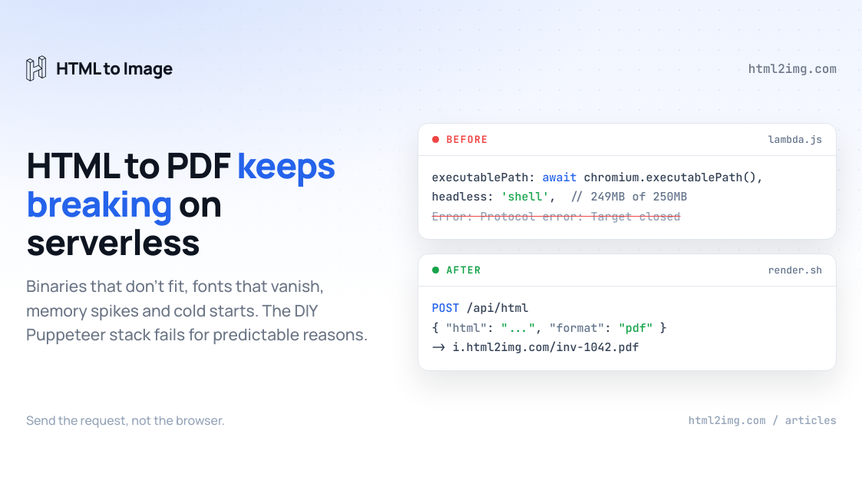
You wrote an HTML template for your invoices, wired up page.pdf(), ran it locally and got a clean A4 document in under a second. Then you deployed it to Lambda and got a 502. Or a blank first page. Or a PDF where every character is a hollow rectangle. Or it ran fine for three weeks until Chrome shipped a new major version and it stopped.
This is the standard trajectory for HTML to PDF on serverless, and it is not because you did anything wrong. PDF generation is the heaviest thing you can ask headless Chrome to do, and a serverless function is the most hostile place to run headless Chrome. The combination fails in production for predictable reasons.
We covered the screenshot version of this problem in Replacing Puppeteer on AWS Lambda for screenshots. PDFs inherit every failure mode in that article and add several of their own, because a PDF is not a screenshot. Chrome has to run its print pipeline, reflow your layout for a paper size, paginate the content, embed the fonts and emit vector output. More moving parts, more ways to break.
This article walks through the six ways the setup breaks, the fix for each, and the point at which the fixes stop being worth your time.
Why page.pdf() is heavier than a screenshot
A screenshot is a raster of whatever Chrome already painted. A PDF is a different rendering path entirely.
When you call page.pdf(), Chrome switches the page to print media, recomputes layout against a physical page size rather than your viewport, splits the content into pages, resolves every font it needs and embeds them into the document, then serialises text, borders, gradients and shapes as vectors. Only genuine raster content, your img tags and canvases, goes in as pixels.
That work costs more memory, more CPU and more wall-clock time than a screenshot of the same markup. A long report that screenshots in two seconds can take eight or ten to paginate into a document. Every constraint a serverless platform imposes, size, memory, execution time, gets hit harder by PDF work than by anything else you might run through Puppeteer.
Keep that in mind as we go through the failure modes. Each one exists for screenshots too. Each one bites sooner for PDFs.
Failure 1: the browser does not fit in the function
Lambda gives you 250MB of unzipped deployment package, layers included. A Chromium build alone eats most of that, which is why nobody ships stock Puppeteer to Lambda. The ecosystem answer used to be chrome-aws-lambda, which famously stopped receiving updates. Its successor is @sparticuz/chromium, which ships a compressed browser and decompresses a couple of hundred megabytes of it into /tmp on first launch.
The working setup looks like this:
import chromium from '@sparticuz/chromium';
import puppeteer from 'puppeteer-core';

export const handler = async (event) => {
  const browser = await puppeteer.launch({
    args: chromium.args,
    defaultViewport: chromium.defaultViewport,
    executablePath: await chromium.executablePath(),
    headless: 'shell',
  });

  const page = await browser.newPage();
  await page.setContent(event.html, { waitUntil: 'networkidle0' });

  const pdf = await page.pdf({
    format: 'A4',
    printBackground: true,
  });

  await browser.close();
  return { statusCode: 200, body: pdf.toString('base64'), isBase64Encoded: true };
};
Running this in production? Get an API key with 50 free credits, no card needed.
It works, until it doesn't, because puppeteer-core and @sparticuz/chromium have to agree on a Chromium version. Chrome ships a new major roughly every four weeks, the package versions move in lockstep and a mismatch produces the fun class of bug where pages render differently, or the browser refuses to launch with an error that mentions none of this. Pin both versions, upgrade both together, and accept that this is now a recurring calendar event.
The escape hatch is a container image, which lifts the limit to 10GB. It also makes your cold starts worse, which brings us to failure 3. First, fonts.
Failure 2: the fonts are not there
The Amazon Linux image underneath Lambda ships with almost no fonts. Locally your PDF renders in whatever your OS provides. On Lambda, any glyph Chrome cannot resolve becomes tofu, the hollow rectangle. Emoji and CJK text are the classic casualties, but plenty of teams discover this through a customer's name.
Screenshots have this problem too. PDFs have it worse, for a nasty reason: the broken font gets embedded into the document. A screenshot with tofu is a bad image you regenerate. A PDF with tofu is a permanent artefact, and if your pipeline emails invoices automatically, it is a permanent artefact sitting in your customer's inbox.
The fix is to load every font you need explicitly. @sparticuz/chromium has a helper that fetches a font file into the environment before launch:
import chromium from '@sparticuz/chromium';

await chromium.font('https://cdn.your-app.com/fonts/Inter-Regular.ttf');
await chromium.font('https://cdn.your-app.com/fonts/NotoColorEmoji.ttf');
Or you declare @font-face in your CSS with absolute URLs and wait for the network to settle before printing. Either way, you now own a font manifest. Miss one, and you find out from a rendered document, not from a stack trace.
Failure 3: cold starts meet the 29 second ceiling
Booting headless Chrome inside a function takes two to four seconds on a good day. On a cold start the compressed binary has to be decompressed into /tmp first, so add a few more. Then the actual work starts, and PDF work is the slow kind: a multi-page report with webfonts can take another five to ten seconds to lay out and paginate.
Now stack the platform limits on top. API Gateway's default integration timeout is 29 seconds. A cold start plus a font fetch plus a long document does not always fit, and when it doesn't, the client gets a 504, retries and lands on another cold container. Under a burst of traffic, invoice runs at month end are the textbook case, the retries amplify the load and the whole endpoint browns out.
You can keep functions warm with scheduled pings or provisioned concurrency. Both work. Both are also a standing charge for a browser you are keeping alive to avoid paying its startup cost, which quietly deletes the economic argument for putting this on serverless in the first place.
Failure 4: memory spikes and zombie Chrome
Chrome's print pipeline holds the whole paginated document in memory while it serialises. Pages that render happily in a 1024MB function will occasionally spike far past it on a long table or a chart-heavy report, and Lambda's response to that is a kill, not a warning. You will see it as a function that "randomly" dies on roughly one render in fifty.
The subtler version is the zombie. Serverless containers are reused between invocations, and if your code throws after launch but before browser.close(), the Chrome process survives into the next invocation. Each leaked browser holds memory and file handles, /tmp still contains the decompressed binary and any scratch files, and after a few leaks the container is poisoned: launches fail with Protocol error: Target closed until the platform recycles it.
The defence is boring and mandatory:
let browser = null;
try {
  browser = await puppeteer.launch({ /* ... */ });
  const page = await browser.newPage();
  await page.setContent(html, { waitUntil: 'networkidle0' });
  return await page.pdf({ format: 'A4', printBackground: true });
} finally {
  if (browser) {
    await browser.close();
  }
}
Every code path, every error, every timeout has to end in browser.close(). One await you forgot to wrap is one poisoned container.
Failure 5: the print CSS you did not know you were writing
Even when everything launches and nothing leaks, the output surprises people, because page.pdf() does not render what you saw in your browser tab. It renders your page under print media, against defaults you probably have not read.
The ones that catch nearly everyone:
Backgrounds vanish.
printBackgrounddefaults tofalse, so your branded header ships as white space until you switch it on.The paper is American. The default page size is Letter, not A4. If you are anywhere outside North America, every margin is subtly wrong until you pass
format: 'A4'or setpreferCSSPageSize: trueand control it from CSS.Your media query fires. Any
@media printrules in your stylesheet, including a framework's, now apply. If you want the on-screen look, you needpage.emulateMediaType('screen')and to know why you needed it.Pagination cuts where it likes. Table rows split across page boundaries, headings get orphaned at the bottom of a page, and nothing tells you. You end up sprinkling
break-inside: avoidthrough the stylesheet and writing@pagerules you have never needed before:
@page {
  size: A4;
  margin: 18mm;
}

.invoice-row,
.line-items tr {
  break-inside: avoid;
}
Lazy content is missing. Images below the fold that lazy-load on scroll never load, because nobody scrolled. Charts drawn on a timer render as empty boxes. You start adding waits and forced-load hacks per template.
None of these is hard on its own. Together they mean your PDF templates are a separate discipline from your web templates, tested against a rendering mode you cannot see in normal development, on a pinned browser version that differs from the Chrome on your laptop. "Works locally, wrong in production" stops being a bug and becomes the workflow.
Failure 6: some platforms cannot run Chrome at all
Everything above assumes you are on a platform where running a native binary is possible. Not all of them are.
Cloudflare Workers cannot execute a Chrome binary full stop. Cloudflare's answer is a managed Browser Rendering API with its own concurrency limits and pricing, which concedes the underlying point: the browser has to live somewhere else. Vercel and Netlify functions sit on the same class of infrastructure as Lambda and inherit the same size and execution ceilings under different labels.
So teams converge on the same design: a dedicated rendering service, sized for Chrome, that the rest of the system calls over HTTP. Which is a sensible architecture, and also an admission. You adopted serverless to stop running servers, and the PDF requirement quietly made you stand one up, with Chrome on it, that you now patch, monitor and scale.
The treadmill is the real cost
Add it up. A version matrix you re-pin every few weeks. A font manifest you maintain by hand. Cold-start budgets, memory headroom you cannot predict, cleanup code you cannot get wrong and a print stylesheet dialect your team learns one production surprise at a time.
None of it is your product. All of it recurs. This is the same conclusion the ecosystem keeps reaching from different directions: wkhtmltopdf froze on a 2012 rendering engine and was eventually archived, and its users are migrating off it years later. Laravel developers reach for DomPDF to avoid running a browser, then hit the wall of its CSS support the first time a template uses flexbox. The browser is the only engine that renders modern CSS correctly, and owning a browser in production is a part-time job.
The fix: move rendering off the function
The alternative is one HTTP request. You send the HTML, real Chrome runs somewhere that is built for it, and you get back a URL to a finished PDF:
curl -X POST https://app.html2img.com/api/html \
  -H 'X-API-Key: your-key-here' \
  -H 'Content-Type: application/json' \
  -d '{
    "html": "<h1>Invoice #1042</h1><p>Due within 30 days.</p>",
    "css": "h1 { color: #4f46e5; }",
    "format": "pdf"
  }'
That format parameter is the whole migration. The HTML to PDF API is the same API HTML to Image uses for images, with "format": "pdf" switching the output, so the same request shape produces a PNG for your confirmation screen and a document for the email attachment. The format docs cover the details.
From a Lambda function, the entire rendering path becomes:
export const handler = async (event) => {
  const res = await fetch('https://app.html2img.com/api/html', {
    method: 'POST',
    headers: {
      'X-API-Key': process.env.HTML2IMG_KEY,
      'Content-Type': 'application/json',
    },
    body: JSON.stringify({
      html: event.html,
      format: 'pdf',
    }),
  });

  const { url } = await res.json();
  return { statusCode: 200, body: JSON.stringify({ pdf: url }) };
};
No layer, no binary, no version matrix, no /tmp, no browser.close(). The function is back to being a function: milliseconds of compute and a few kilobytes of payload. The response url points at a .pdf served from a CDN, so you store the link against the order rather than shuttling base64 through API Gateway.
What you get out the other end is a real document, not a screenshot glued into a PDF shell. Text is selectable and searchable, webfonts load server-side and are embedded properly, output is vector where it should be, backgrounds print by default and long content paginates onto A4 automatically. The pagination and font problems from failures 2 and 5 are handled where they belong, inside the rendering service, not in your deploy pipeline.
Two more pieces round it off. For slow third-party pages, pass a webhook_url and collect the result asynchronously instead of holding a connection open near a timeout. And if the input is a live page rather than your own markup, the Screenshot endpoint takes a url with the same format parameter, which the URL to PDF page covers in full. For a one-off conversion while you evaluate, the free HTML to PDF converter runs the same engine in the browser, and the API's first 25 renders a month are free without a card.
When you should still run Puppeteer yourself
An API is not the answer to everything, and pretending otherwise would undersell the cases where DIY is right.
Keep running your own Puppeteer if you need full browser automation rather than rendering: logging in, clicking through flows, scraping behind interaction. Keep it if compliance genuinely prevents document content leaving your infrastructure, though check whether that constraint is real or assumed before you staff it. And at very large sustained volume with a platform team who own a rendering fleet as their job, the economics can favour self-hosting.
If what you need is HTML in, correct PDF out, none of those apply. The full comparison against Puppeteer sets the two approaches side by side if you are weighing it up.
The test is simple: if the words executablePath, chromium.font or break-inside have appeared in your incident channel this quarter, you are paying an infrastructure tax for a rendering problem. Send the request instead of shipping the browser.
Need invoices, certificates or reports rendered as real PDFs without babysitting Chrome on a function? Browse the templates gallery or read the docs to get started.

Written by
Mike Griffiths
Mike has spent the last 20 years crafting software solutions for all kinds of amazing businesses. He specializes in building digital products and APIs that make a real difference. As an expert in Laravel and a voting member on the PHP language, Mike helps shape the future of web development.