Dynamic OG Images in Rails
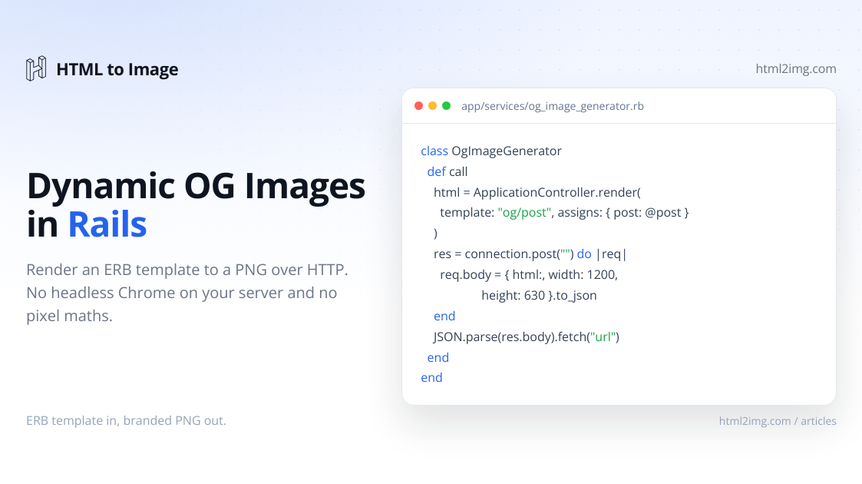
Every blog post, product page, and profile in a Rails app deserves its own Open Graph image. The trouble is that Ruby's options for generating them are worse than the equivalents in the JavaScript and PHP worlds. There is no Satori, no first-class templating-to-image story, and the tools that do exist either make you position pixels by hand or run a headless browser next to Puma.
This guide covers the three realistic ways to generate dynamic OG images in a Rails app, then builds out the one that keeps your view layer and your servers clean: rendering an ERB template to a PNG over HTTP, with caching and a background job so it never sits on the request path.
If you are on Laravel rather than Rails, the same approach in Laravel with Blade and a queued job follows the same shape. For static sites there is a separate walk-through for Astro, Hugo, and Eleventy.
The three approaches at a glance
Approach | What runs | Best for |
|---|---|---|
Image libraries (MiniMagick, ruby-vips) | ImageMagick or libvips on your server | Simple, fixed layouts with very little text |
Headless Chrome (Grover) | Node and a Chromium binary alongside Puma | Full CSS control, if you can carry the ops cost |
HTML to Image API | One HTTP call, nothing local | Production apps that want CSS layouts without running a browser |
Approach 1: image libraries, and why they hurt
The pure-Ruby route is MiniMagick or ruby-vips. You open a base image and composite text onto it by hand.
require "mini_magick"

image = MiniMagick::Image.open(Rails.root.join("app/assets/images/og-base.png"))

image.combine_options do |c|
  c.gravity "NorthWest"
  c.pointsize "64"
  c.fill "#0F172A"
  c.font "Inter-Bold"
  c.annotate "+80+80", post.title
end

image.write(Rails.root.join("public/og/#{post.id}.png"))
Running this in production? Get an API key with 50 free credits, no card needed.
This works until the text gets interesting. You are positioning every element by hand, with no line wrapping, no flexbox, and no idea how wide a string will render until you measure it. You also have to install and reference font files on every machine. For a single fixed layout with one short line it is fine. The moment you want a title that wraps, an author line, a logo, and a date, you are reimplementing CSS layout in ImageMagick options. That is the wrong job for the tool.
Approach 2: headless Chrome with Grover
If you want real CSS, the obvious move is to render HTML in a real browser. Grover wraps Puppeteer and turns HTML into a PNG.
# Gemfile
gem "grover"
html = ApplicationController.render(
template: "og/post",
layout: false,
assigns: { post: post }
)
png = Grover.new(html, width: 1200, height: 630).to_png
File.binwrite(Rails.root.join("public/og/#{post.id}.png"), png)The output is excellent because it is a browser. The cost is operational. Grover drives Puppeteer, so every machine that renders an image needs Node and a Chromium binary installed alongside your Ruby app. On a container that means a much larger image, a few hundred megabytes of Chrome resident in memory whenever it runs, and cold-start latency when the process spins up. If you have ever run Chrome in a Lambda you will recognise the pain, and the reasons to stop running Puppeteer on Lambda apply just as much to a Rails box. You are now operating a browser to make a picture.
Approach 3: render an ERB template through an API
The third option keeps the browser-quality rendering but moves it off your infrastructure. You write the OG card as a normal ERB template, render it to an HTML string, and POST that string to an image API. You get one HTTP call and nothing extra to install. The HTML to Image API does exactly this, and there is a short Rails usage guide in the docs.
Start with the key. Add it to your encrypted credentials with rails credentials:edit:
html2img:
  api_key: your-key-here
The key is sent as an X-API-Key header on every request. See the authentication docs if you would rather use an environment variable.
Now build the template. This is a plain view, styled with inline CSS, sized to exactly the dimensions you will request.
<%# app/views/og/post.html.erb %>
<!DOCTYPE html>
<html>
<head>
<meta charset="utf-8">
<style>
@import url('https://fonts.googleapis.com/css2?family=Inter:wght@400;600;800&display=swap');
* { margin: 0; box-sizing: border-box; }
body {
width: 1200px;
height: 630px;
padding: 80px;
display: flex;
flex-direction: column;
justify-content: space-between;
background: #0F172A;
color: #F8FAFC;
font-family: 'Inter', sans-serif;
}
.title { font-size: 64px; font-weight: 800; line-height: 1.1; max-width: 1000px; }
.meta { font-size: 26px; color: #94A3B8; }
</style>
</head>
<body>
<div class="title"><%= @post.title %></div>
<div class="meta">
<%= @post.author.name %> · <%= @post.published_at.strftime("%-d %B %Y") %>
</div>
</body>
</html>Set the width and height on the body to match the dimensions you pass to the API, otherwise the content can shift. Because this renders in a real browser, emoji, web fonts, and full CSS all behave the way they do in your own tab. That sidesteps the kind of trouble JavaScript renderers run into, like the way Satori drops colour emoji.
Wrap the call in a plain service object. ApplicationController.render turns the template into a string outside the request cycle, and Faraday posts it.
# Gemfile
gem "faraday"
# app/services/og_image_generator.rb
class OgImageGenerator
ENDPOINT = "https://app.html2img.com/api/html".freeze
class GenerationError < StandardError; end
def initialize(post)
@post = post
end
def call
html = ApplicationController.render(
template: "og/post",
layout: false,
assigns: { post: @post }
)
response = connection.post("") do |req|
req.body = { html: html, width: 1200, height: 630 }.to_json
end
raise GenerationError, response.body unless response.success?
JSON.parse(response.body).fetch("url")
end
private
def connection
@connection ||= Faraday.new(url: ENDPOINT) do |f|
f.headers["Content-Type"] = "application/json"
f.headers["X-API-Key"] = Rails.application.credentials.dig(:html2img, :api_key)
f.options.timeout = 15
end
end
endThe response is JSON with a url pointing at the hosted PNG on the CDN. Store that on the record rather than proxying the image through your own app.
A shortcut if you do not need a custom template
If your card is a standard title-and-subtitle layout, you can skip the template entirely and hit a prebuilt template endpoint with structured fields instead of HTML.
response = connection.post("https://app.html2img.com/api/v1/templates/open-graph-image") do |req|
  req.body = {
    title:        @post.title,
    subtitle:     @post.author.name,
    accent_color: "#E11D2A"
  }.to_json
end
That is the open-graph-image template, and there is a free tool for trying the look before you wire it in. Use the custom ERB route when you want full control, and the template endpoint when you just want a tidy card with no markup to maintain.
Generating off the request path with ActiveJob
You never want to make an external HTTP call while a user waits for a page. Move generation into a background job.
# app/jobs/generate_og_image_job.rb
class GenerateOgImageJob < ApplicationJob
  queue_as :default

  def perform(post)
    url = OgImageGenerator.new(post).call

    post.update_columns(
      og_image_url: url,
      og_signature: post.current_og_signature
    )
  end
end
update_columns writes straight to the database without firing callbacks, which matters in a moment when those callbacks are what enqueue the job.
Caching so you do not regenerate on every save
Regenerating the image every time a record is touched wastes calls and money. The fix is a signature: a hash of only the fields that actually appear in the image. If the signature has not changed, the existing image is still correct.
Add two columns:
class AddOgFieldsToPosts < ActiveRecord::Migration[7.1]
  def change
    add_column :posts, :og_image_url, :string
    add_column :posts, :og_signature, :string
  end
end
Then compute the signature on the model and only enqueue when it drifts from the stored one.
# app/models/post.rb
class Post < ApplicationRecord
  belongs_to :author

  after_save_commit :enqueue_og_image, if: :og_image_outdated?

  def current_og_signature
    Digest::SHA1.hexdigest([title, author.name, published_at.to_i].join("|"))
  end

  private

  def og_image_outdated?
    og_image_url.blank? || og_signature != current_og_signature
  end

  def enqueue_og_image
    GenerateOgImageJob.perform_later(self)
  end
end
Editing a post's body, which is not part of the card, leaves the signature untouched, so no new image is generated. Change the title and the next save regenerates exactly once. Because the job uses update_columns, storing the new URL and signature does not trigger after_save_commit again, so there is no loop.
Wiring up the meta tags
With the URL on the record, the view layer is the easy part. Yield a head block in the layout:
<%# app/views/layouts/application.html.erb %>
<head>
  <%= yield :head %>
</head>
Then fill it in from the post page using Rails' tag helpers:
<%# app/views/posts/show.html.erb %>
<% content_for :head do %>
  <%= tag.meta property: "og:image",        content: @post.og_image_url %>
  <%= tag.meta property: "og:image:width",  content: 1200 %>
  <%= tag.meta property: "og:image:height", content: 630 %>
  <%= tag.meta name: "twitter:card",        content: "summary_large_image" %>
  <%= tag.meta name: "twitter:image",       content: @post.og_image_url %>
<% end %>
Set twitter:card to summary_large_image so the image renders full width rather than as a thumbnail.
Testing without hitting the API
Stub the HTTP call so your tests never make a real request, then assert the job stores what the API returned.
# test/jobs/generate_og_image_job_test.rb
require "test_helper"

class GenerateOgImageJobTest < ActiveJob::TestCase
  test "stores the returned image url on the post" do
    post = posts(:hello_world)

    stub_request(:post, "https://app.html2img.com/api/html")
      .to_return(
        status:  200,
        body:    { url: "https://i.html2img.com/abc123.png" }.to_json,
        headers: { "Content-Type" => "application/json" }
      )

    GenerateOgImageJob.perform_now(post)

    assert_equal "https://i.html2img.com/abc123.png", post.reload.og_image_url
  end
end
That uses WebMock, which Rails test setups usually already pull in through other gems. The same stub pattern works in RSpec.
Which approach to reach for
Use MiniMagick only when the layout is fixed and almost text-free, such as stamping one short line onto a branded background. Reach for Grover when you genuinely need a browser on your own infrastructure for other reasons and the OG image is a side benefit. For everything else, rendering an ERB template through an API is the path that keeps your servers free of Chrome, gives you real CSS, and costs a single HTTP call per image. Pair it with the signature cache and a background job and OG images become something you set up once and stop thinking about.
Need Open Graph images, certificates, or invoices rendered from HTML without running a browser yourself? Browse the templates gallery or read the docs to get started.

Written by
Mike Griffiths
Mike has spent the last 20 years crafting software solutions for all kinds of amazing businesses. He specializes in building digital products and APIs that make a real difference. As an expert in Laravel and a voting member on the PHP language, Mike helps shape the future of web development.