Nuxt OG Image Generation Without the nuxt-og-image Module
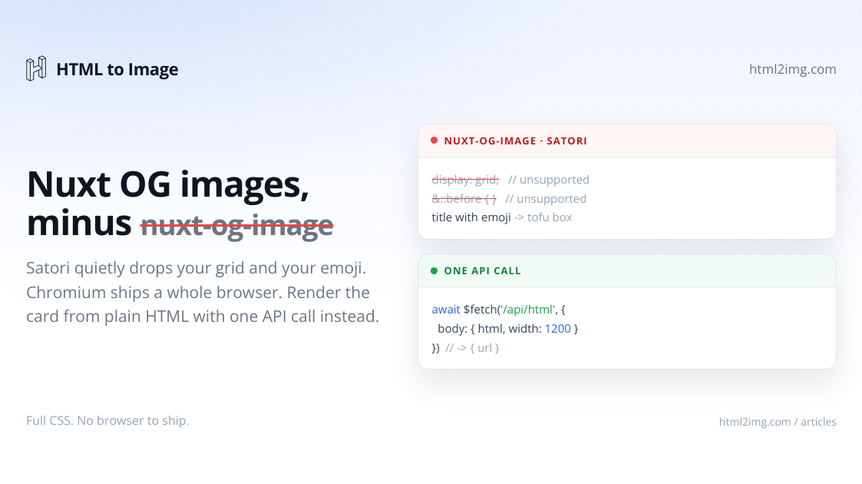
You added nuxt-og-image to generate share cards for your Nuxt site, and now you are choosing between a renderer that ignores half your CSS and one that ships an entire browser. Neither is a good place to be. There is a third option that keeps your templates in plain HTML and puts the rendering on someone else's infrastructure.
The two engines nuxt-og-image gives you, and the cost of each
nuxt-og-image renders your card through one of two engines, and each one asks for something back.
The default is Satori. It converts a Vue or HTML template to an SVG and then rasterises that to a PNG. It is quick and it runs on the edge, but Satori only understands a flexbox subset of CSS. No CSS grid, no pseudo-elements, no media queries, no background shorthand the way you expect, and every font has to be handed over as a buffer you configure yourself. A display: grid layout or a ::before badge is dropped without an error. The full list of what survives and what does not is worth reading before you commit a design to it: Satori's CSS limits.
Emoji are a separate trap. Satori bundles no colour font, so a title with a 🎉 in it renders an empty box until you wire a colour emoji font in by hand. That failure and its fixes are covered in why @vercel/og fails on emoji, and it applies to nuxt-og-image for the same reason: the two share the Satori engine underneath.
The escape hatch is the Chromium renderer, which gives you real CSS at the price of shipping a browser. Now you are bundling Playwright, watching cold starts climb, and discovering which hosts will run headless Chromium and which will not. Edge runtimes are out. Size-limited serverless functions reject the bundle. You are maintaining the exact dependency the module was meant to hide.
nuxt-og-image vs an API render, side by side
nuxt-og-image (Satori) | nuxt-og-image (Chromium) | API render | |
|---|---|---|---|
CSS support | Flexbox subset, no grid or pseudo-elements | Full | Full |
Emoji and web fonts | Manual configuration | Work | Work |
Ships with your app | Satori and resvg | Playwright and a browser | Nothing |
Edge and size-limited hosts | Yes | Usually not | Yes |
Render cost | Your compute | Your compute, heavily | One API credit per card, cached |
The rest of this article is the third column.
The alternative: render the HTML off your server
The pattern is simple: keep the OG card as a normal HTML template, POST it to a rendering API, and store the PNG URL it returns. Your Nuxt app never runs a browser and never loads Satori, so there is no CSS subset to design around and nothing browser-shaped in your deployment. The same idea drives the Next.js version of this approach; here it is in Nuxt and Nitro.
You will need an API key. The request shape and authentication are in the docs, and if you want to see the raw call first, generating a screenshot with cURL walks through it. Put the key in runtimeConfig so it stays server-side:
// nuxt.config.ts
export default defineNuxtConfig({
  runtimeConfig: {
    html2imgKey: process.env.HTML2IMG_KEY,
  },
})
Running this in production? Get an API key with 50 free credits, no card needed.
Build the card as ordinary HTML
Because a real browser does the rendering, you write the template with whatever CSS you like. This is the part Satori cannot do: the layout below uses display: grid, and it renders exactly as written.
// server/utils/og-template.ts
const esc = (s = '') =>
s.replace(/[&<>"]/g, (c) =>
({ '&': '&', '<': '<', '>': '>', '"': '"' }[c] as string),
)
export function ogTemplate(opts: { title: string; excerpt?: string; tag?: string }) {
return `<!doctype html>
<html>
<head>
<meta charset="utf-8">
<style>
@import url('https://fonts.googleapis.com/css2?family=Manrope:wght@500;800&display=swap');
* { margin: 0; box-sizing: border-box; }
body {
width: 1200px; height: 630px; padding: 80px;
font-family: Manrope, sans-serif; color: #0e1521;
background: linear-gradient(135deg, #eff4ff, #fff);
display: grid; grid-template-rows: auto 1fr auto;
}
.tag { font-size: 22px; font-weight: 800; color: #2563eb; letter-spacing: .04em; text-transform: uppercase; }
h1 { align-self: center; font-size: 66px; font-weight: 800; line-height: 1.05; letter-spacing: -.02em; }
p { font-size: 28px; color: #6b7585; max-width: 60ch; }
</style>
</head>
<body>
<div class="tag">${esc(opts.tag) || 'Blog'}</div>
<h1>${esc(opts.title)}</h1>
${opts.excerpt ? `<p>${esc(opts.excerpt)}</p>` : '<span></span>'}
</body>
</html>`
}Escape any text that comes from your content so a stray < in a title cannot break the markup. If you would rather start from a finished design than a blank file, the Open Graph image template gives you a card to adapt, and you can prototype the look in the Open Graph image generator before porting it into the function above.
Generate the image from a cached Nitro route
Put the API call in a Nitro route and wrap it with defineCachedEventHandler. Keying the cache by slug means each post is rendered once and every later request returns the stored URL, so you spend one render per post rather than one per page view.
// server/api/og.get.ts
export default defineCachedEventHandler(
  async (event) => {
    const { title, excerpt, tag } = getQuery(event) as Record<string, string>
    const { html2imgKey } = useRuntimeConfig()

    const { url } = await $fetch<{ url: string }>(
      'https://app.html2img.com/api/html',
      {
        method: 'POST',
        headers: { 'X-API-Key': html2imgKey },
        body: {
          html: ogTemplate({ title, excerpt, tag }),
          width: 1200,
          height: 630,
        },
      },
    )

    return { url }
  },
  {
    name: 'og-image',
    maxAge: 60 * 60 * 24 * 30, // 30 days
    getKey: (event) => getQuery(event).slug as string,
  },
)
The API responds with a hosted URL on its CDN, so the bytes are served from there and never touch your server's bandwidth.
Wire it into the page meta
Fetch the URL when the page renders and set it with useServerSeoMeta. The server-only variant keeps the meta logic out of your client bundle, which is all you need since crawlers read the server-rendered HTML.
<!-- pages/blog/[slug].vue -->
<script setup lang="ts">
const route = useRoute()
const slug = route.params.slug as string

// however you load content; nuxt/content shown here
const { data: post } = await useAsyncData(`post-${slug}`, () =>
  queryContent('/blog').where({ _path: `/blog/${slug}` }).findOne(),
)

const { data: og } = await useFetch('/api/og', {
  query: {
    slug,
    title: () => post.value?.title,
    excerpt: () => post.value?.description,
    tag: () => post.value?.tag,
  },
})

useServerSeoMeta({
  ogTitle: () => post.value?.title,
  ogDescription: () => post.value?.description,
  ogImage: () => og.value?.url,
  twitterCard: 'summary_large_image',
})
</script>
Share the post now and every platform pulls a 1200x630 card built from your own HTML, with no Satori workarounds and no browser in your deployment.
Prefer to generate at build time
For a fully static site built with nuxi generate, move the same call into a route rule so the image is produced during prerender and the URL is baked into the HTML:
// nuxt.config.ts
export default defineNuxtConfig({
  routeRules: {
    '/blog/**': { prerender: true },
  },
})
The cached handler above already behaves correctly here: the first prerender of each route renders the card, and the cache serves the URL for the rest of the build. Nothing runs at request time, and there is no runtime dependency on the API at all once the site is deployed.
What you gain
You delete nuxt-og-image, satori, @resvg/resvg-js and, if you were on the browser engine, Playwright. Your OG template becomes an HTML file any front-end developer can edit, grid and pseudo-elements and emoji included. Rendering happens off your infrastructure, so the same code runs on an edge function, a small serverless deployment, or a static build without changing. The approach ports cleanly to other stacks too, for example Rails or Astro, Hugo and Eleventy, because the only moving part is an HTTP request.
Need OG images, certificates, or invoices rendered from HTML without running a browser yourself? Browse the templates gallery or read the docs to get started.

Written by
Mike Griffiths
Mike has spent the last 20 years crafting software solutions for all kinds of amazing businesses. He specializes in building digital products and APIs that make a real difference. As an expert in Laravel and a voting member on the PHP language, Mike helps shape the future of web development.