How to Migrate from ApiFlash to HTML to Image
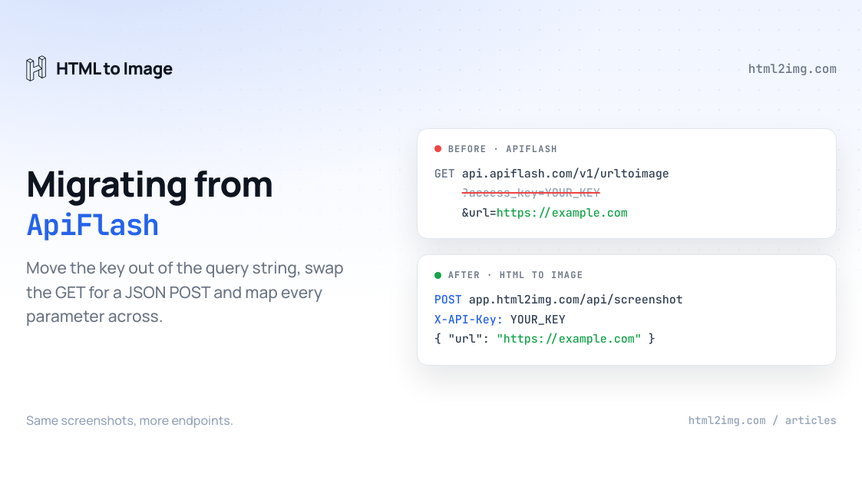
Somewhere in your codebase, probably wrapped in a helper someone wrote years ago, there is a request that looks like this:
curl "https://api.apiflash.com/v1/urltoimage?access_key=YOUR_KEY&url=https://example.com&width=1280" > screenshot.pngRunning this in production? Get an API key with 50 free credits, no card needed.
This guide takes that call apart and rebuilds it against our HTML to image API: the endpoint, the authentication, every parameter, the response handling, the error codes and the rollout. If you are still deciding whether to move at all, the ApiFlash comparison covers pricing and capability side by side. This article assumes you have decided, or that you want to see exactly how much work the move involves before you do.
The short version: the surface area is small, the mapping is mostly mechanical, and the two changes that need actual thought are where your key lives and what your code does with the response.
Why this migration is smaller than it looks
ApiFlash is deliberately narrow. One endpoint, urltoimage, that takes a URL plus options and returns a screenshot. There are no sub-resources, no SDK to untangle and no stateful setup on their side. Everything your integration does is expressed in a single request, which means the entire migration is expressed in a single request too.
HTML to Image's Screenshot endpoint covers the same job. What changes is the transport: GET with query parameters becomes POST with a JSON body, the key moves from the URL to a header, and the response becomes a JSON envelope pointing at a hosted image rather than the image bytes themselves. Each of those is a few lines of code. The rest of this guide is the detail that stops those few lines producing subtle regressions.
The urltoimage endpoint and what replaces it
Here is the same capture on both services.
# ApiFlash
curl "https://api.apiflash.com/v1/urltoimage?access_key=YOUR_KEY&url=https%3A%2F%2Fexample.com&width=1280" \
  > screenshot.png
# HTML to Image
curl -X POST https://app.html2img.com/api/screenshot \
-H 'X-API-Key: YOUR_KEY' \
-H 'Content-Type: application/json' \
-d '{"url": "https://example.com", "width": 1280}'Reading the ApiFlash URL left to right: api.apiflash.com/v1/urltoimage becomes app.html2img.com/api/screenshot. The access_key query parameter becomes an X-API-Key header. The url parameter keeps its name but moves into the JSON body, and because it now lives in JSON rather than a query string it no longer needs URL encoding. Nested query strings inside the target URL, the classic source of double-encoding bugs, stop being your problem.
ApiFlash also accepts POST requests with form-encoded parameters, so if your integration already POSTs, the change is smaller still: swap form encoding for JSON and move the key into the header.
Where the access_key goes, and why it matters
The header change looks cosmetic. It is not. A key in a query string is part of the URL, and URLs are treated as public by nearly every system that touches them. They land in web server access logs, proxy logs and CDN logs. They sit in browser history. They get pasted whole into bug reports, Slack threads and Stack Overflow questions.
There is also a leak vector specific to ApiFlash's design. Because the API returns image bytes directly, it is tempting to skip the server side entirely and put the call straight into an image tag:
<!-- Do not do this -->
<img src="https://api.apiflash.com/v1/urltoimage?access_key=YOUR_KEY&url=https://example.com">
That works, which is exactly the problem. Your access key is now published in the source of a public page, and every visitor's browser spends your quota. The same shortcut ends up committed to GitHub in tutorials, test fixtures and abandoned side projects, and people run literal code searches for the string api.apiflash.com/v1/urltoimage?access_key= to harvest keys left in public repositories.
If your key might already be public
Three steps, in order. Search your own repositories, and GitHub code search, for the endpoint string followed by your key. Check your rendered pages, templates and stored HTML for image tags that call the API directly. Then rotate: ApiFlash lets you manage access keys from its dashboard, so issue a fresh key, deploy it and revoke the old one.
Header authentication removes the class of problem rather than the instance. With HTML to Image, the request URL contains nothing secret, and the URL that comes back is a plain CDN address that grants nothing, so it is safe to embed, cache, log and share.
The full parameter map
The table below covers every commonly used ApiFlash parameter and its destination. The rows that deserve more than a sentence get their own section afterwards.
ApiFlash | HTML to Image | Notes |
|---|---|---|
|
| Out of the URL entirely. |
|
| Same name, now in the JSON body. Public URLs only on both. See the url parameter docs. |
|
| Viewport size in pixels on both sides. |
|
| PNG by default. Setting |
|
| One word, boolean, same behaviour. |
|
| Seconds on their side, milliseconds on ours. Multiply by 1,000. |
|
| Capture a single element instead of the viewport. |
|
| A different mechanism, covered below. |
|
| Retina output at 1x, 2x or 3x. |
|
| Inject CSS before capture on both. |
| Default behaviour | Every response is JSON. There is no binary mode. |
| Not needed | Covered below. |
delay counts seconds, ms_delay counts milliseconds
The one mapping that will pass code review and still be wrong. delay=3 means three seconds on ApiFlash. ms_delay: 3 means three milliseconds here, which is no delay at all. Multiply every stored delay value by 1,000 during the port and audit for it explicitly before cutover. The ms_delay docs cover the parameter in full.
wait_until becomes wait_for_selector
ApiFlash's wait_until watches browser lifecycle events: the DOM finishing, the page load event firing, the network going quiet. wait_for_selector instead waits for a CSS selector to exist in the DOM.
They solve the same problem from different ends, and the selector version usually states your intent more directly. "Capture once #chart exists" is a sharper definition of ready than "capture once the network has been quiet for a while", especially on pages where analytics beacons keep the network murmuring long after the content has settled. If your ApiFlash call combined wait_until with a delay as a safety margin, you can usually replace both with a single wait_for_selector pointing at the last element to render.
fresh and ttl have no job here
ApiFlash caches captures. Request the same parameters twice and you may get the stored image back, with ttl controlling how long it lives and fresh forcing a re-render. HTML to Image renders on every call and returns a URL to the output hosted on its CDN, so there is no shared capture cache to bypass and both parameters disappear from your requests.
If you were using ttl to avoid paying for repeat captures, replicate the behaviour on your side: store the returned URL against the request parameters and reuse it until your own expiry passes. That is all the cache was doing for you, except now you control the policy instead of expressing it through a query parameter.
Parameters without an equivalent
HTML to Image has no counterpart for quality, transparent, crop, thumbnail_width, extract_html or extract_text. Most matter less than they look. PNG output makes a JPEG compression dial irrelevant, selector covers the usual reason people reached for crop, and thumbnail generation belongs in your image pipeline or CDN rather than in the capture request. The two extraction parameters turn ApiFlash into a light scraper; if you rely on them, that workload is a scraping job wearing a screenshot API's clothes, and it should move to a scraping tool rather than to another screenshot service.
The gap that should genuinely pause a migration is page access. ApiFlash exposes proxy, cookies, headers, user_agent and accept_language so captures can reach pages behind bot protection, authentication or geo-gating. HTML to Image does not expose equivalents. If a subset of your captures depends on those parameters, keep that subset on ApiFlash and migrate the rest. Nothing forces a single vendor for both.
Two near-equivalents are worth knowing. no_cookie_banners has a manual counterpart in the css parameter:
{
  "url": "https://example.com",
  "css": ".cookie-banner, #onetrust-consent-sdk { display: none !important; }"
}
And ApiFlash's js injection parameter has no direct replacement, but the target page's own JavaScript executes during render. Injections that only hid or restyled elements move to the css parameter; injections that clicked or typed have no home here.
The response is a JSON envelope, not bytes
Every successful call returns the same shape:
{
  "success": true,
  "credits_remaining": 95,
  "id": "abc123",
  "url": "https://i.html2img.com/abc123.png"
}
Three consequences follow.
First, the download-and-store step most ApiFlash integrations carry can usually be deleted rather than ported. The file behind url is already hosted on the CDN at i.html2img.com. If your pipeline fetched bytes only to upload them somewhere embeddable, the returned URL is the somewhere.
Second, when a downstream system does need the binary, for archival or compliance, fetch the returned url as a second request. The bytes did not go away; they stopped being the default.
Third, quota monitoring moves into the body. ApiFlash reports usage through X-Quota-Limit, X-Quota-Remaining and X-Quota-Reset response headers, plus a separate quota endpoint you can poll. Here, credits_remaining arrives in every response, so a low-credit alert is one comparison in code you already have.
One inventory task before you close the old account. ApiFlash's response_type=json mode returned a pointer into its capture cache, on its own domain. If any of those cache URLs are embedded in your pages, emails or database rows, treat them as temporary: they live on ApiFlash's infrastructure and stop resolving when your account does. Find them during the migration and replace them as you go.
The same call in Node, PHP and Python
The pattern is identical in every language: build a JSON body, send the key as a header, read url out of the response. Node, before and after:
// Before: ApiFlash returns bytes, you store them
const params = new URLSearchParams({
  access_key: process.env.APIFLASH_KEY,
  url: 'https://example.com',
  width: '1280',
});
const res = await fetch(`https://api.apiflash.com/v1/urltoimage?${params}`);
const buffer = Buffer.from(await res.arrayBuffer());
await uploadToStorage(buffer, 'capture.png');
// After: HTML to Image returns a hosted URL
const res = await fetch('https://app.html2img.com/api/screenshot', {
method: 'POST',
headers: {
'X-API-Key': process.env.HTML2IMG_KEY,
'Content-Type': 'application/json',
},
body: JSON.stringify({ url: 'https://example.com', width: 1280 }),
});
const { url, credits_remaining } = await res.json();PHP, replacing the file_get_contents pattern from ApiFlash's own documentation:
$ch = curl_init('https://app.html2img.com/api/screenshot');
curl_setopt_array($ch, [
    CURLOPT_POST => true,
    CURLOPT_RETURNTRANSFER => true,
    CURLOPT_HTTPHEADER => [
        'X-API-Key: ' . getenv('HTML2IMG_KEY'),
        'Content-Type: application/json',
    ],
    CURLOPT_POSTFIELDS => json_encode([
        'url' => 'https://example.com',
        'width' => 1280,
    ]),
]);

$body = json_decode(curl_exec($ch), true);
curl_close($ch);

$imageUrl = $body['url'];
Python, replacing the urlretrieve straight-to-disk pattern:
import os
import requests

response = requests.post(
    "https://app.html2img.com/api/screenshot",
    headers={"X-API-Key": os.environ["HTML2IMG_KEY"]},
    json={"url": "https://example.com", "width": 1280},
)

image_url = response.json()["url"]
Framework-level guides for Laravel, Rails, React and others live in the usage docs if you want the idiomatic version rather than the raw HTTP call.
Errors, rate limits and retries
ApiFlash signals failure with a small set of status codes: 400 for invalid parameters or an uncapturable target, 401 for a bad key, 402 when the monthly quota is spent, 403 when a parameter needs a higher plan, 429 for rate limiting and 500 when the capture itself fails. Its rate limiter is a leaky bucket at 20 requests per second with a burst of 400, and identical failing requests are limited to five per hour, so a blind retry loop against a dead URL was already being punished.
On HTML to Image, validation failures return 422 with a details object naming the offending field, which makes the migration's teething problems quick to diagnose. Renders that exceed the 30 second synchronous budget return 504 with a reference id, and genuine service errors return 500 with a reference id you can quote to support. Log the id from any failure so a repeating problem gets reported rather than retried blind.
The structural fix for timeout-prone captures is not retrying harder but going asynchronous. Pass a webhook_url and the finished image URL is POSTed to your endpoint when the render completes, instead of a worker holding a connection open against a slow page. ApiFlash has no webhook mode, so if you have ever sized a worker pool around slow synchronous captures, this is the feature that lets you stop.
What you stop needing to build
A screenshot-only API pushes work onto your side the moment requirements grow past screenshots. These are the pieces of your own infrastructure the migration makes redundant.
The page that exists only to be captured. ApiFlash takes URLs, so rendering your own data means publishing a page, making it publicly reachable and pointing the API at it. The HTML endpoint takes markup directly:
curl -X POST https://app.html2img.com/api/html \
  -H 'X-API-Key: YOUR_KEY' \
  -H 'Content-Type: application/json' \
  -d '{"html": "<h1 style=\"font: 700 64px sans-serif\">Built at request time</h1>", "width": 1200, "height": 630}'
No hosting, no route, no cache-busting query strings to make sure the capture reflects the latest deploy.
The design layer. Named templates take a JSON payload, an invoice's line items, an OG image's title, a certificate's recipient name, and return a tested design rendered with your data, so for the common cases the markup step disappears too.
The PDF sidecar. Invoices and receipts eventually need to be PDFs, and ApiFlash's png, jpeg and webp output means adding a second service when that day comes. Setting format to "pdf" on either endpoint returns an A4 vector PDF with selectable text instead.
All of it runs on the same key and the same credit pool as the screenshots you migrated.
When staying on ApiFlash is the right call
An honest migration guide needs this section. ApiFlash is structurally cheaper per screenshot at the entry tiers and its free allowance is larger, because URL screenshots are the whole product and the pricing reflects that. If captures are the entire job, the volume is steady and none of the endpoints above are on your roadmap, the migration buys capability you will not use.
The page-access parameters are the harder constraint. Captures that depend on proxies, custom cookies or header-based authentication stay on ApiFlash, whether that is all of your traffic or a residual slice you leave behind after moving the rest.
The comparison page keeps the current pricing of both services side by side, which is also why the numbers live there and not in this article.
A cutover that cannot strand you
Create a free account, which needs no card, and issue a key from the dashboard.
Pull every ApiFlash call behind one function or interface if it is not already. Migrating one call site is an afternoon; migrating eleven scattered ones is a sprint with stragglers.
Add the HTML to Image implementation behind a flag and run both against the same sample of production URLs. Diff the dimensions and eyeball the pairs. Differences you find are usually fonts: both services capture with Chrome on Linux, so pages leaning on macOS or Windows system fonts substitute on both sides, and web fonts render identically.
Multiply every
delayvalue by 1,000 on its way toms_delay. This is the mistake that passes review.Repoint consumers to the returned
urlfield and delete the storage step wherever it has become redundant.Grep templates, emails and stored HTML for image tags calling
api.apiflash.comdirectly, both to migrate them and because each one is a published key.Inventory anything served from ApiFlash cache URLs and re-host it before the account closes.
Cut over behind the flag, alert on
credits_remainingand keep the old key active until its billing period ends, so the flag still has somewhere to fall back to.
Pick a plan once the trial numbers tell you your real monthly volume, not before.
Questions that come up mid-migration
Can the API return image bytes directly like ApiFlash does?
No. Every response is the JSON envelope, and the bytes live behind the returned URL. If a downstream system needs the binary, fetch that URL as a second request. In exchange, the URL itself is safe to hand around, which an ApiFlash GET URL never was.
Do target URLs still need URL encoding?
No. The url field is a JSON string, so send the raw URL and let your JSON encoder do its job. If your pipeline stores pre-encoded URLs for query-string use, decode them once during the port; sending the encoded form would double-encode the request.
What replaces the quota endpoint?
Nothing separate, because every response carries credits_remaining. Alert on it dropping below a threshold and you have replicated the quota endpoint and the X-Quota-Remaining header in one line.
Do I have to migrate everything at once?
No. Two keys coexist happily, and the staged rollout above assumes they will for at least a billing period. If you want an order, move the captures of your own pages first, since those are candidates for the HTML endpoint anyway, and leave any proxy-dependent captures on ApiFlash until last, or indefinitely.
Moving OG images, invoices or certificates across as part of the same migration? Browse the templates gallery or read the docs to get started.

Written by
Mike Griffiths
Mike has spent the last 20 years crafting software solutions for all kinds of amazing businesses. He specializes in building digital products and APIs that make a real difference. As an expert in Laravel and a voting member on the PHP language, Mike helps shape the future of web development.