How to Generate Signed Digital Certificates at Scale
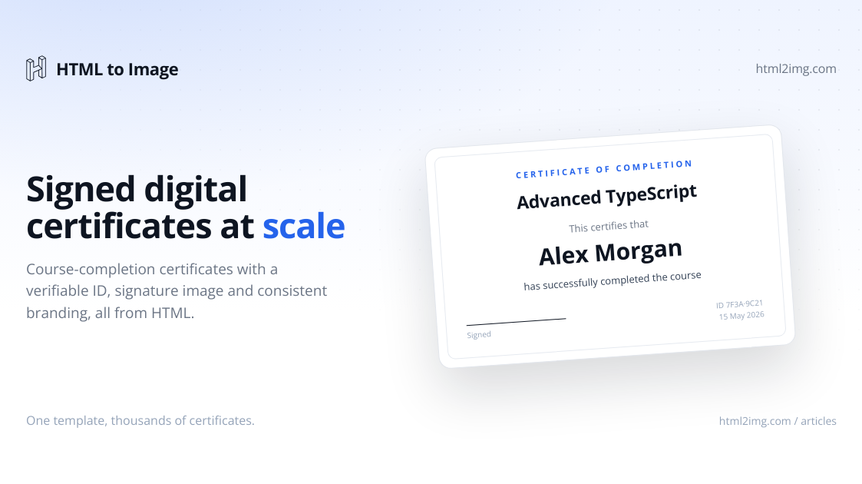
Course platforms, training providers, and LMS engineers all face the same question once their first cohort completes: how do you generate hundreds or thousands of personalised certificates without hand-designing each one? This piece walks through three real approaches, with working code, then names where each one falls short.
A quick scope-setting note before the code. Most LMS certificates do not need cryptographically signed PDFs in the PKI sense. The trust model is "the issuer publishes a verification page on their domain, the employer types the certificate ID, the page confirms it." That is the "signed" model 95% of platforms ship. If you need true PKI signing for regulated industries (medical credentials, government licensing), this article is not for you and the stack is different: Adobe Sign, DocuSign, or in-house HSM workflows.
Disclosure: we built the certificate-of-completion template at HTML to Image. This piece recommends it where it fits and names where it does not. We maintain several other named templates for things like Open Graph images and social cards if your use case is different.
What a "signed certificate" actually contains
Every working approach below produces a certificate with these components:
Layout       Landscape A4 (2480x1754 at 200 DPI for print)
Personal     Recipient name with full Unicode support
Course       Course title and completion date
Issuer       Issuer name plus signature image
ID           Unique certificate ID (UUID or short slug)
Verify       URL printed under the ID, points to your /verify route
Style        Brand accent color, optional seal or logo
Running this in production? Get an API key with 50 free credits, no card needed.
The "signing" happens in three layers:
Visible signature image. A scanned image of the issuer's signature, embedded on the certificate. Communicates authority visually. Provides zero tamper resistance.
Verifiable certificate ID. A unique ID printed on the certificate that resolves to a public page on the issuer's domain. An employer types the ID, sees confirmation. This is the practical trust layer for almost every use case.
Cryptographic PDF signing (PKI). The PDF is signed with the issuer's private key. Anyone with the public key can verify the PDF was not altered. Out of scope for this article.
The approaches below all deliver layers 1 and 2. None deliver layer 3.
The three approaches at a glance
Approach | Setup time | Render time | Per-cert cost | Maintenance |
|---|---|---|---|---|
DIY (ReportLab / PDFKit) | 1 day | 200 to 400 ms | Negligible | Fonts, layout drift, PDF library updates |
Headless Chrome (Browsershot, Playwright) | 2 hours | 1 to 3 sec | Compute cost | Chromium updates, memory, queue worker |
Template API | 5 minutes | 1 to 2 sec | 1 credit | None |
Approach 1: DIY with a PDF library
Python with ReportLab is the canonical first try for LMS teams. The library is mature, the output is a real PDF (text-searchable, around 30 KB per cert), and you have absolute control.
# scripts/generate_certificate.py
import io
from uuid import uuid4
from reportlab.lib.pagesizes import landscape, A4
from reportlab.lib.colors import HexColor
from reportlab.pdfgen import canvas
from reportlab.lib.utils import ImageReader


def generate(recipient: str, course: str, completion_date: str,
             issuer: str, signature_path: str,
             accent: str = '#0F766E') -> bytes:
    width, height = landscape(A4)
    cert_id = uuid4().hex[:12]

    buffer = io.BytesIO()
    c = canvas.Canvas(buffer, pagesize=landscape(A4))

    # Header band
    c.setFillColor(HexColor(accent))
    c.rect(0, height - 80, width, 80, fill=1, stroke=0)
    c.setFillColor(HexColor('#FFFFFF'))
    c.setFont('Helvetica-Bold', 28)
    c.drawCentredString(width / 2, height - 55, 'Certificate of Completion')

    # Body
    c.setFillColor(HexColor('#1F2937'))
    c.setFont('Helvetica', 16)
    c.drawCentredString(width / 2, height - 180, 'This is to certify that')
    c.setFont('Helvetica-Bold', 36)
    c.drawCentredString(width / 2, height - 240, recipient)
    c.setFont('Helvetica', 16)
    c.drawCentredString(width / 2, height - 290, 'has successfully completed')
    c.setFont('Helvetica-Bold', 22)
    c.drawCentredString(width / 2, height - 340, course)
    c.setFont('Helvetica', 14)
    c.drawCentredString(width / 2, height - 380, f'on {completion_date}')

    # Signature
    sig = ImageReader(signature_path)
    c.drawImage(sig, width / 2 - 80, 120, width=160, height=60,
                preserveAspectRatio=True, mask='auto')
    c.line(width / 2 - 100, 115, width / 2 + 100, 115)
    c.setFont('Helvetica', 12)
    c.drawCentredString(width / 2, 95, issuer)

    # ID footer
    c.setFont('Helvetica', 9)
    c.setFillColor(HexColor('#6B7280'))
    c.drawString(40, 30, f'Certificate ID: {cert_id}')
    c.drawRightString(width - 40, 30,
                      f'Verify at northwindstudio.com/verify/{cert_id}')

    c.save()
    return buffer.getvalue()
That is a working starting point. Once you add Unicode font registration (default Helvetica only covers Latin Extended, so names like "Müller" or "Çelik" need a registered font), signature image scaling, and line-wrapping for long course titles, you are at roughly 250 lines.
The maintenance trade is small but persistent. Layout drift creeps in when design changes; every new accent on the certificate is a coordinate calculation. Font licensing matters for distribution. The visual output looks like a 2008 PDF unless you put real design effort in. Alternatives in the same category carry the same shape: WeasyPrint (HTML to PDF, more designer-friendly), PDFKit for Node.js, Prawn for Ruby, iText for Java.
Pick DIY when you need true PDF output for archival, your design barely changes year to year, and you have a developer comfortable with PDF generation libraries.
Approach 2: HTML template plus headless Chrome
If your team thinks in HTML and CSS rather than PDF coordinate systems, this is the natural next step. Same Jinja, Blade, or EJS template you would use for any other branded output, fed to Browsershot or Playwright.
from playwright.sync_api import sync_playwright
from jinja2 import Environment, FileSystemLoader

env = Environment(loader=FileSystemLoader('templates'))
template = env.get_template('certificate.html')


def generate(recipient, course, completion_date, issuer,
             signature_url, cert_id, accent='#0F766E'):
    html = template.render(
        recipient=recipient,
        course=course,
        completion_date=completion_date,
        issuer=issuer,
        signature_url=signature_url,
        cert_id=cert_id,
        accent=accent,
    )

    with sync_playwright() as p:
        browser = p.chromium.launch()
        page = browser.new_page(viewport={'width': 2480, 'height': 1754})
        page.set_content(html, wait_until='networkidle')
        png = page.screenshot(full_page=False)
        browser.close()
    return png
The template itself stays under 60 lines of HTML and CSS. Use real fonts via Google Fonts @import, position elements with Flexbox or Grid, draw the accent band with a background color. Iterate on it in a normal browser before pointing Playwright at it.
The honest costs are the same shape as any headless-Chrome workflow. Browsershot or Playwright needs Chromium on every machine that runs the worker. Memory is the killer at volume: 200 to 400 MB resident per Chromium instance, and batching 8,000 certificates a month on a t3.small will OOM. The fix is either a beefier worker or a separate render service. Cold starts on serverless are 3 to 5 seconds, which adds up if you trigger on the completion webhook.
For volumes under 1,000 a month on infrastructure you already maintain, this is the right pick. Above that, the rendering complexity starts pulling ahead of the maintenance benefit.
Approach 3: Template API
The lowest-setup path. The certificate-of-completion template accepts the inputs an LMS needs and returns a 2480x1754 PNG, or the same certificate as a PDF when you set format to pdf in the request. The format parameter docs cover how the PDF output behaves.
import os
import requests


def generate(recipient, course, completion_date, issuer,
             signature_url, cert_id, accent='#0F766E'):
    response = requests.post(
        'https://app.html2img.com/api/v1/templates/certificate-of-completion',
        headers={'X-API-Key': os.environ['HTML_TO_IMAGE_KEY']},
        json={
            'recipient_name': recipient,
            'course_name': course,
            'completion_date': completion_date,
            'issuer_name': issuer,
            'issuer_signature_url': signature_url,
            'certificate_id': cert_id,
            'accent_color': accent,
        },
        timeout=15,
    )
    response.raise_for_status()
    return response.json()['url']
A batch-issuance pattern for a cohort completing together:
from uuid import uuid4
from datetime import datetime


def issue_cohort(cohort_id, course_name, completion_date, signature_url):
    students = db.query(Enrollment).filter_by(
        cohort_id=cohort_id, completed=True
    ).all()

    for student in students:
        cert_id = uuid4().hex[:12]
        url = generate(
            recipient=student.full_name,
            course=course_name,
            completion_date=completion_date,
            issuer='Northwind Studio',
            signature_url=signature_url,
            cert_id=cert_id,
        )
        db.session.add(Certificate(
            student_id=student.id,
            certificate_id=cert_id,
            image_url=url,
            issued_at=datetime.utcnow(),
        ))
    db.session.commit()
For larger batches (5,000 plus), watch the 30-second sync timeout. Switch to webhook delivery so the worker does not hang on each request:
response = requests.post(
    'https://app.html2img.com/api/v1/templates/certificate-of-completion',
    headers={'X-API-Key': os.environ['HTML_TO_IMAGE_KEY']},
    json={
        'recipient_name': recipient,
        'course_name': course,
        'completion_date': completion_date,
        'issuer_name': issuer,
        'issuer_signature_url': signature_url,
        'certificate_id': cert_id,
        'webhook_url': f'https://northwindstudio.com/webhooks/cert/{cert_id}',
    },
)
The webhook handler updates your Certificate row with the rendered URL when it lands. Reference details at the Python guide.
The honest costs: one credit per render. At the 25 tier that is 3,000 a month. A platform issuing 200 a week (10,400 a year) fits comfortably in the 60 tier. A platform issuing 100 a day sits at the boundary between tiers. Run the maths against your real cohort volume before committing.
The verification half
This is the section every other "certificate generator" article skips, and it is the part that earns the word "signed" in the title.
A printed certificate ID without a verification page is just a number. The trust anchor is the page at your domain that resolves that ID. A minimal Flask route:
from flask import Flask, render_template, abort

app = Flask(__name__)


@app.route('/verify/<cert_id>')
def verify(cert_id):
    cert = db.query(Certificate).filter_by(
        certificate_id=cert_id
    ).first()
    if not cert:
        abort(404)

    return render_template(
        'verify.html',
        recipient=cert.student.full_name,
        course=cert.course_name,
        issued_at=cert.issued_at,
        image_url=cert.image_url,
    )
That page shows the recipient name, course, issuance date, and the certificate image itself. Employers verify by typing the ID. The certificate image links back to the same URL via the verification text printed on it. The loop closes.
Three design notes:
Use UUIDs or 12-character hex for the certificate ID, not auto-increment integers. Sequential IDs leak issuance volume to anyone who looks at two consecutive certificates.
Show a 404 if the cert is revoked, not a "this certificate was revoked" message. Employers reading a 404 will reach out to you directly, which is what you want for the (rare) revocation case.
Make the verify page indexable. It is your trust anchor; you want Google to know it exists.
Storage and retention
Store the image URL in the database, not the image bytes. The i.html2img.com URL stays live for the lifetime of a paid account. For multi-year retention (some certifications require 7-year archival), back the image up to your own S3 bucket on issuance and store both URLs. The verify route falls back to your bucket if the API URL ever 404s.
Do not email the PNG as an attachment. Email a link to your verification page; the page embeds the image. Smaller emails, fewer spam flags, and any future updates (re-issuance, correction) propagate to everyone's view automatically.
Choosing between the three
Stick with DIY (ReportLab, WeasyPrint, PDFKit) if you need low-level PDF control such as embedded metadata or custom page furniture, your design rarely changes, and your team is comfortable with PDF generation libraries. Pick headless Chrome if you already run a worker capable of Chromium loads and your volume sits below 5,000 a month.
Pick the certificate-of-completion template if you would rather not run Chromium yourself, your volume is in the 100 to 10,000 a month band, or your team's time is better spent on the learning platform than on render infrastructure.
If you are issuing a handful of certificates rather than a cohort, skip the API entirely. The free Certificate Generator fills the same template from a form in the browser and returns the certificate as a PNG or a PDF, which is quicker than wiring up an API call for a one-off.
FAQ
Do I need PDF or is PNG fine?
PNG is fine for most LMS use cases. Students embed the image in LinkedIn, share it on social, attach it to job applications. PDF is needed for archival in regulated industries and for some background-check vendors that require a single-file artifact. The certificate-of-completion template ships PNG by default and returns a PDF when you set format to pdf, so archival output no longer forces a switch to Approach 1 or Approach 2. The HTML to PDF API page covers what the PDF output includes.
Can I batch-issue thousands of certificates at once?
Yes, with caveats. Each render takes 1 to 2 seconds, so 5,000 certificates rendered serially take roughly two hours. Use the webhook variant of the API to fire-and-forget per certificate, store the returned URL when the webhook lands, and parallelise the issuance batch across workers.
How do I handle name diacritics and non-Latin scripts?
All three approaches handle UTF-8 input. The template API renders with the same Chrome engine as the visible web, so Cyrillic, Hebrew, Arabic, and CJK names render correctly. The ReportLab approach needs explicit font registration for non-Latin scripts; standard Helvetica only covers Latin Extended.
What about adding a QR code that links to the verify page?
Generate the QR as an SVG (qrcode-svg in Node, qrcode in Python), then either include its public URL in the signature slot or render the QR inside your own raw HTML if you are using the HTML endpoint rather than the named template. Do not try to use the signature slot for QR; the template positions it where a signature would go, not where a QR would make sense.
Wrap
Signed certificates at scale are mostly a design and verification problem, not a cryptography problem. The right tool depends on volume, existing infrastructure, and how much of your engineering time you want spent on rendering rather than on the learning platform itself. The certificate-of-completion template takes a JSON payload and returns a print-ready 2480x1754 PNG; the free tier is 50 credits at signup with no card, which is enough to issue a small cohort and check the output before you commit. Free-tier renders leave the CDN after 7 days, so download anything you want to keep, or upgrade and every render you have already made becomes permanent.

Written by
Mike Griffiths
Mike has spent the last 20 years crafting software solutions for all kinds of amazing businesses. He specializes in building digital products and APIs that make a real difference. As an expert in Laravel and a voting member on the PHP language, Mike helps shape the future of web development.