---
title: "How to Generate Product Card Images"
description: "Render product cards from raw HTML. Multi-language code and a faster path via the product-card template."
url: "https://html2img.com/docs/examples/product-card/"
---

# How to Generate Product Card Images from HTML

Render a product card as a PNG. Useful for ecommerce social posts, email marketing and catalogue images.

> **Note**
>
> Want it faster? Use the [Product Card template](https://html2img.com/templates/product-card/) and skip the markup. Send title, price, image and badge as JSON.

## HTML Content

```html
<div class="product-card">
    <div class="badge">New</div>
    <div class="product-image">
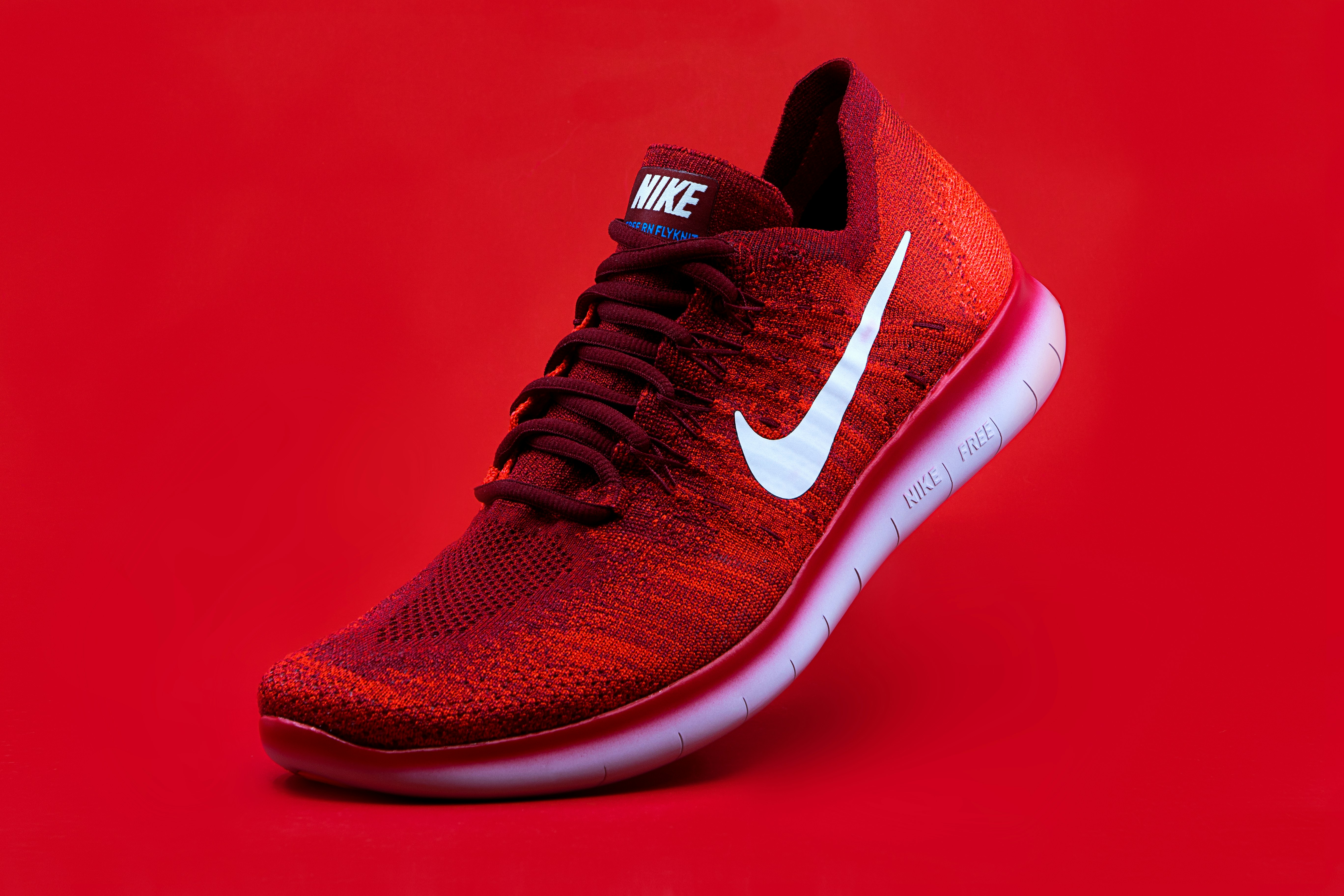
        <img src="https://images.unsplash.com/photo-1542291026-7eec264c27ff" alt="Product">
    </div>
    <div class="product-info">
        <h1>Nike Sport Shoes</h1>
        <p class="price">$199.99</p>
        <p class="description">
            Premium running shoes with enhanced comfort and durability.
            Perfect for both professional athletes and casual runners.
        </p>
        <div class="rating">
            ★★★★☆ <span>(4.2)</span>
        </div>
    </div>
</div>
```

## CSS Styles

```css
body {
    margin: 0;
    padding: 16px;
    background: white;
    font-family: -apple-system, BlinkMacSystemFont, "Segoe UI", Roboto, sans-serif;
}

.product-card {
    width: 300px;
    background: white;
    border-radius: 12px;
    box-shadow: 0 2px 20px rgba(0, 0, 0, 0.1);
    overflow: hidden;
    position: relative;
}

.badge {
    position: absolute;
    top: 12px;
    right: 12px;
    background: #ff3366;
    color: white;
    padding: 4px 12px;
    border-radius: 16px;
    font-size: 12px;
    font-weight: bold;
}

.product-image {
    width: 100%;
    height: 200px;
    overflow: hidden;
}

.product-image img {
    width: 100%;
    height: 100%;
    object-fit: cover;
}

.product-info {
    padding: 20px;
}

.product-info h1 {
    margin: 0;
    font-size: 20px;
    color: #333;
}

.price {
    font-size: 24px;
    font-weight: bold;
    color: #ff3366;
    margin: 8px 0;
}

.description {
    color: #666;
    font-size: 14px;
    line-height: 1.5;
    margin: 8px 0;
}

.rating {
    color: #ffd700;
    font-size: 16px;
}

.rating span {
    color: #666;
    font-size: 14px;
}
```

## API Request

```bash
POST https://app.html2img.com/api/html
```

```json
{
    "html": "<div class=\"product-card\"><div class=\"badge\">New</div><div class=\"product-image\"><img src=\"https://images.unsplash.com/photo-1542291026-7eec264c27ff\" alt=\"Product\"></div><div class=\"product-info\"><h1>Nike Sport Shoes</h1><p class=\"price\">$199.99</p><p class=\"description\">Premium running shoes with enhanced comfort and durability. Perfect for both professional athletes and casual runners.</p><div class=\"rating\">★★★★☆ <span>(4.2)</span></div></div></div>",
    "width": 332,
    "height": 460,
    "css": "body{margin:0;padding:16px;background:white;font-family:-apple-system,BlinkMacSystemFont,\"Segoe UI\",Roboto,sans-serif}.product-card{width:300px;background:white;border-radius:12px;box-shadow:0 2px 20px rgba(0,0,0,0.1);overflow:hidden;position:relative}.badge{position:absolute;top:12px;right:12px;background:#ff3366;color:white;padding:4px 12px;border-radius:16px;font-size:12px;font-weight:bold}.product-image{width:100%;height:200px;overflow:hidden}.product-image img{width:100%;height:100%;object-fit:cover}.product-info{padding:20px}.product-info h1{margin:0;font-size:20px;color:#333}.price{font-size:24px;font-weight:bold;color:#ff3366;margin:8px 0}.description{color:#666;font-size:14px;line-height:1.5;margin:8px 0}.rating{color:#ffd700;font-size:16px}.rating span{color:#666;font-size:14px}"
}
```

> **Note**
>
> Replace the image URL with your product image. Make sure the image is publicly accessible.

## How it Works

1. The product card uses modern CSS features for layout and styling
2. Shadow and border-radius create a floating card effect
3. The image uses object-fit for proper scaling
4. System fonts ensure consistent text rendering

> **Warning**
>
> External images must be publicly accessible and properly cached to avoid rendering issues.

## Code in other languages

### Node.js

```javascript
const response = await fetch('https://app.html2img.com/api/html', {
  method: 'POST',
  headers: { 'X-API-Key': process.env.HTML2IMG_API_KEY, 'Content-Type': 'application/json' },
  body: JSON.stringify({ html: productHtml, css: productCss, width: 332, height: 460 }),
});
const { url } = await response.json();
```

### Python

```python
import os, requests
response = requests.post(
    'https://app.html2img.com/api/html',
    headers={'X-API-Key': os.environ['HTML2IMG_API_KEY']},
    json={'html': product_html, 'css': product_css, 'width': 332, 'height': 460},
)
url = response.json()['url']
```

### PHP

```php
$ch = curl_init('https://app.html2img.com/api/html');
curl_setopt_array($ch, [
    CURLOPT_RETURNTRANSFER => true, CURLOPT_POST => true,
    CURLOPT_HTTPHEADER => ['X-API-Key: ' . getenv('HTML2IMG_API_KEY'), 'Content-Type: application/json'],
    CURLOPT_POSTFIELDS => json_encode(['html' => $productHtml, 'css' => $productCss, 'width' => 332, 'height' => 460]),
]);
$url = json_decode(curl_exec($ch), true)['url'];
```

## Common pitfalls

- **External image fails to load.** A 404 on the product image leaves a broken image icon in the render. Cache product images on a CDN you control before sending.
- **Long product titles wrap awkwardly.** Constrain title length in your data layer, or set `text-overflow: ellipsis` on the heading.
- **Currency formatting differs by locale.** Pre-format the price string before sending. The renderer does not localise.

## See also

- [PHP integration guide](https://html2img.com/integrations/php/), [Laravel integration guide](https://html2img.com/integrations/laravel/)
- [html parameter](https://html2img.com/docs/parameters/html/), [dimensions parameter](https://html2img.com/docs/parameters/dimensions/)

<script type="application/ld+json" set:html={JSON.stringify({
  "@context": "https://schema.org",
  "@type": "HowTo",
  "name": "How to Generate Product Card Images from HTML",
  "step": [
    { "@type": "HowToStep", "name": "Build the card markup", "text": "Compose your product card with image, title, price, description and rating." },
    { "@type": "HowToStep", "name": "POST to the API", "text": "Send HTML and CSS plus the desired width and height to the HTML to Image HTML endpoint." },
    { "@type": "HowToStep", "name": "Use the URL", "text": "Embed the i.html2img.com URL in your social post or marketing email." }
  ]
})}></script>
